



A convenient Git-based file explorer that displays (1) currently changed files, and (2) ALL files ever modified by the current branch (since its creation!) for one or more Git repositories.
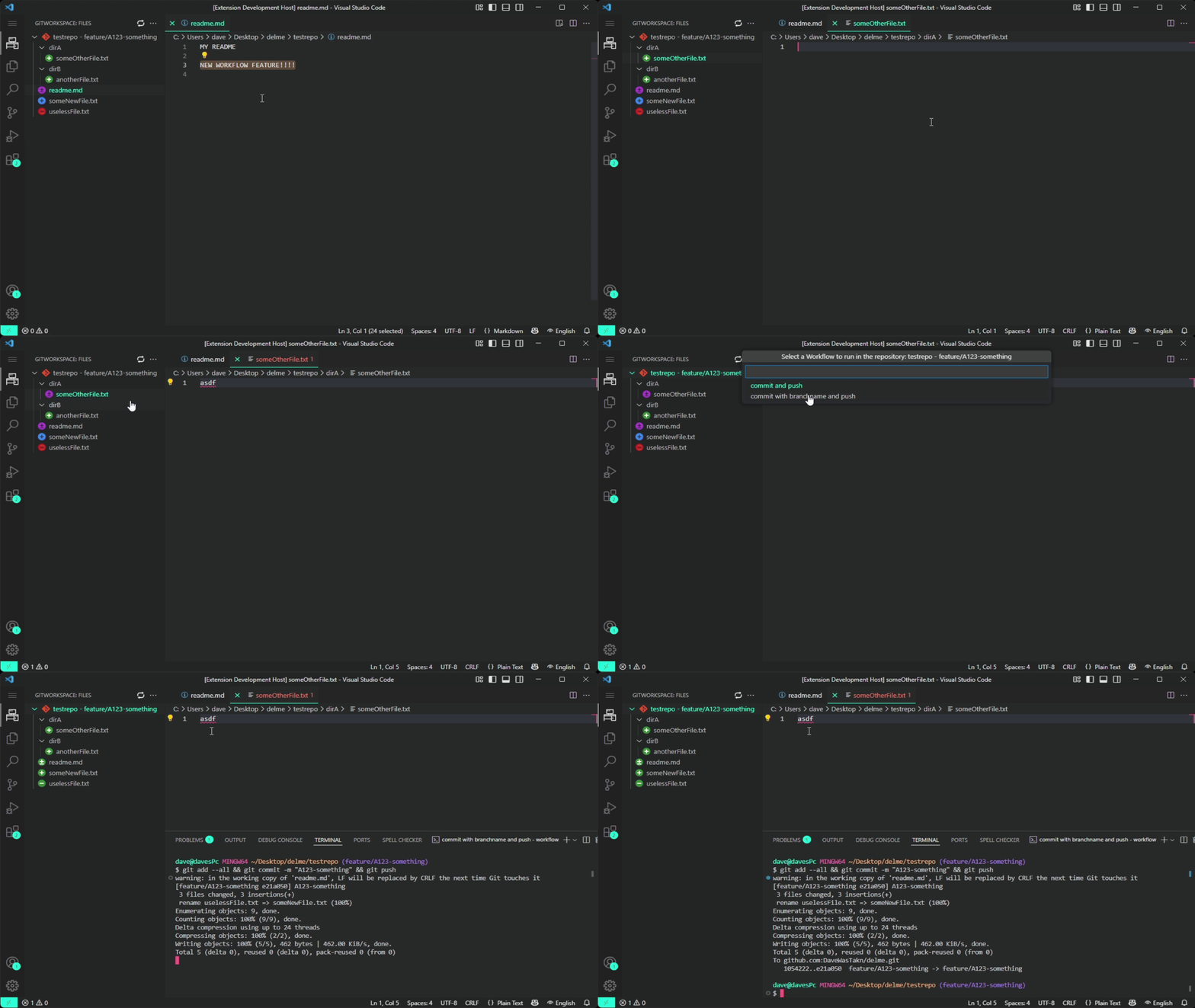

-
📁 File Explorer Panel
Displays all changed files (both tracked and untracked) from the specified Git repositories. -
🔀 Branch Diff View
Additionally, shows ALL changes of the current branch compared to its origin (the fork-off point from themasterormainbranch)! This provides a clear view of every file the branch has ever changed, ignoring intermediate merges! Ideal for visualizing the full impact of a feature/topic branch. -
🖱️ Right-Click Actions
Diff to Latest Commit– View changes since the last commit.Diff to Branch Origin– View all changes since the branch split frommain/master.Rename– Rename the file.Rollback– Restore the last committed state.Delete– Move to trash (if supported, else delete).
-
⚙️ Custom Workflows
A custom workflow is a set of commands that are executed in succession within the selected repository. Custom Workflows can be executed in a specific repository by clicking on it in the extension's explorer. See the demo shown in the gif above. They can be easily defined in the settings! -
🔍 Git Status Indicators
Icons next to each file indicate its current Git status (e.g., modified, added, deleted). -
🧬 Multi-Repository Support
Works seamlessly with multiple Git repositories within the same workspace. -
🔄 Live Updates
Automatically refreshes when files change in one of the repositories or via a manual refresh button.
Just add the (absolute) path to one or multiple Git repositories in the extensions settings!
| Icon | Meaning |
|---|---|
 |
Added |
 |
Deleted |
 |
Modified |
 |
Untracked |
 |
Committed + Added |
 |
Committed + Modified |
 |
Committed + Deleted |
The three icons on the bottom (Committed + XXXXX) represent files that have been committed to the current branch, regardless of whether these changes have already been merged back into the default branch (master/main).
If you like this extension you can buy me a coffee :)

Suggestions, feature requests or contributions are welcome on Github.
You can also leave reviews on the Microsoft Visual Studio Marketplace and/or Open VSX.
https://github.com/DaveWasTakn/GitWorkspace
This extension is an open source project released under the MIT license.
