Due to the large file size, we cannot upload source code/data to github but can access through this link: https://drive.google.com/file/d/1KqSyYaJrWzcVrIQorRi1MZ-tKldRa3KO/view?usp=sharing
Generally, we assume the similar patches share the same labels. Based on this assumption, we employ the sparse representation to measure the patch similarity between the target patch and the template patches, then propagate the labels from the templates to the target image. In this source code, the target image is test.img, the atlas intensity image are named as atlas1, …, atlas7 and their corresponding labels are names as atlas1_label, …, atlas7_label. I have already aligned all the atlases to the target image space based on the intensity image (Note that atlas images and labels are in the Atlas folder). Installation:
- First you need to download the sparse coding toolbox: SPMAS toolbox (http://spams-devel.gforge.inria.fr/hitcounter2.php?file=33814/spams-matlab-v2.5-svn2014-07-04.tar.gz). After downloading, unzip it and run the examples in Matlab to see if it is correctly working.
- Modify the path in the Demo_sparse_segmentation.m: addpath(genpath(‘YOUR_OWN_SPAMS_PATH’));
- In Matlab, run “mex extract_patches_for_prior.c”
- Run Demo_sparse_segmentation.m in Matlab.
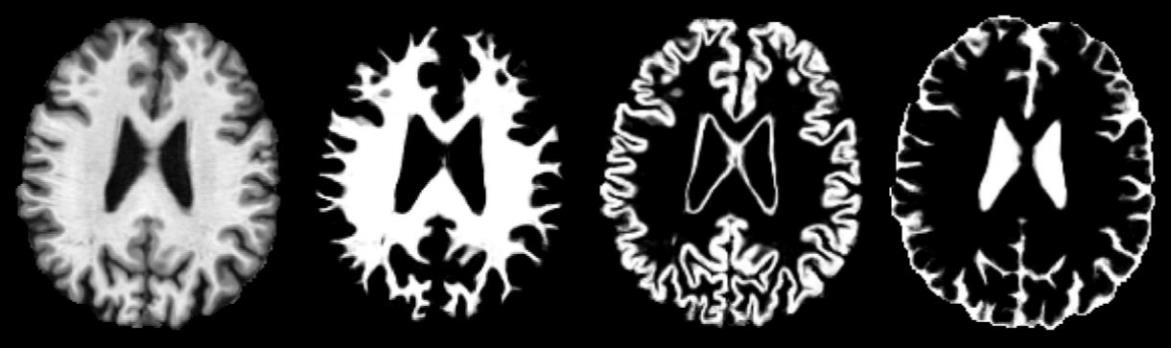
- You will derive the folloiwng results: