
This package adds a Health Check Slack Notification Method to Umbraco v17 so that the status of Health Checks can be posted to a specific Slack Channel.
If you are looking for earlier versions:
- v4 is for Umbraco v10, v11, v12, v13, v14, v15 & v16 with webhook support
- v3 is for Umbraco v9
- v2 is for Umbraco v8
- v1 is for Umbraco v7
dotnet add package Our.Umbraco.HealthCheckSlackNotificationMethod
| NuGet Packages | Version |
|---|---|
| Release |  |
| Pre-release |  |
Once installed you will need to add settings into the appsettings.json file
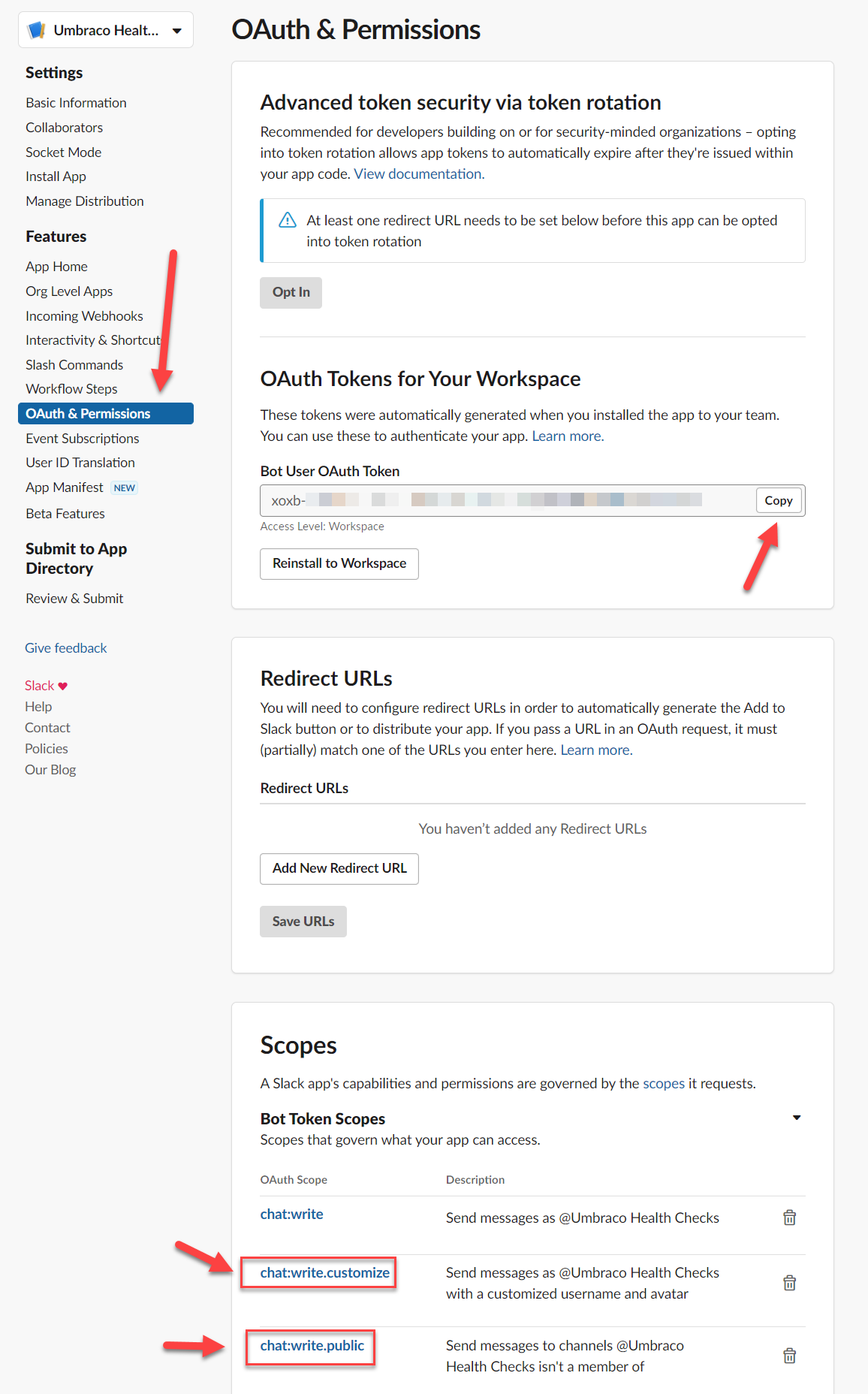
Create a Slack App, once created go to "OAuth & Permissions" and add a "OAuth Scope" with the value "chat:write.customize" within the "Bot Token Scopes" section. If you will be posting to multiple channels from the same App, you may need to also add the "chat:write.public" scope. Copy the "Bot User OAuth Token" to the appsettings.json file.
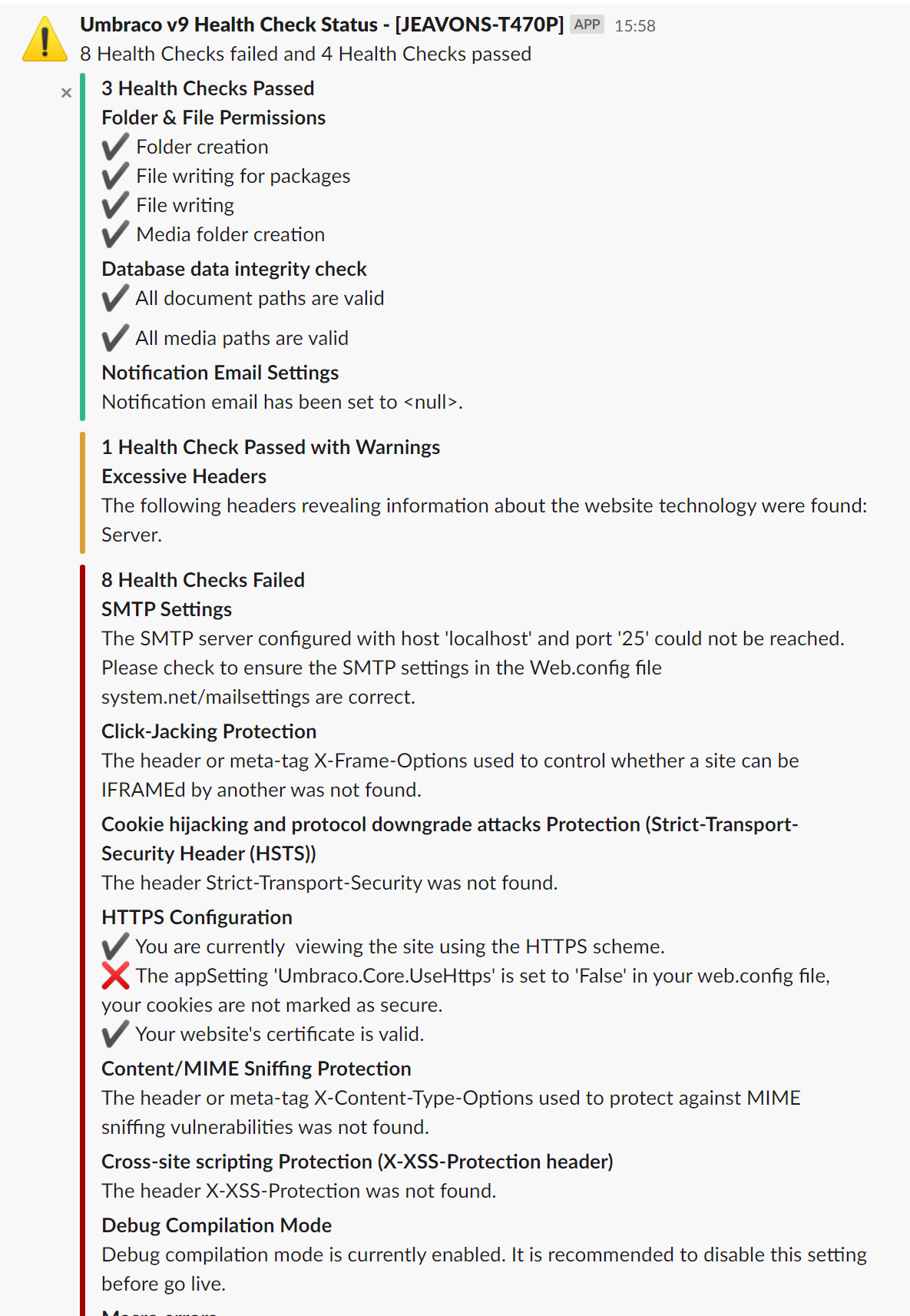
Edit appsettings.json to add the notification method and enable notifications. You need to replace the settings with your own OAuth Token and channel. Your settings file should look like the below:
  "Umbraco": {
    "CMS": {
      "Hosting": {
        "Debug": false
      },
      "Global": {
        "Id": "060fe809-7a36-4af6-a129-14582abc7058"
      },
      "HealthChecks": {
        "Notification": {
          "Enabled": true,
          "NotificationMethods": {
            "slack": {
              "Enabled": true,
              "Verbosity": "Detailed",
              "Settings": {
                "botUserOAuthToken": "xxxx-1111111111-11111111111-abcDEFGhIJ67890",
                "channel": "#test",
                "username": "Umbraco v17 Health Check Status"
              }
            }
          }
        }
      }
    }
  }
This project uses SlackNet which is MIT licensed.