A utility for interactively examining effects of changing various settings of a 3d polygon based carousel. Work in progress
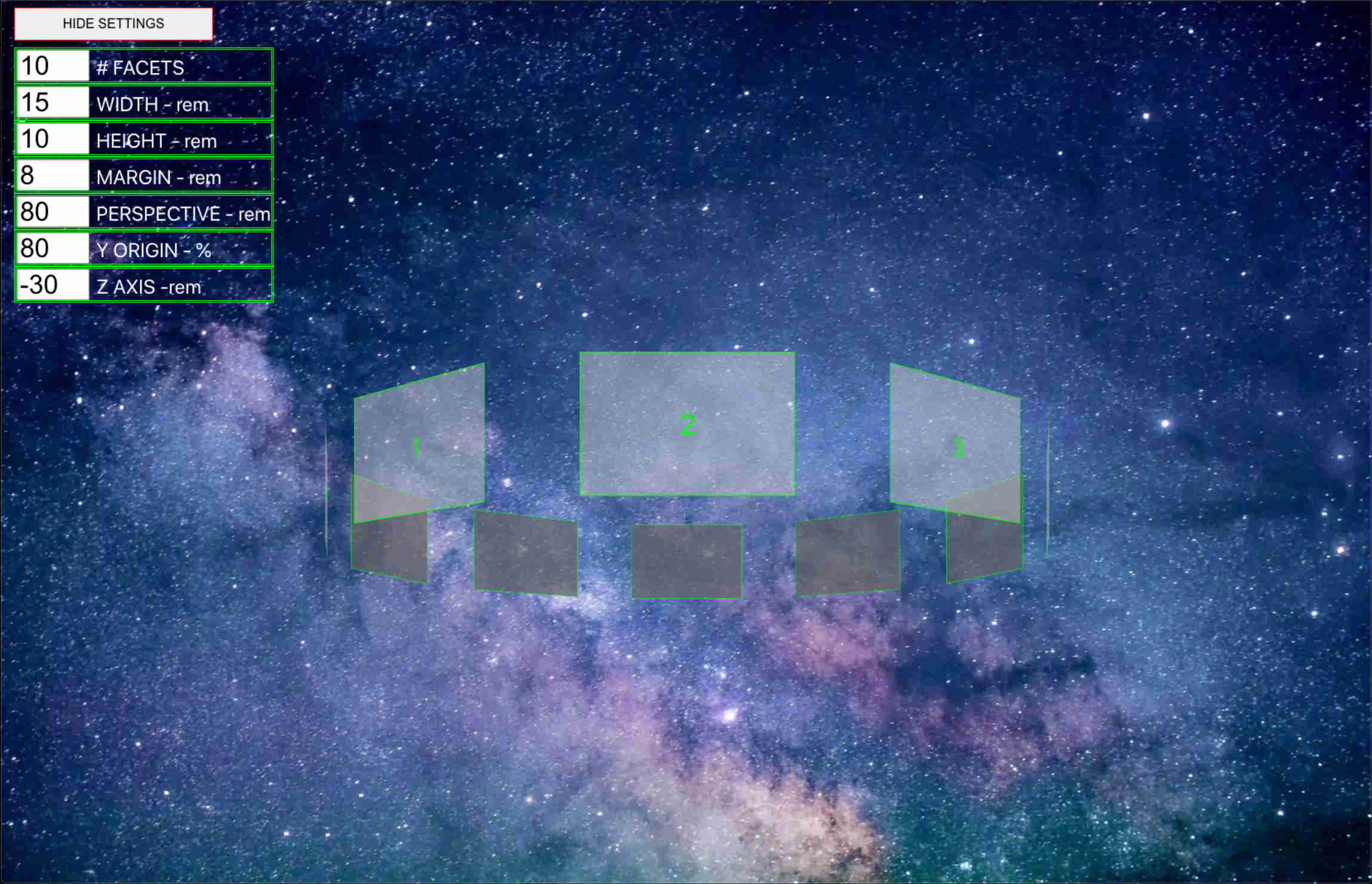
Application: React, styled-components
Testing: Jest, react-testing-library
- installation can be skipped by navigating to deployed application at https://frosty-jepsen-0f87b6.netlify.app/
- Clone this repo
- from project root directory run the following -
npm install- still in root directory of project, run the following -
npm start- navigate to http://localhost:3000 in browser
- adjust desired parameters using the onscreen form
- carousel will respond to changes as they are changed
- clicking on the carousel will make it turn to present the next facet
- clicking on 'HIDE SETTINGS' will hide the form, allowing full visibility of carousel
- clicking on 'SHOW SETTINGS' will bring the form back
- To run tests, run the following command
npm testor
- To run tests and include a coverage report
npm run coverage-
Why did I make this?
- I wanted to explore the CSS perspective property, initially to create a parallax effect
- As it evolved, I became more interested in creating 3d structures and animating them
- I had an idea for a 3d carousel, and I wanted to experiment to see how it could look
- learning more about various related properties, some sort of user control over them seemed like a good idea
-
What are it's quirks to be resolved if possible?
- testing is a work in progress. It is helping to find issues in the code, for instance :
- found when using 'useReducer', I am not passing 'dispatch' down to a child component correctly. This may account for some difficulty testing input events
- need to devise a test for Carousel component that tests user triggered rotation. May need to use Enzyme.
- When adjusting the z-axis property, the carousel may go off to one side
- it snaps back to center when clicked on, now at the new z position
- although it works on mobile, it's not optimized for it. Inputs behave differently.
- more properties on the form, particularly y axis adjustment, possibly change background or style of facets somehow.
- testing is a work in progress. It is helping to find issues in the code, for instance :
-
What did I learn while doing this ?
- in addition to hooks I've used previously, I learned how to use 'useRef', 'useReducer', and although ultimately not in the app, forwardRef.
- using useRef to access properties of elements
- using useRef to store persistent values without causing re-rendering like useState does.
- using useReducer to abstract away logic code from App component
- more experience with react-testing-library
- good coverage, still need to figure out how to test user clicking on carousel - it's a bit tricky in that anything that results is a change to css.
- how to create 3d shapes with css, animate them, and position them as I want
- including what an 'apothem' is! (distance from the center of a regular polygon to the center of any given side)
- css procedure for each facet - rotate it , then push it out along the z axis
- in addition to hooks I've used previously, I learned how to use 'useRef', 'useReducer', and although ultimately not in the app, forwardRef.