This repository is outdated and was migrated to project-fortis.

Deploy your own Fortis pipeline to an azure subscription through a single click.

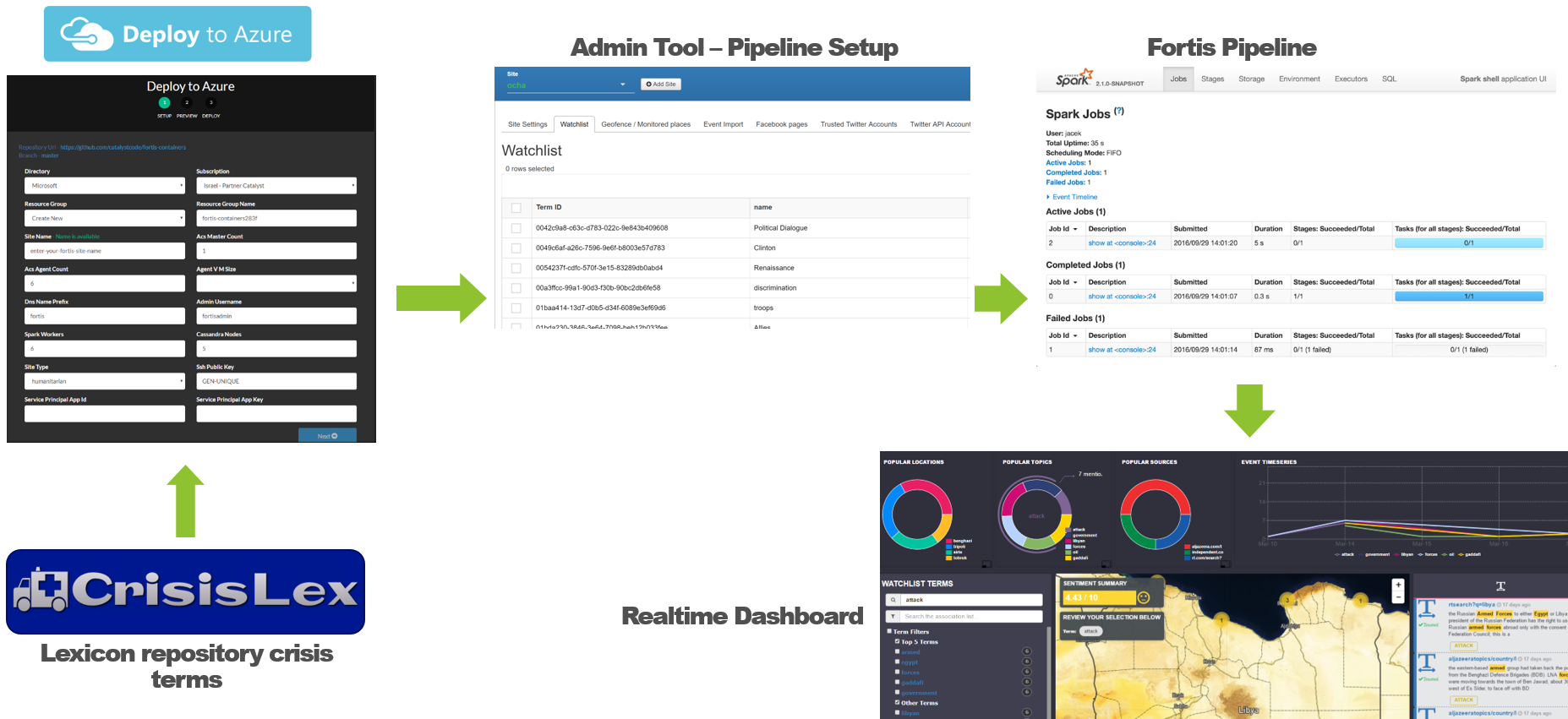
A fully containerized realtime spark pipeline powered off Kubernetes.
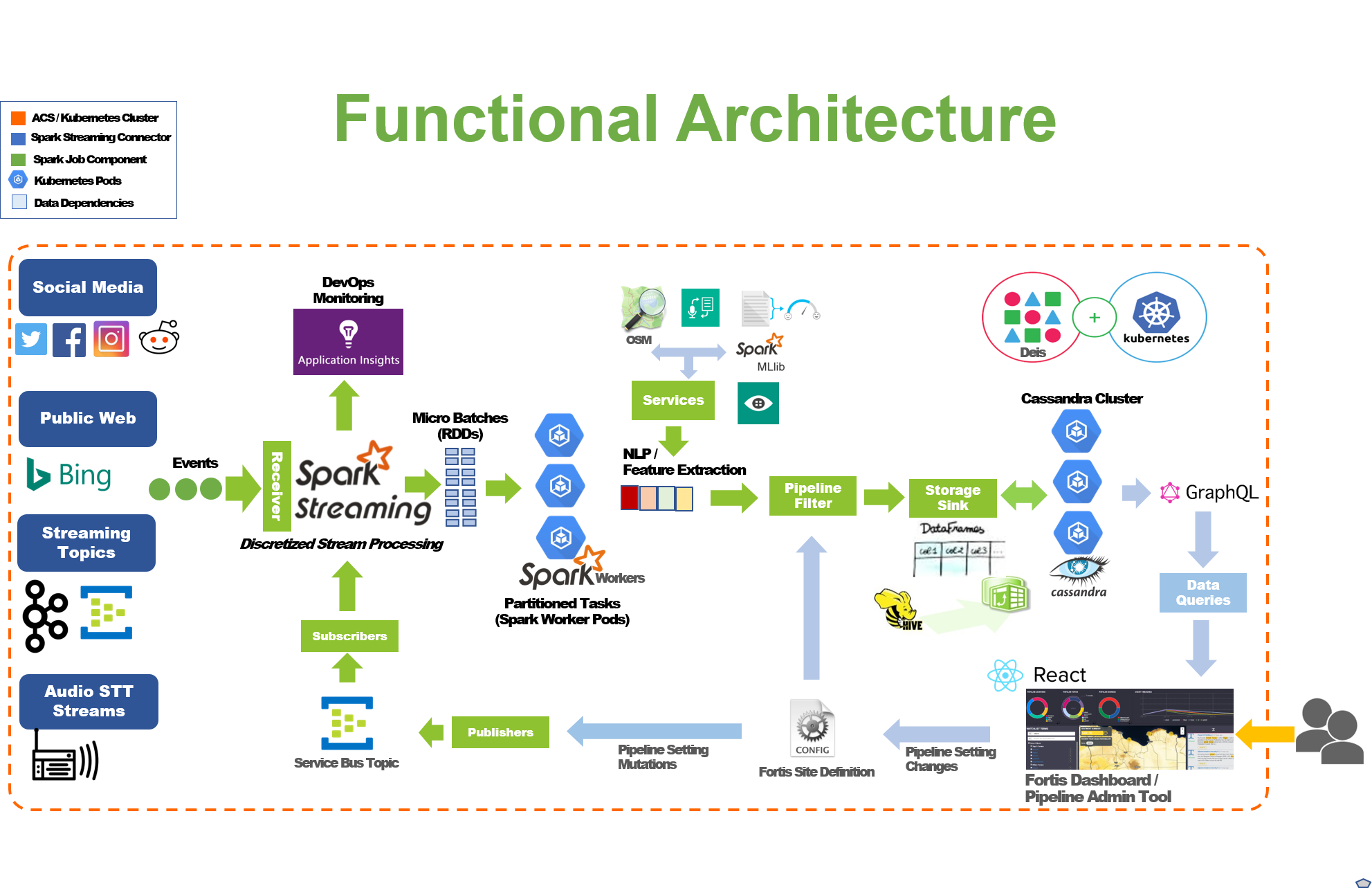
Project Fortis is a data ingestion, analysis and visualization pipeline. The Fortis pipeline collects social media conversations and postings from the public web and darknet data sources.
- Spark-based Pipeline: https://github.com/CatalystCode/project-fortis-spark
- Dashboard Interface: https://github.com/CatalystCode/project-fortis-interfaces
- Graphql Services: https://github.com/CatalystCode/project-fortis-services
- Kubernetes Helm Charts: https://github.com/CatalystCode/charts
- Deploy to Azure Steps
- Deploy to Local Machine Steps
- Upgrading the Fortis Spark Pipeline
- Upgrading the Fortis Interface
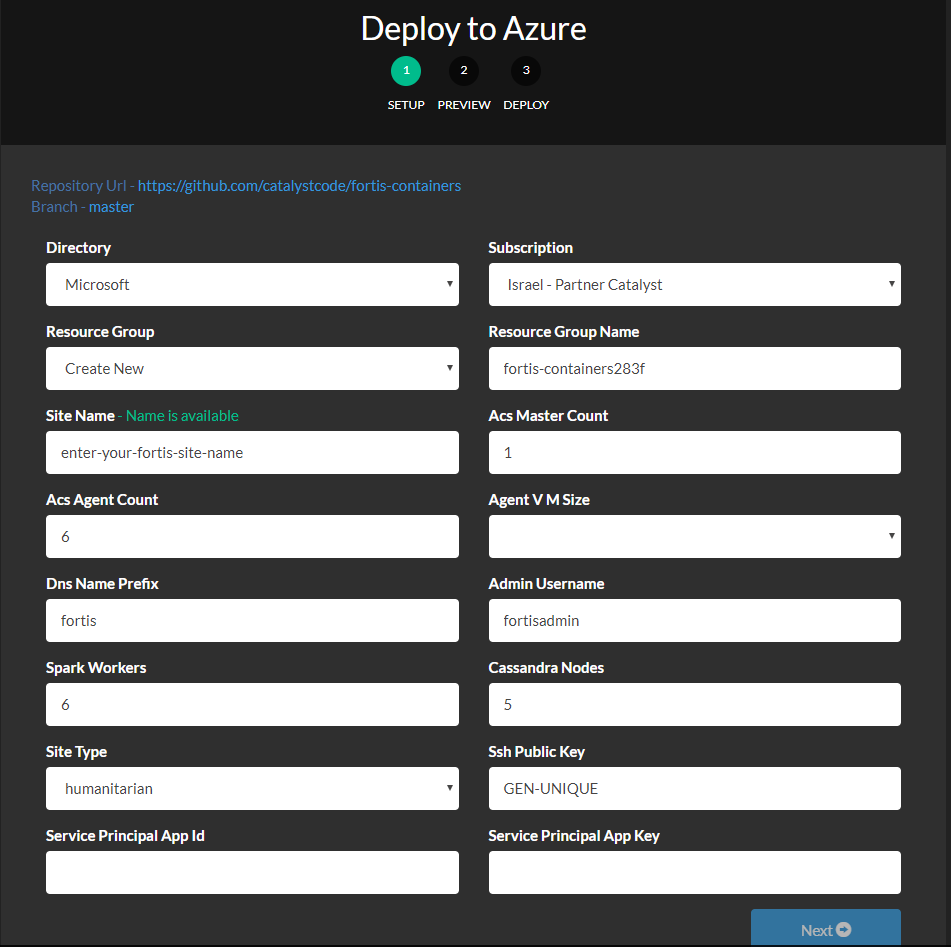
- First and foremost, you'll need an existing azure subscription. You can create one for free here.
- Generate a Public / Private ssh key pair following these instructions. The contents from the generated
MyKey.pubfile will be used for theSSh Public Keyfield. - You'll need an existing azure service principal. You can follow these instructions if you need to generate a new service principal. Your service principles
Application IDwill be used for theService Principal App IDfield, and theAuthentication Keywill be used for theService Principal App Key.
- Public Web - Bing
- Radio Broadcasts
- ACLED
- The site type selection drives which default topics, public sites and facebook pages are auto-generated for your site as part of the deployment process.
- Available site types
- Humanitarian
- Climate Change
- Health
-
Grab a large cup of coffee as the deployment can take north of an hour to complete.
-
Once the deployment has finished, click on the
Manage your resources(highlighted below).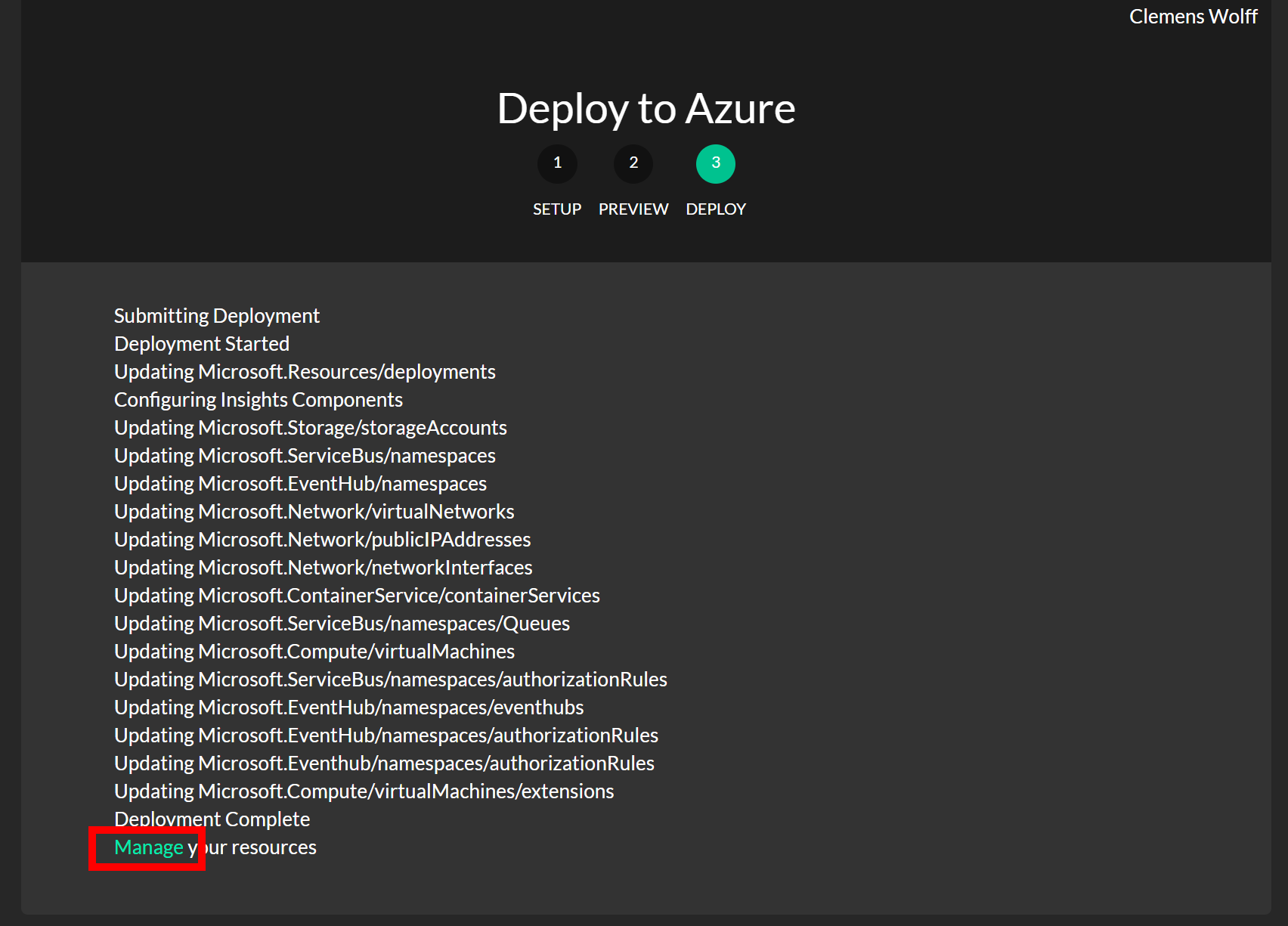
-
Select the
Tagstab in the Azure Portal (highlighted below), point your browser to the site at theFORTIS_ADMIN_INTERFACE_URL(also highlighted below).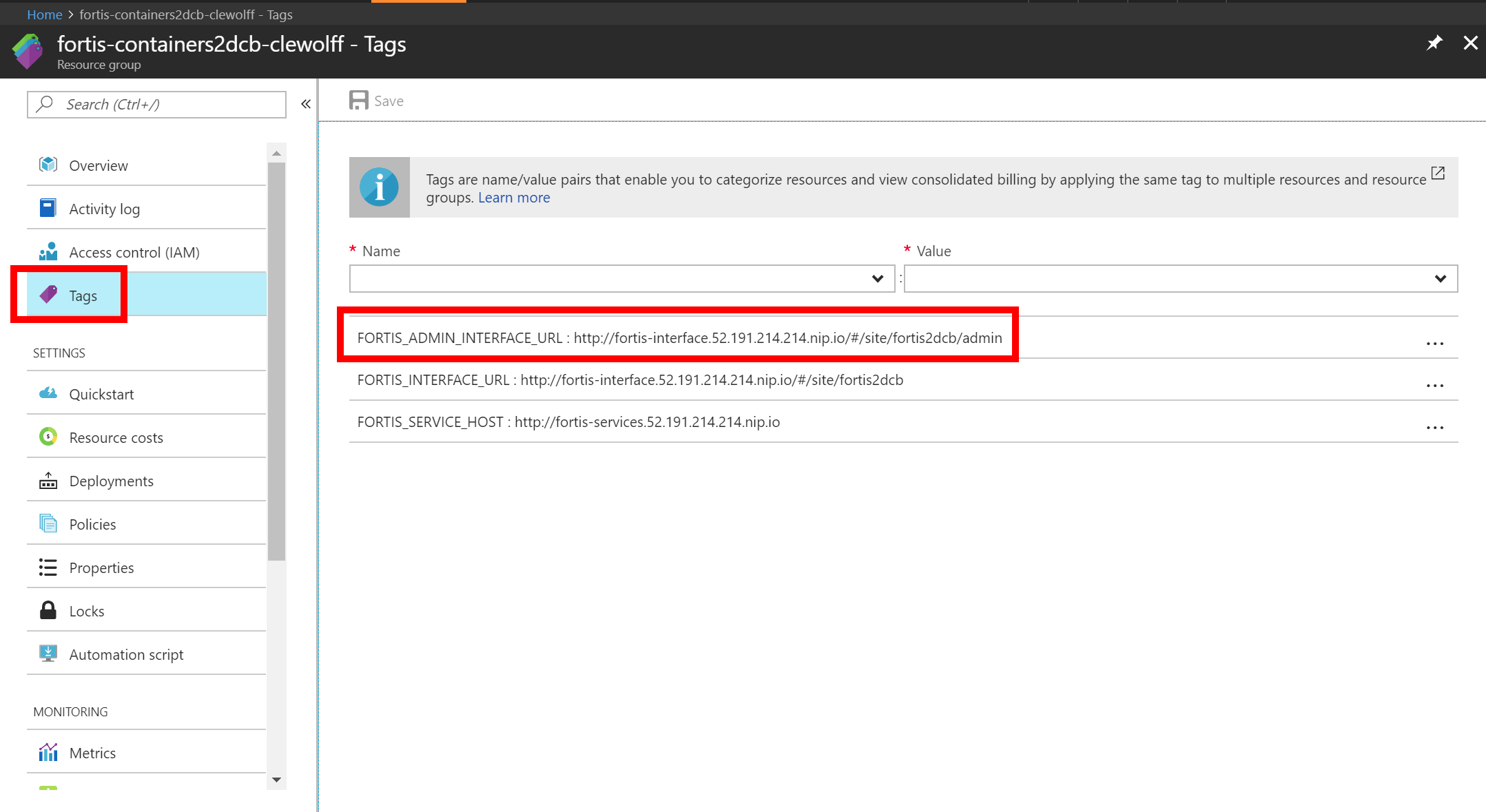
-
In the Fortis admin portal, you can now finalize the setup of your Fortis deployment; once you've completed all the admin configuration, your deployment is ready to be used.