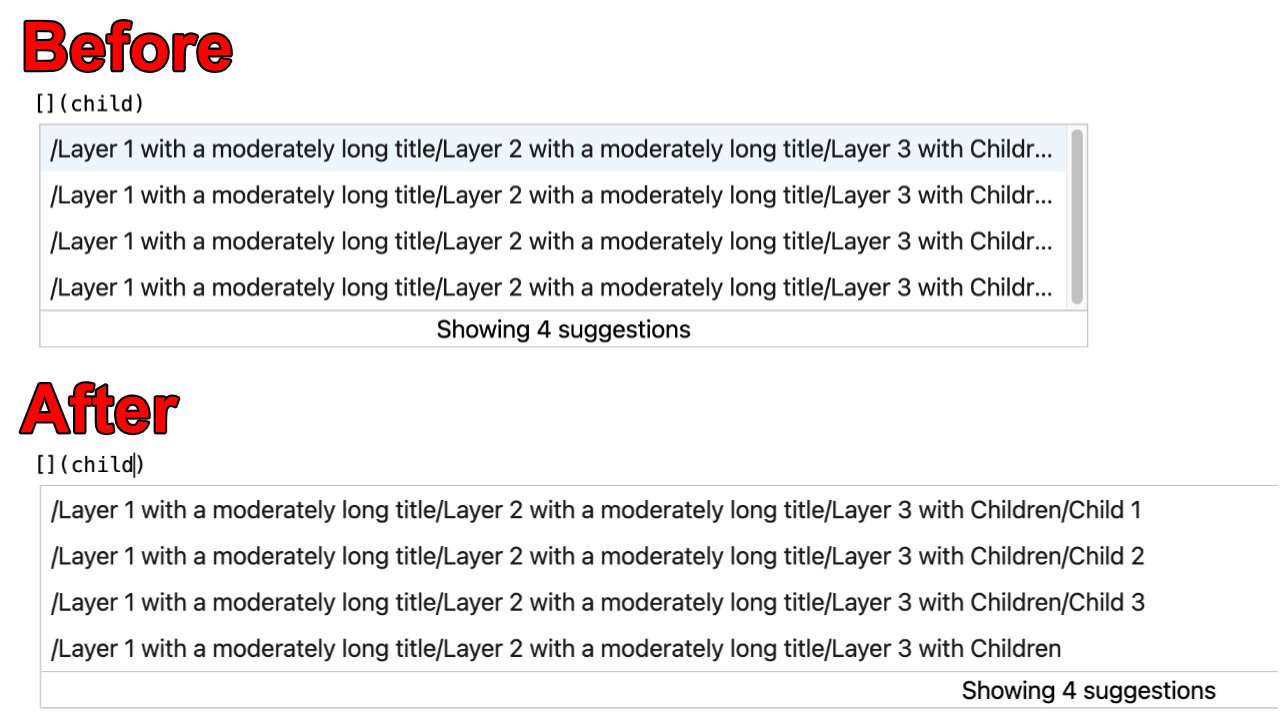
Greasemonkey script to enhance the UX of Azure DevOps.
- Firefox: Install Greasemonkey
- Chrome: Install Tampermonkey
- Create a new user script in Greasemonkey/Tampermonkey
- Copy the code from here as your new user script
- Save the script ("File -> Save" in Tampermonkey)
- Enjoy a slightly better Azure DevOps experience :)
This feature is a necessity when screen sharing with external partners or screen recording for youtube, twitch or other platforms.

Especially handy, if you use sections within your documents to organize requirements, Impediments or other items, which can sometimes be lengthy in name.
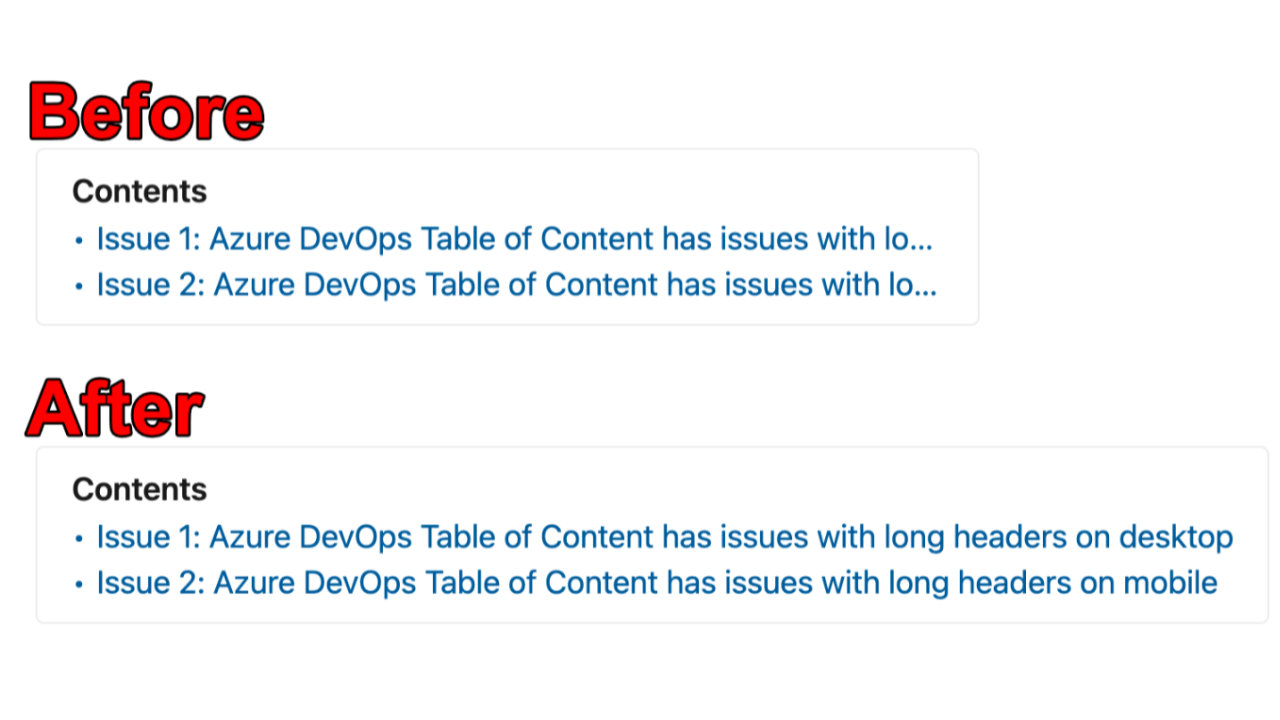
Generelly handy, if your wiki grows in size and has nested pages.