| Software | version |
|---|---|
| Operating System | Ubuntu ^22.04 |
| Docker | ^27.4.1 |
| Postgresql | ^16.6 |
git clone https://github.com/BoboiAzumi/MySKUpdate backend-service/.env.docker
# Environment variables declared in this file are automatically made available to Prisma.
# See the documentation for more detail: https://pris.ly/d/prisma-schema#accessing-environment-variables-from-the-schema

# Prisma supports the native connection string format for PostgreSQL, MySQL, SQLite, SQL Server, MongoDB and CockroachDB.
# See the documentation for all the connection string options: https://pris.ly/d/connection-strings

# Only change postgresql user and password, don't change postgresql host, port, and db
DATABASE_URL="postgresql://postgres:<your password>@172.17.0.1:5432/mysk?schema=public"
HOST="localhost:3000"

# Recomended to change JWT_SECRET for more security
JWT_SECRET="mysk"
You can using external postgresql server
DATABASE_URL="postgresql://postgres:<your password>@your.postgresql.domain:5432/mysk?schema=public"Change the JWT_SECRET for more security
JWT_SECRET="<NEW JWT SECRET>"Update frontend-service/.env
VITE_ENVIRONMENT="DEVELOPMENT"
VITE_BACKEND_URL="http://www.abcd.com"
Change VITE_ENVIRONMENT into PRODUCTION for deploying, or change into SPLIT if deploy in separate server.
If you change VITE_ENVIRONMENT into SPLIT you should change VITE_BACKEND_URL.
If all prerequisite and configuration already done, you can deploy this project by only command
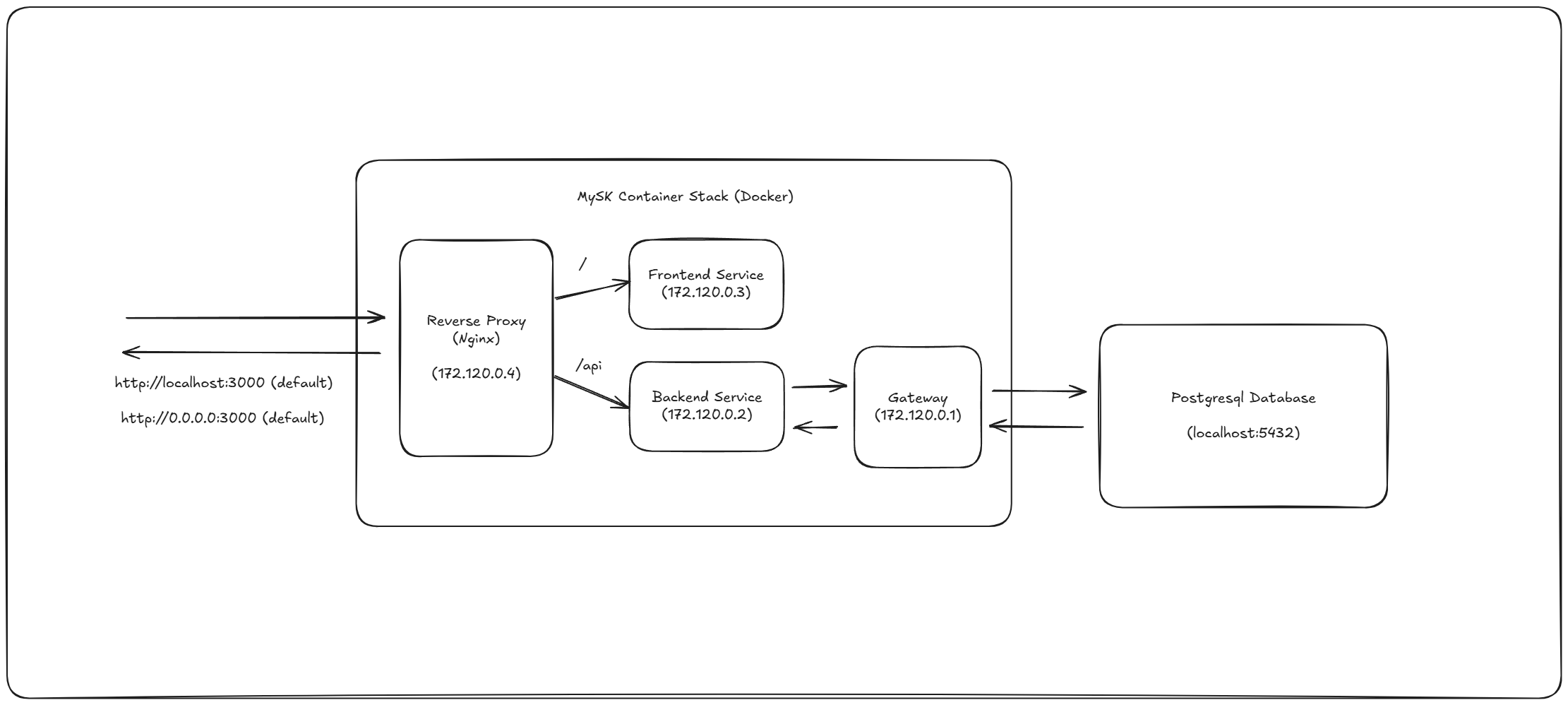
sudo docker compose up -dThis project will running in port 3000
You can shutdown and delete all running service by command
sudo docker compose down --rmi "all"All files will store in
/var/mysk