
A simple Digital Alarm Clock
Author : Maryam Saeedmehr
Language : C
For implementing this code yourself, You Need to install below applications :
Create a new project in the atmel studio and copy all files in the /Digital_Alarm_clock.c file into your new project folder .
After you have built it ,Digital_Alarm_clock.hex file will be created in your project's folder. This is the only thing you need to program your avr in the proteus.
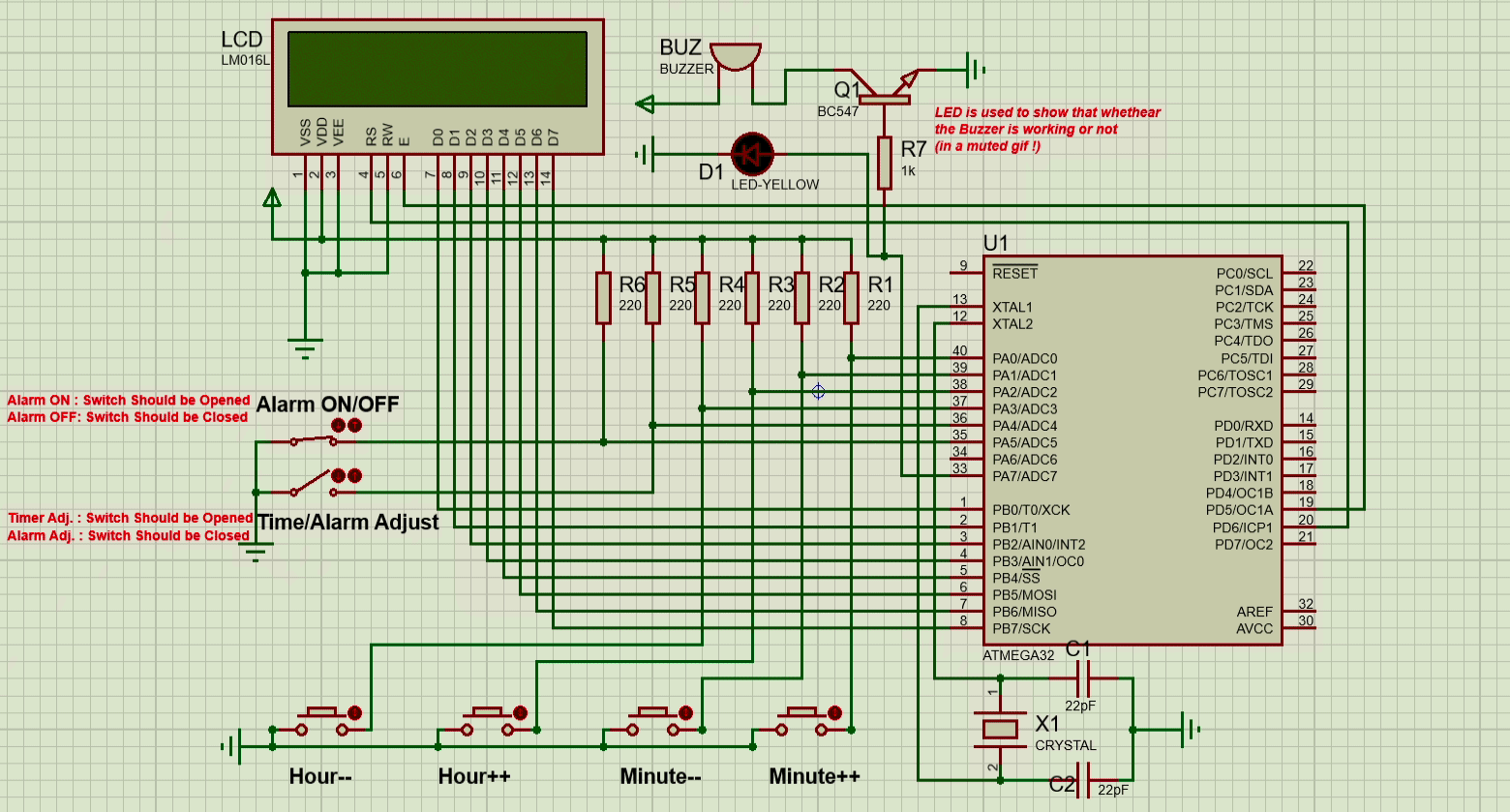
Use proteus to emulate your circuit. Try to make it as I have done....
To ptogram your microcontroler in the proteus , just double click on it and choose the .hex file and press OK !
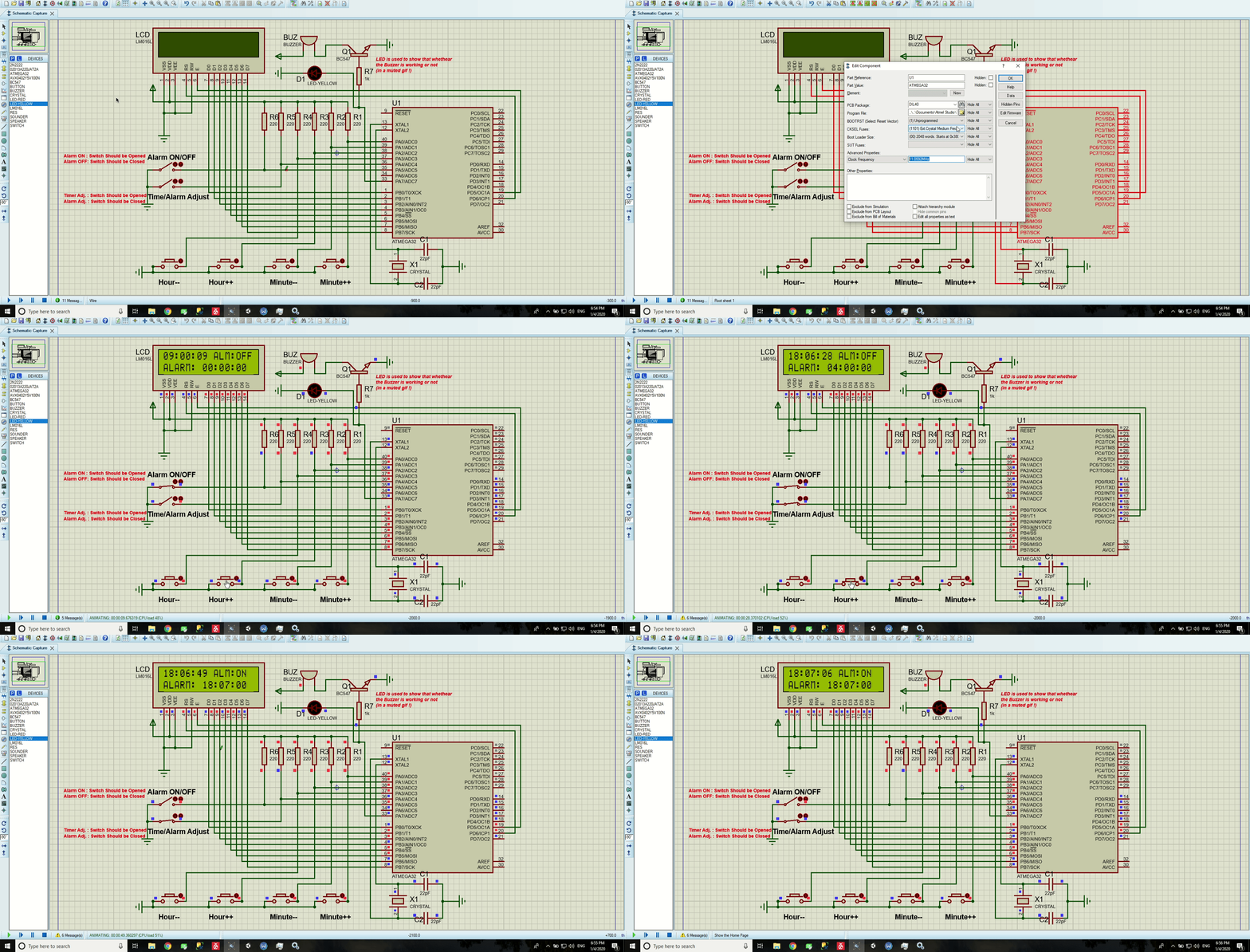
/Digital_Alarm_clock.c: This is the main file/Digital_Clock_with_Alarm.pdsprj: Simulation file using proteus/LICENSE: The license of this project
Reach out to me at one of the following places!
- Telegram at @BitterOcean
- Gmail at maryamsaeedmehr@gmail.com
