








- macOS 14+
Pyzh Craft is a native macOS Minecraft launcher 🍎 built with SwiftUI, offering a streamlined and efficient gaming experience. Designed for modern macOS systems, it provides comprehensive mod loader support, Microsoft account authentication, and intuitive game management.
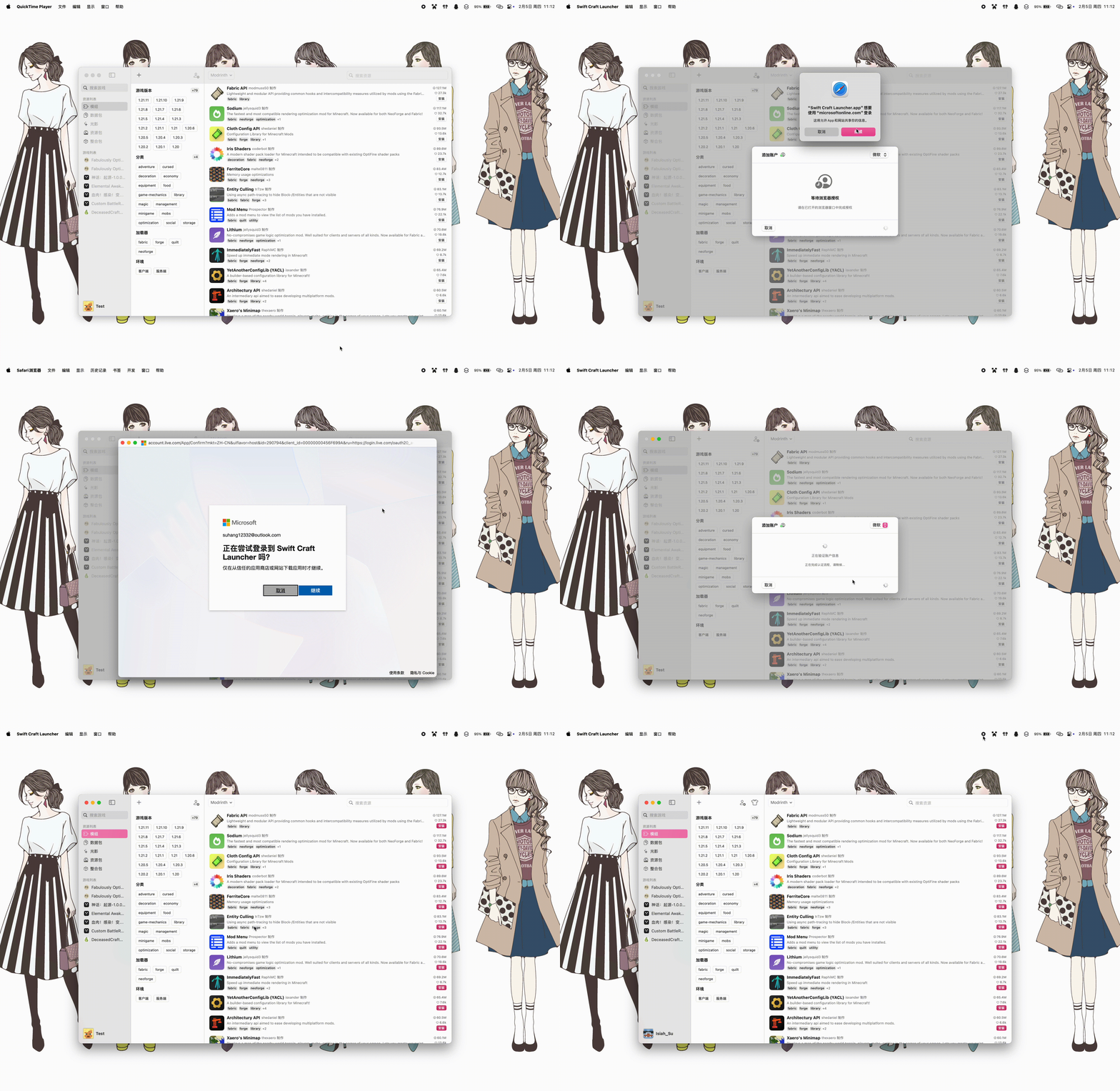
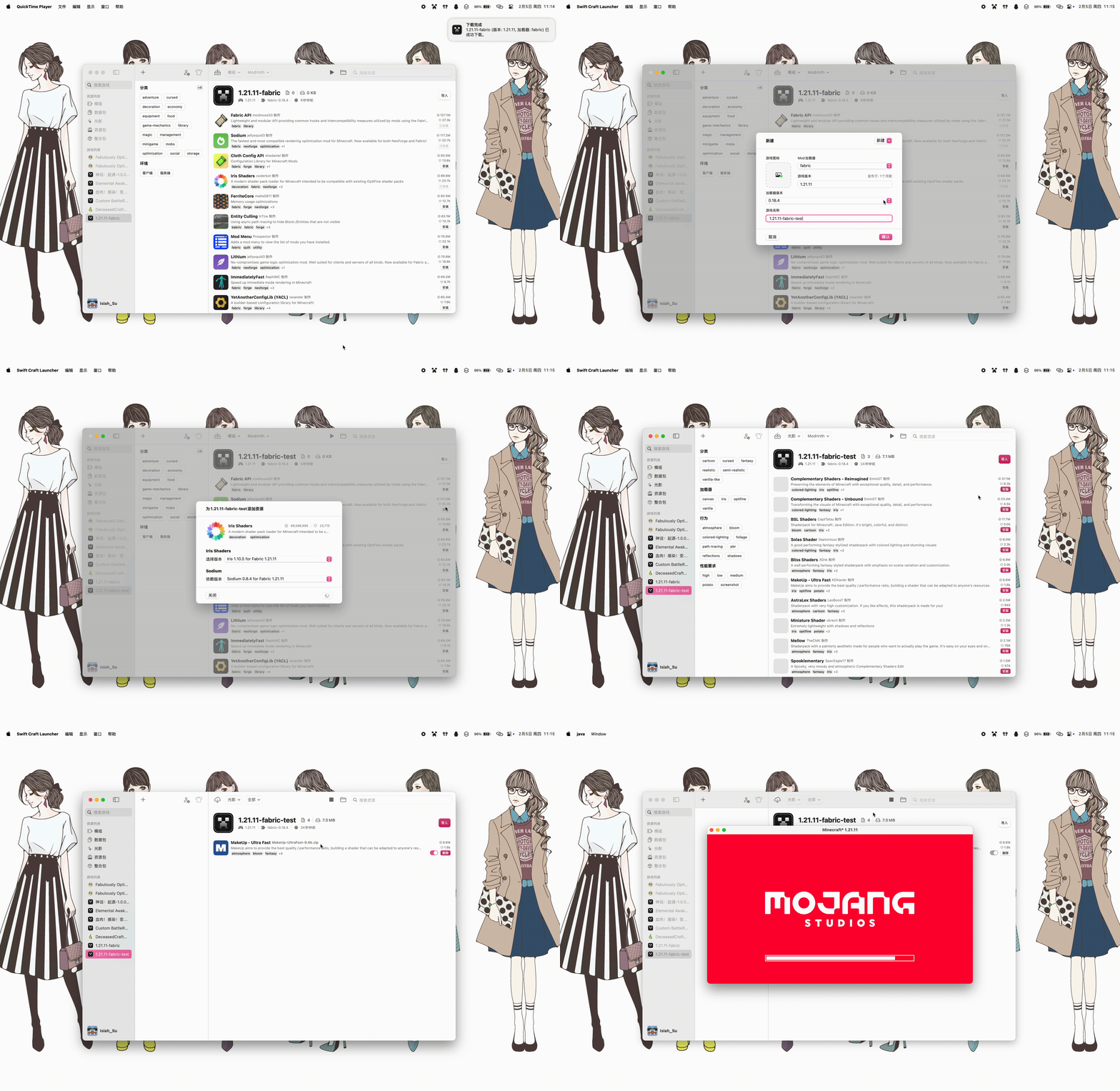
- 🔄 Multi-version Minecraft Support - ARM: 1.13+, Intel: untested
- 🔐 Microsoft Account Authentication - Secure OAuth integration with device code flow
- 🧰 Mod Loader Support - Fabric, Quilt, Forge, and NeoForge with automatic installation
- 📦 Resource Management - One-click installation of mods, datapacks, shaders, and resource packs
- 🎨 Native macOS Design - SwiftUI-based interface following Apple Human Interface Guidelines
- 🌍 Multi-language Support - Localized interface with flag indicators
- 🗂️ Smart Path Management - Finder-style breadcrumb navigation with auto-truncation of long paths
- ⚡ Performance Optimization - Efficient caching and memory management mechanisms
- ☕ Java Management - Per-profile Java path configuration with automatic version detection
- 🧠 Memory Allocation - Visual range slider for Xms/Xmx parameter settings
- 🔧 Custom Launch Parameters - JVM and game argument customization
- 💻 macOS: 14.0 or later
- ☕️ Java: 8 or later (for Minecraft runtime)
# Method 1: One-command install
brew install --cask suhang12332/swiftcraftlauncher/swift-craft-launcher

# Method 2: Add Tap then install
brew tap suhang12332/swiftcraftlauncher
brew install --cask swift-craft-launcher
💡 Tip: We created a dedicated Homebrew Tap for Pyzh Craft
Download the latest version from GitHub Releases.
⚠️ Note: The current available downloads are test versions. Stable releases are coming soon.
Please visit FAQ
-
⏬ Clone the repository
git clone https://github.com/suhang12332/Swift-Craft-Launcher.git cd Swift-Craft-Launcher -
🛠️ Open in Xcode
open PyzhCraft.xcodeproj
-
🚀 Build and run using Xcode (⌘R)
Build Requirements:
- Xcode 13.0+
- Swift 5.5+
| Component | Technology |
|---|---|
| 🎨 UI Framework | SwiftUI |
| 💻 Language | Swift |
| 🔄 Reactive Programming | Combine |
| 📱 Target Platform | macOS 14.0+ |
This project is licensed under the GNU Affero General Public License v3.0. See LICENSE for details.
Additional Terms: This project includes additional terms requiring source attribution and prohibiting the use of the same software name. See:
- 👥 Official QQ Group: 1057517524
- Discord: Discord
- 🐛 Issue Reports: GitHub Issues
- 💡 Feature Suggestions: GitHub Discussions
We welcome contributions! Please see our Contributing Guidelines for details on:
- Code style and standards
- Pull request process
- Issue reporting guidelines
Special thanks to the following projects that have contributed to this launcher:
- Archify - Universal binary optimization tool for macOS applications