WebSite Link https://gleeful-crumble-b8285c.netlify.app/
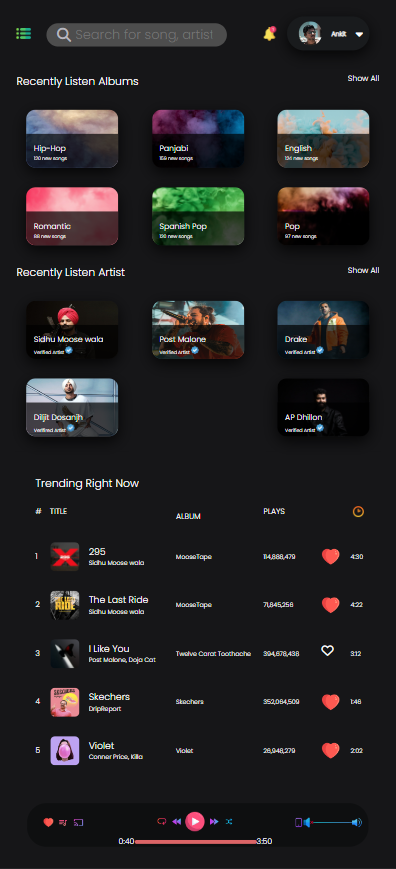
The fully responsive web music player design is a user-friendly interface that can be accessed on any device, including desktops, laptops, tablets, and mobile phones. The design includes a player section, a playlist section, and controls for playing, pausing, skipping tracks, and adjusting volume.
To create a fully responsive interface, HTML is used to structure the page and define the elements of the user interface, including the player section, the playlist section, and the controls. CSS is used to style the interface, making it visually appealing and easy to use on any device.
The player section typically displays the album art, track title, artist name, and play/pause controls. CSS can be used to create a stylish and visually appealing design for the player section, with elements such as gradients, shadows, and animations.
The playlist section can be styled with CSS to create a visually appealing list of all the tracks in the user's music collection, with each track displayed as a separate item. CSS can be used to style the track names, album art, and other elements of the playlist, making it easy to navigate and manage.
The controls can be styled with CSS to create a cohesive and visually appealing interface that complements the rest of the design. CSS can be used to create custom icons for the play, pause, skip, and volume controls, and to add visual feedback when the user interacts with them.
Overall, the fully responsive web music player design using only HTML and CSS can be a great way to create a functional and visually appealing web application that allows users to enjoy their music collection online. With the right combination of HTML and CSS, it is possible to create a music player that is both functional and aesthetically pleasing.
Technologies used: HTML, CSS
//Desktop View

// Laptop View

// Tab View

// Mobile View