

Cape Town Coffees is a sleek Android application designed for coffee lovers across Cape Town. The app helps users discover nearby coffee shops, explore reviews, share their own experiences, and save favourites for easy access later.
Whether you’re searching for a cozy spot to study, a trendy café to meet friends, or the perfect latte, Cape Town Coffees connects you to the city’s best brews.
- Features
- Tech Stack
- Security Features
- Installation
- Video Demonstration
- Screenshots
- Contributors
- Learning Outcomes
- References
- 🗺️ Location-based Discovery - Find cafés near you with real-time distance and status
- ⭐ Community Reviews - Share your experiences and read others' opinions
- 💾 Offline Access - Download café details for when you're off the grid
- 🔐 Secure Authentication - Firebase Auth with Google Sign-In integration
- 🎨 Modern UI - Built with Jetpack Compose and Material Design 3
|
|
- Kotlin
- Jetpack Compose
- Material3 design (UI components)
- Kotlin Coroutines (structured concurrency)
- Kotlin Flow
- Hilt (Dependency Injection)
- Firestore (firebase no-sql database)
- FireBase Authentication (Google SSO sign in, Email & Password)
- Gradle KTS
- Gradle version catalogs (dependencies versions)
- GitHub Actions
- Google Places (for grabbing cafes based on location) (new places API through SDK)
app/
├─ data/
│  ├─ common/        # networking/config helpers, result wrappers
│  ├─ mapper/        # DTO ↔ domain model mappers
│  ├─ model/         # DTOs from Places/Firebase responses
│  └─ repository/    # Repository implementations (Places, Firestore, Auth)
│
├─ di/               # Hilt modules (binds repositories, SDK providers)
│
├─ domain/
│  ├─ model/         # Pure domain models (UI-agnostic)
│  ├─ repository/    # Repository interfaces (ports)
│  └─ usecase/       # Interactors (single responsibility operations)
│
├─ ui/
│  ├─ auth/          # Sign-in/Sign-up screens, AuthViewModel
│  ├─ coffeeDetail/  # Detail screen (ratings, distance, open-hours)
│  ├─ common/        # BaseAdapter, View utils, composables/views
│  ├─ home/          # Home feed, sections, skeletons
│  ├─ profile/       # Profile & account management
│  ├─ review/        # Add/read reviews flows
│  ├─ savedLists/    # Favorites / downloads (offline)
│  ├─ search/        # Search UI, suggestions, filters
│  └─ settings/      # App settings (permissions, privacy)
│
├─ util/             # Cross-cutting utilities (e.g., LocationUtil)
│
├─ CapeTownCoffeesApp  # Application class (Hilt entry)
└─ MainActivity        # NavHost, edge-to-edge, theming bridge
- Android Studio
- Android SDK 26+ (API 36+ recommended)
- Gradle 8.0+
-
Download and install Android Studio (Giraffe or newer) from the official site: https://developer.android.com/studio
-
Open Android Studio on your computer.
-
Get the project files:
-
Option 1 - Clone the Repository: Click "Get from Version Control" in the github repository and paste the repository link: https://github.com/AlphaSweater/CapeTownCoffees.git
-
Option 2 - Download Zip File: If you downloaded a ZIP file, extract it, then click "Open" in Android Studio and select the extracted project folder.
-
Wait for Gradle sync to complete. Android Studio will automatically download required dependencies. (This may take a few minutes the first time.)
-
Ensure you have the correct SDK versions installed:
-
Minimum SDK version needed is 26 (36+ recommended) (You can check or install SDKs via SDK Manager in Android Studio.)
- Connect a device to run the app:
-
Option 1: Plug in a physical Android device with USB debugging enabled.
-
Option 2: Create and start an Android Emulator via Device Manager in Android Studio.
-
Click the green "Run" button at the top (or press Shift + F10) to build and launch the app.
-
The app will install and launch on your selected device, showing the BudgetBuddy application.
📺 Watch the full walkthrough of Cape Town Coffees on YouTube: 👉 Click here to view
| Login | Sign Up | Home Page | Cafe Details |
|---|---|---|---|
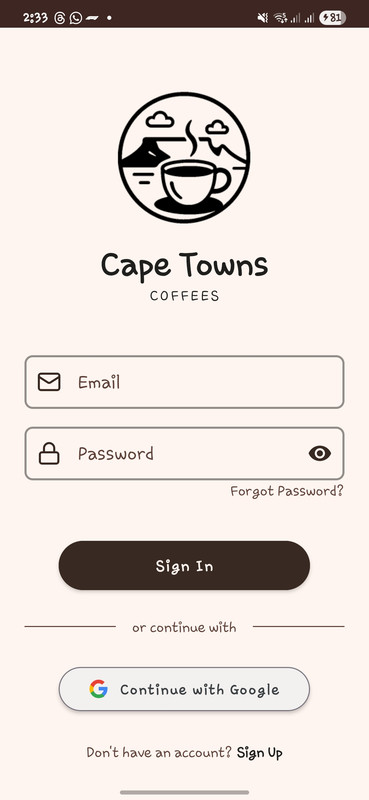 |
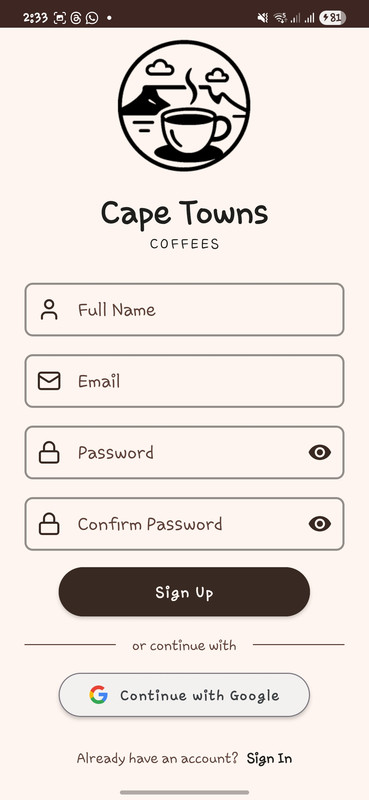 |
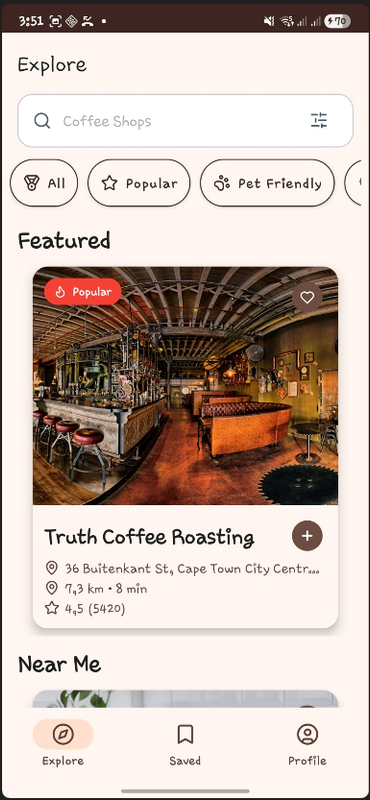 |
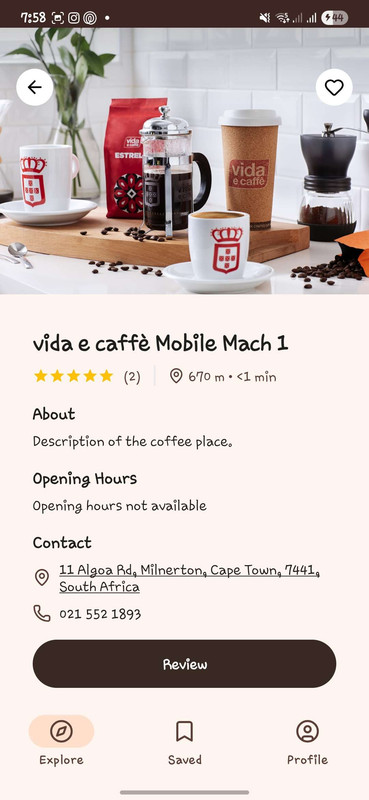 |
| List Screen | Saved Cafes | Profile Page | Settings Page |
|---|---|---|---|
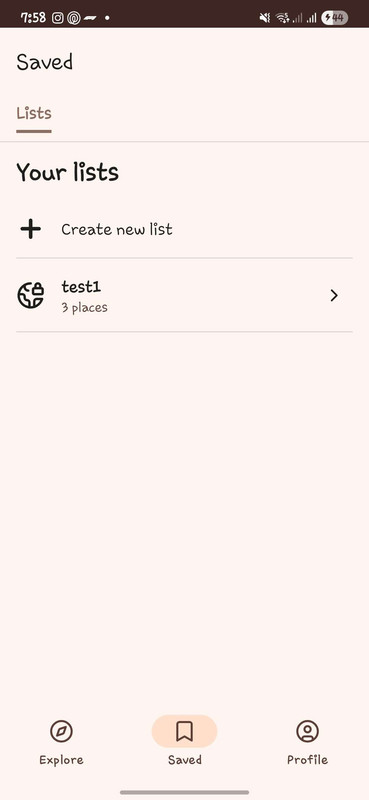 |
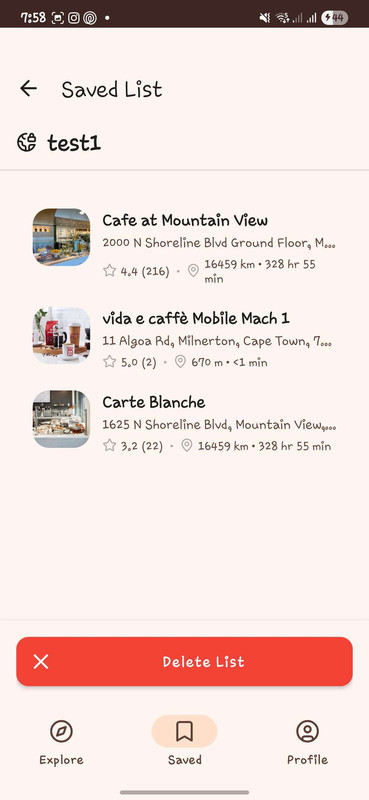 |
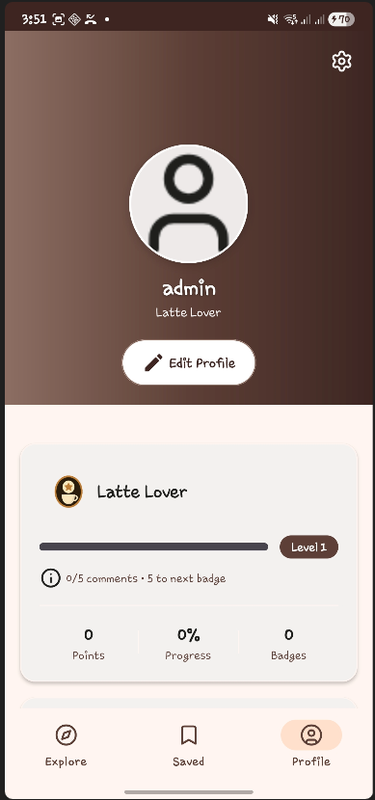 |
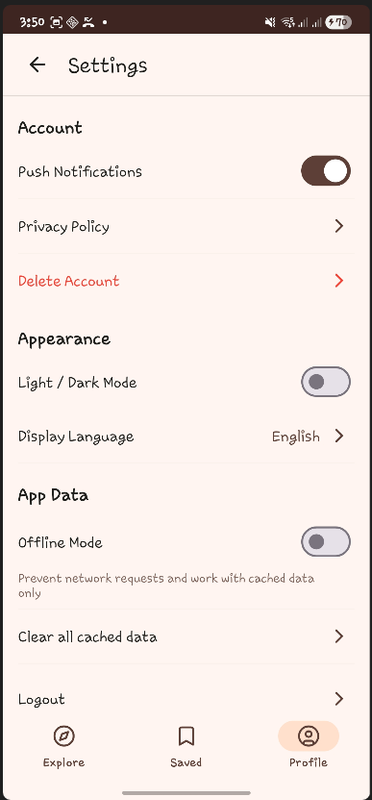 |
- Chad Fairlie ST10269509
- Dhiren Ruthenavelu ST10256859
- Kayla Ferreira ST10259527
- Nathan Teixeira ST10249266
This project provided hands-on experience with:
|
|
- https://www.youtube.com/watch?v=A_tPafV23DM&list=PLPgs125_L-X9H6J7x4beRU-AxJ4mXe5vX
- https://www.geeksforgeeks.org/kotlin-android-tutorial/
- https://www.geeksforgeeks.org/textview-in-kotlin/
- https://www.geeksforgeeks.org/scrollview-in-android/
- https://www.geeksforgeeks.org/horizontalscrollview-in-kotlin/
- https://www.geeksforgeeks.org/cardview-in-android-with-example/
- https://www.geeksforgeeks.org/switch-in-kotlin/
- https://www.geeksforgeeks.org/spinner-in-kotlin/
- https://www.youtube.com/watch?v=KwDSkSBDyfQ
- ChatGPT was used to help with the design and planning. As well as assisted with finding and fixing errors in the code.
- ChatGPT also helped with the forming of comments for the code.