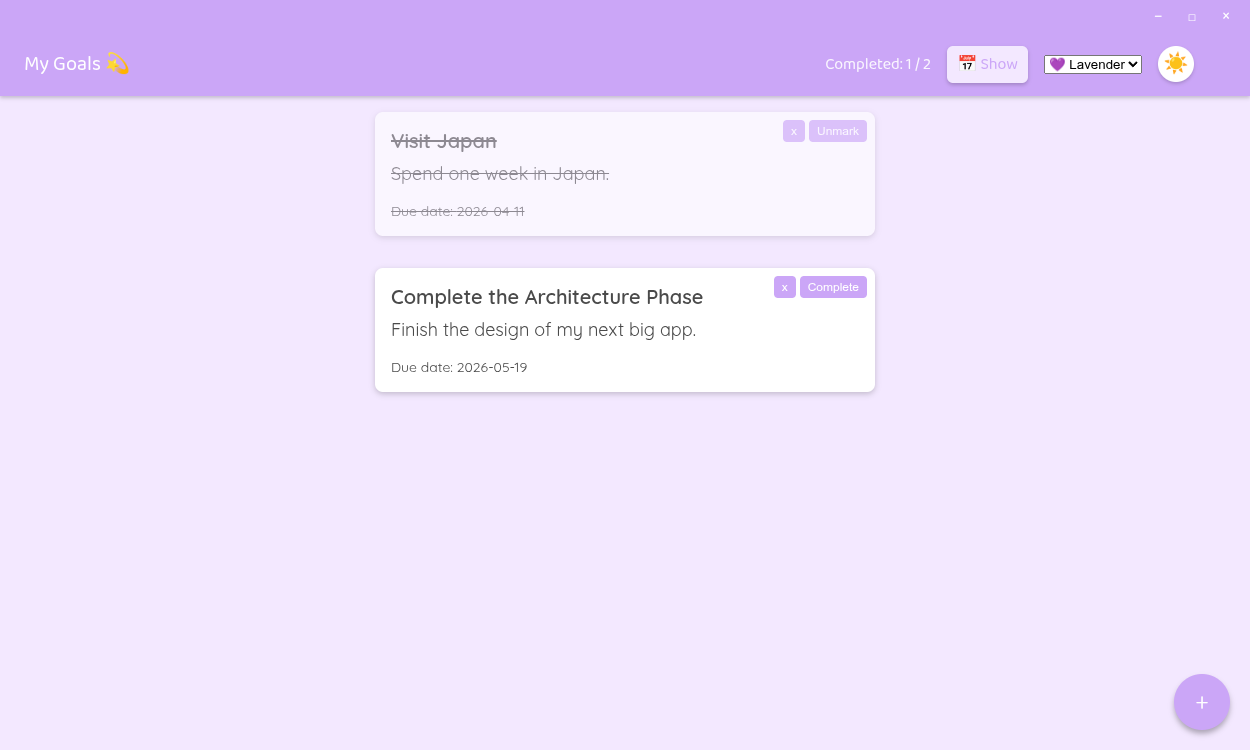
A modern desktop application for managing your goals and objectives, built with Electron and TypeScript.


- 🎯 Goal Management: Create, edit, complete, and delete your objectives
- 📅 Integrated Calendar: Visualize your goals in a monthly calendar
- 🎨 Customizable Themes: 6 different themes (Pink, Lavander, Blue) with light/dark modes
- 💾 Export/Import: Save and share your goals in JSON format
- 📆 ICS Export: Export your goals with dates to calendar files
- 🗑️ Bulk Delete: Delete all goals at once with confirmation
- Node.js 18+
- npm
- Git (optional, for cloning the repository)
- Clone the repository (or download the code):
git clone https://github.com/Alexdaz/GoalsPlanner
cd "GoalsPlanner"- Install dependencies:
npm install- Build the project:
npm run build- Run the application:
npm startnpm run build- Compiles TypeScript to JavaScriptnpm run build:watch- Compiles in watch mode (auto-compiles on save)npm start- Builds and runs the applicationnpm run dist- Builds and creates the executable for distributionnpm run dist:mac- Builds macOS executable (DMG and ZIP)npm run dist:win- Builds Windows executable (NSIS Installer)npm run dist:linux- Builds Linux executable (AppImage)
The application includes 6 different themes:
- 🔵 Blue (light and dark)
- 🌸 Pink (light and dark)
- 💜 Lavender (light and dark)
Each theme automatically adapts to all components, including the custom title bar.
The application implements multiple security measures:
- ✅ Strict JSON file validation
- ✅ File size limits (5MB maximum)
- ✅ Input data sanitization
- ✅ Context Isolation and Sandbox enabled
- ✅ Node Integration disabled
- ✅ Type and data structure validation
- ✅ Special character escaping in ICS exports
To create an executable:
npm run distExecutables will be generated in the dist/ folder:
- Linux: AppImage
- Windows: NSIS Installer
- macOS: DMG and ZIP (x64 and arm64)
- Add a goal: Click the floating button (FAB) ➕ and select "Add goal"
- Fill in the title, description, and due date (all fields are required)
- Complete a goal: Click the "Complete" button on any card
- Delete a goal: Click the "x" button on any card and confirm deletion
- Delete all goals: FAB → "🗑️ Delete all goals" (with confirmation)
- View calendar: Click "📅 Show" in the header
- Change theme: Use the palette selector and the light/dark mode button
- Export goals: FAB → "💾 Save JSON"
- Import goals: FAB → "📂 Import JSON"
This project is licensed under the MIT License. See the LICENSE file for more details.
This project uses several open-source libraries. For detailed license information of all third-party components, please see the THIRD_PARTY_LICENSES.txt file.
- Lit - Web Components framework
- Electron - Desktop application framework
- canvas-confetti - Confetti library