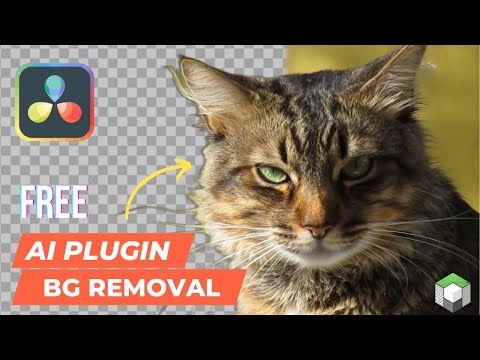
Free and open-source plugin that integrates the power of rembg into Fusion workflows for seamless background removal.

- 🔍 AI-powered background removal using U-2-Net
- 🎞️ Designed for DaVinci Resolve Fusion workflows
- 🛠️ Lightweight, script-based implementation (Python + Fuse)
- 🧩 Easy to integrate, works with both Free and Studio version
- 🆓 100% Free and Open Source

Don't forget to leave a ⭐
- First install the python3 from www.python.org. Version Requirement:
python: >=3.11, <3.14 - Download/Clone the Rembg-Fuse Repo
- Paste the
Rembgfolder in the fuse plugin directory of Resolve. Know How - Follow the Rembg setup, either using
rembg_manager.pyor install manually. - Open the Fusion page in DaVinci Resolve
- Search for the Rembg plugin in the node menu (Shift+Spacebar)
- Connect the rembg node with any footage
- Select the model and let the plugin do its work
- The output will be displayed through the media out (if connected)
⮞ Automatic Setup for beginners [Rembg_Manager]
An easy-to-use Python application has been developed to simplify the Rembg setup. Just open the rembg_manager.py file—either directly in Python or via the Fuse interface — and follow the installation steps.

Or Setup Manually
If you encounter any error or prefer to manually install Rembg and its models, follow the steps below:
- Install rembg using pip/pip3 command
pip install rembg
For CUDA support, use rembg[gpu]
For AMD/ROCM support, use rembg[rocm]
- Download the models using this script commands:
import rembg

rembg.new_session("model_name") # replace model name with the actual model name- Also write the model_name in the models.txt file (newline)
For fixing issues, check this page: wiki
| Model Name | Description | Estimated Download Size |
|---|---|---|
| u2net | Standard U2-Net model for high-quality general segmentation | 168 MB |
| u2netp | Lightweight U2-Net for faster, lower-resource inference | 4 MB |
| u2net_human_seg | U2-Net model specialized for human segmentation | 168 MB |
| u2net_cloth_seg | U2-Net model specialized for clothing segmentation | 168 MB |
| isnet-general-use | ISNet model for general-purpose image segmentation | 170 MB |
| isnet-anime | ISNet model optimized for anime-style image segmentation | 168 MB |
| silueta | Silueta model for silhouette and background removal | 43 MB |
| sam | Segment Anything Model (SAM) ViT decoder for versatile segmentation | 400 MB |
| birefnet-general | BiRefNet model for high-quality general segmentation | 928 MB |
| birefnet-general-lite | Lightweight BiRefNet for general segmentation | 214 MB |
| birefnet-portrait | BiRefNet model tailored for portrait segmentation | 928 MB |
| ben2-base | BEN2 base model for efficient background removal | 213 MB |
For more details, visit this repo: https://github.com/danielgatis/rembg
| Fuse Version | 0.3 |
|---|---|
| Script Version | 0.2 |
| Setup Version | 1.1 |
| DaVinci Resolve Requirement | Free or Studio : 18+ |
| License | MIT |
| Copyright | 2026 |
| Author | Akash Bora |
To view plugin logs and troubleshoot issues, open the console through Fusion page ⮞ Workspace ⮞ Console. Make sure not to check the Disable Logging option in the fuse.
📙 Here is full troubleshooting guide you can follow: wiki
-
Streamline Python Script Execution on Windows. Eliminate the disruptive console popup by implementing a cleaner method to trigger the processing script. Maybe consider using
comp:DoAction()orcomp:Execute()for a more integrated Fusion workflow. -
Optimize Model Reloading and improve overall performance during repeated operations.
-
Refactor Image I/O Handling, replace the use of the
Clip()method with direct image data passing. Maybe consider theGetPixel()method. -
Add a python path parameter for fixing python version conflicts.
Whether you're fixing bugs, suggesting enhancements, or adding new features—your input is valued. Feel free to fork, improve, and submit pull requests to help evolve this tool.
Get more Resolve plugins at www.akascape.com 👈
