WebEngage.registerCustomPushRenderCallback(CustomCallback())
WebEngage.registerCustomPushRerenderCallback(CustomCallback())
| Key | Value | Use |
|---|---|---|
we_custom_render |
true |
Tells the WebEngage SDK to use the custom renderer registered in the callbacks above. |
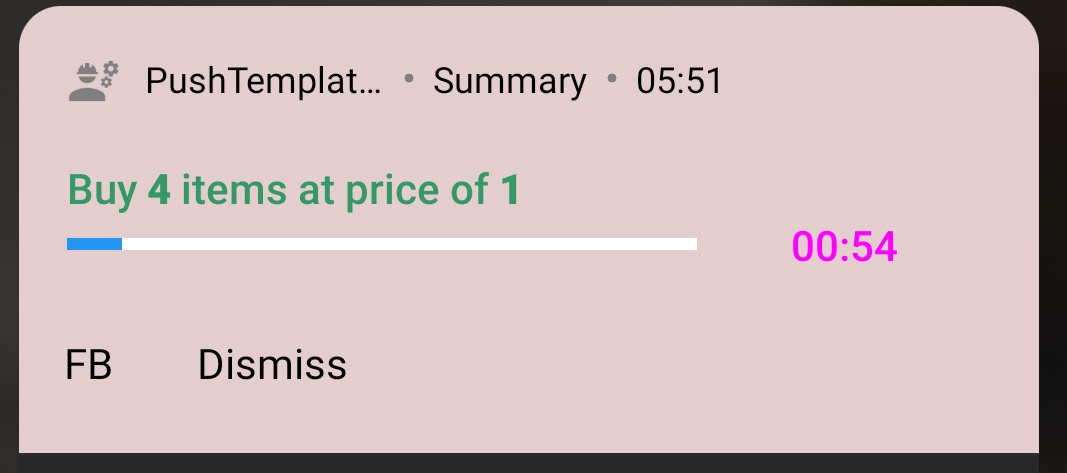
template_type |
bar |
(required) Progress Bar template. |
future_time |
epoch time in millis | (required) The time till which the notification is to be shown |
timer_color |
hex value | The color for the countdown timer |
| Key | Value | Use |
|---|---|---|
we_custom_render |
true |
Tells the WebEngage SDK to use the custom renderer registered in the callbacks above. |
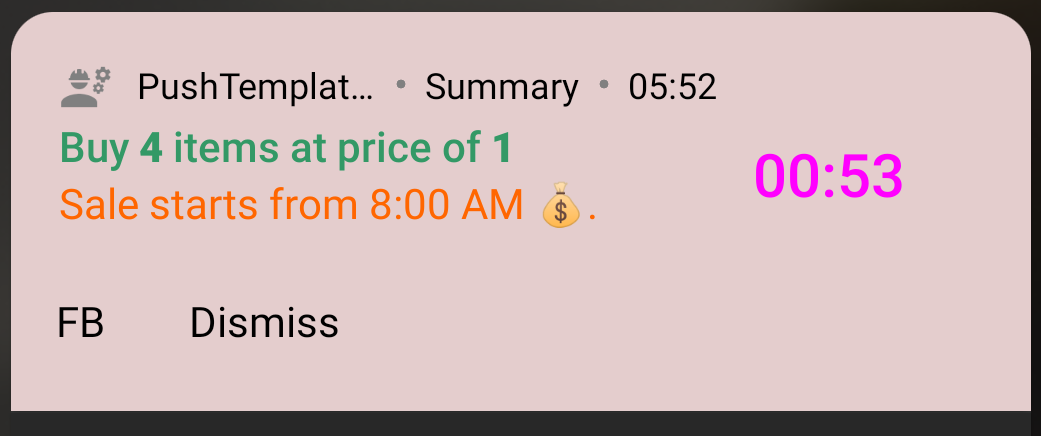
template_type |
timer |
(required) Progress Bar template |
future_time |
epoch time in millis | (required) The time till which the notification is to be shown |
timer_color |
hex value | The color for the countdown timer |