
JARVIS is a command-line interface (CLI) application that lets you chat with Google's Gemini AI directly from your terminal. It uses Google's Gemini API via an OpenAI-compatible interface and includes web search capabilities powered by Perplexity's Sonar model.
Here's a demo video:
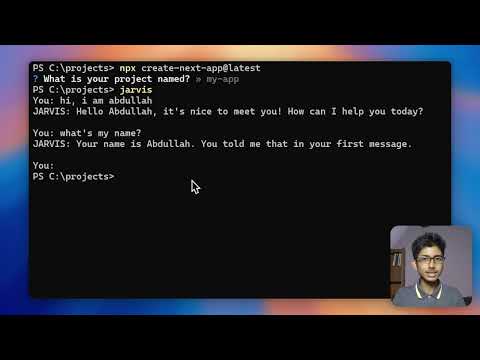
- Interactive Chat Mode: Have a back-and-forth conversation with the AI
- Single Query Mode: Get quick answers without entering a chat session
- Web Search: Get real-time information with citations using Perplexity's Sonar model
- Secure API Key Storage: Your API keys are stored securely in your home directory
   git clone https://github.com/AbdullahAdeebx/JARVIS
   cd JARVIS
   npm install
   npm link
jarvisStart an interactive chat session with the AI:
jarvisThis will start a conversation where you can type messages and receive responses from the AI. Type exit, quit, or bye to end the session.
Get a quick answer without starting a chat session:
jarvis "What is the capital of France?"Get real-time information with citations using Perplexity's Sonar model in two ways:
- Using the search shortcut:
jarvis -s "latest developments in AI"
# or
jarvis s "latest developments in AI"- Using the search command in interactive mode:
You: search latest developments in AI
The responses will include citations to source materials when available.
On your first run, JARVIS will prompt you to enter your API keys. These keys will be saved in your home directory for future use.
- Go to the Google AI Studio
- Create an account or sign in
- Navigate to the API section and create a new API key
- Visit the Perplexity Labs website
- Sign up for an account
- Go to your account settings
- Navigate to the API section
- Generate an API key (it should start with 'pplx-')
If you need to update your API keys, you can delete the existing key files and run JARVIS again:
- On Windows: Delete
%USERPROFILE%\.jarvis_api_keyand%USERPROFILE%\.jarvis_perplexity_key - On macOS/Linux: Delete
~/.jarvis_api_keyand~/.jarvis_perplexity_key
-
Clone the repository:
git clone https://github.com/AbdullahAdeebx/JARVIS cd JARVIS -
Install dependencies:
npm install
-
Link the package locally to test it:
npm link
-
Now you can run the CLI tool:
jarvis
Or just run:
git clone https://github.com/AbdullahAdeebx/JARVIS
cd JARVIS
npm install
npm link
jarvis- Node.js 14.0 or higher
MIT