A simple tool to convert BMP images to PNG format with transparency support.
- Convert BMP files to PNG format
- Removes black (#000000) from images - transparent in the output
- Bulk conversion of multiple files
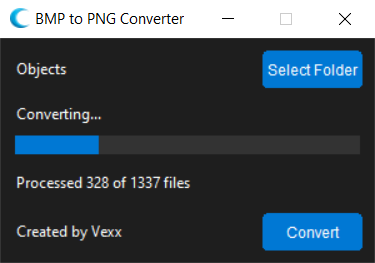
- Simple and intuitive GUI interface
- Progress tracking
- Automatic output folder creation
- Windows operating system
- No installation required - just run the .bat file
- Double-click
run.batto start the application - The application will automatically set up any required dependencies
- Click "Select Folder" to choose the directory containing your BMP files
- The application will automatically detect all BMP files in the selected directory
- Click "Convert" to start the conversion process
- Progress will be shown in the progress bar
- Converted files will be saved in a "PNG_exports" folder in the same directory as your BMP files
- When complete, the output folder will automatically open
- The application will create a "PNG_exports" folder in the same directory as your BMP files
- Original BMP files are not modified
- By default, black (#000000) will be made transparent in the output PNG files
- The application supports bulk conversion of multiple files at once
Vexx