Archipelago Dev Setup Guide
Archipelago is a way to randomize several games together into one cohesive experience. The items from all games are placed into a pool and distributed out to all games in that session. This means you might find someone else's Grenade Eggs in a cage in DK64, and someone else might find the Bean in the Water Temple for your seed.
- One of the following supported emulators:
- Archipelago 0.6.5+
Note: Retroarch and Rosalie's Mupen GUI are also supported on Linux.
- AP World Files
Developers: UmedMuzl | Download: Link
Developers: GreenBean | Download: Link
Settings Tutorial by Keiper
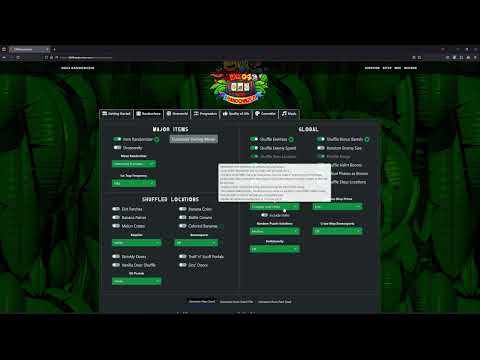
-
Download and install the Archipelago Multiworld Suite from the link above, making sure to install the most recent version.
-
Download and install one of the supported emulators from the requirements list above. Run the emulator at least once to make sure it is working.
-
Download the APWorld file:
- The APWorld. This is currently based on 5.0 of the standalone randomizer.
-
Using the AP launcher, hit "Install AP World" and point it to the dk64.apworld file you downloaded.
Your config file contains a set of configuration options which provide the generator with information about how it should generate your game. Each player of a multiworld will provide their own config file. This setup allows each player to enjoy an experience customized for their taste, and different players in the same multiworld can all have different options.
Run the ArchipelagoLauncher.exe from your Archipelago install and click Generate Template Options This will produce a /Players/Templates folder in your Archipelago install, which contains default config files for every game in your custom_worlds folder. You can manually edit the config file using a text editor of your choice.
- After modifying your yaml, place it into your
Archipelago/Playersfolder - Open the Archipelago Launcher and click "Generate". This will create a zip file in Archipelago output
- You will need to open this .zip to get your
.chunkypatch file
- You will need to open this .zip to get your
- Navigate to the Archipelago website and go to the Host Game page
- Click upload file and pass it the .zip created in your output folder
- Click the "Create New Room" link.
- Navigate to the dev site. If you do not select the dev site, you WILL get errors, either during patching or in the game.
- Dev Site: Go to the DEV DK64 Randomizer site.
- Click on 'Generate from Patch File'. Load in your DK64 ROM and select your
.chunkyfile. You can also select your cosmetics before clickingGenerate Seed. Once you are ready, click onGenerate Seed. - Start your supported emulator and load the generated ROM.
- Open the
DK64 Randomizerclient in the AP window- The client will automatically detect and connect to your running emulator
- Once you have loaded into the game, click the
Connectbutton at the top of the DK64 Client. You are now connected and ready to play!
Make sure the version of the DK64 APWorld is the same for both you and the host. You will run into issues if they don't match!
When you join a multiworld game, you will be asked to provide your config file to whoever is hosting. Once that is done, the host will provide you with either a link to download your patch file, or with a zip file containing everyone's patch files. Your patch file should have a .chunky extension.
Put your patch file on your desktop or somewhere convenient. Open the DK64 Randomizer site as mentioned above, and Generate your seed.
- Start your supported emulator and load the generated ROM.
- Launch the DK64 Randomizer client from the AP launcher - it will automatically detect and connect to your running emulator.
- In the server page, there will be a port number. Copy this port number into the top of your DK64 Client.
- The field should read
archipelago.gg:<port number>
- The field should read
- Click the
Connectbutton at the top of the DK64Client. Once you have loaded into the game, the client should log that your emulator has been connected. You are now connected and ready to play!
You will know everything is working when you see Archipelago Connected on the save file.

- Setting up DK64 Randomizer
- Logic, Hints and Game Information
- Logic Tips & Tricks
- All about Hints
- Lesser Known Game Knowledge
- General Strategies
- Vanilla Coin Locations
- Vanilla Item Locations
- Vanilla CB Requirements
- Custom Locations
- Distributions
- Random Settings Distributions
- Racing and Sharing Seeds
- Custom Music