Used for export morph animations from VMD
If you want to export camera animations from VMD,you can use
For export MMD model,you can use
1.you need to select the VMD file and select FivuvuvMMD/Convert MorphVMD TO MorphTempSO to create MorphtempSO
2.then you need to fill information in MorphTempSO created,the name of gameobject contains the blendshapes of the face under the model
(If it is generated by MMD4Mecanim, it is usually your model/U_Char/U_Char_1)
and the id map between blendShapes and morphName from morph VMD,just like this
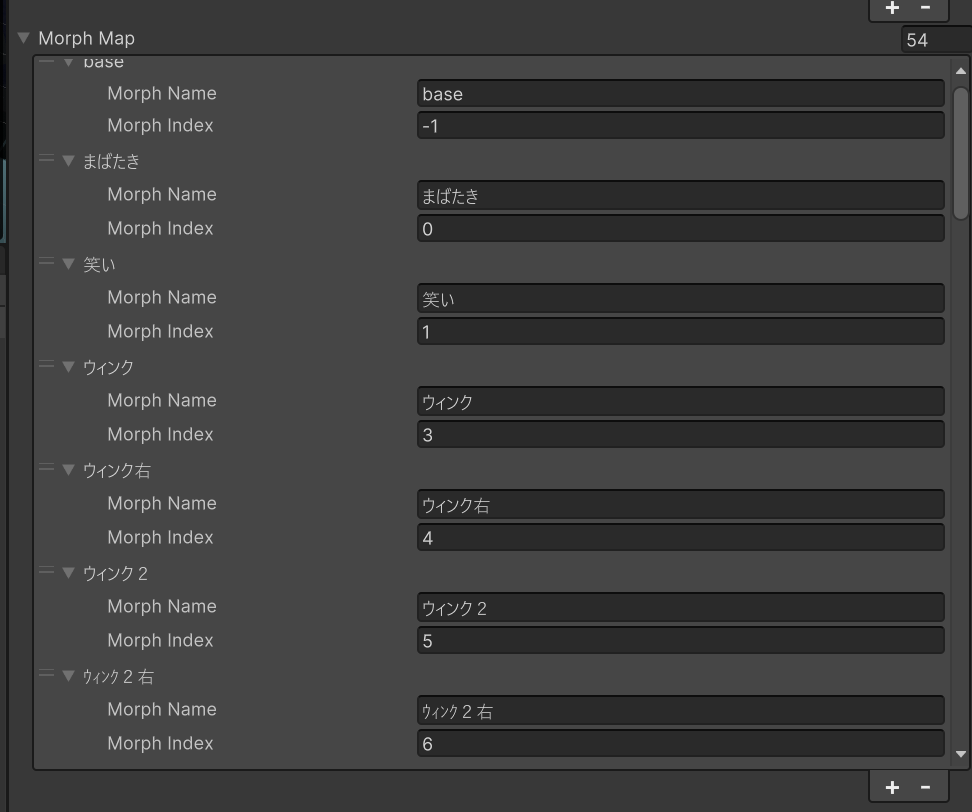
-1 means this morthName can't find in model's blendShape
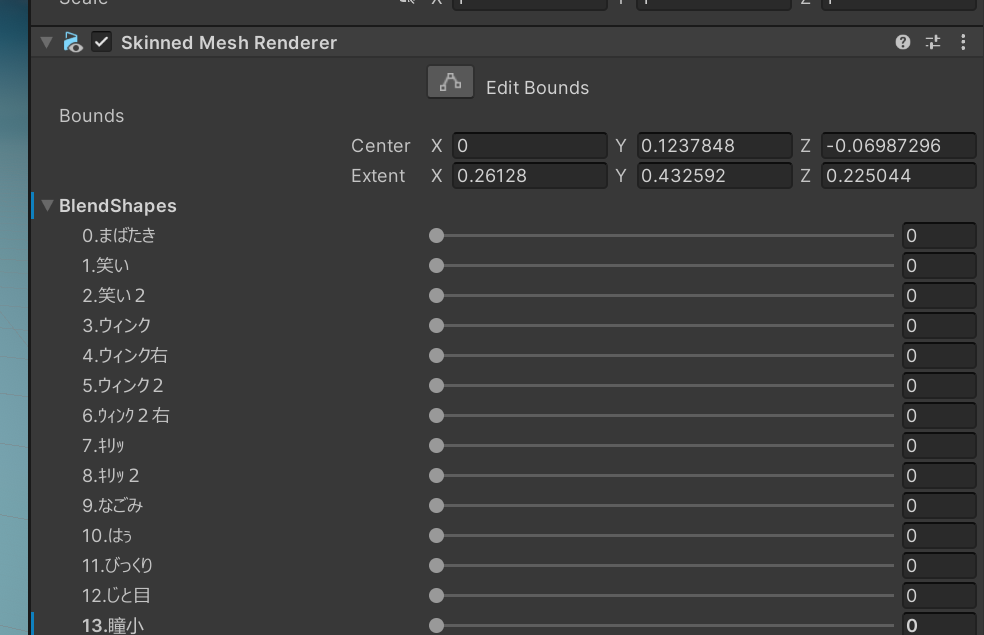
Here is a blendShape picture
3.After you complete the settings of MorphTempSO,you can right click it and select FivuvuvMMD/Convert MorphTempSO TO AnimationClip to create the final animationclip