-
A component is a modular, portable, replaceable, and reusable set of well-defined functionality that encapsulates its implementation and exporting it as a higher-level interface
-
A component is a software object, intended to interact with other components, encapsulating certain functionality or a set of functionalities. It has an obviously defined interface and conforms to a recommended behavior common to all components within an architecture.
Views of a Component
- Object-oriented view
A component is viewed as a set of one or more cooperating classes.
- Conventional view
It is viewed as a functional element or a module of a program that integrates the processing logic 3. Process-related view In this view, instead of creating each component from scratch, the system is building from existing components maintained in a library.
Reusability − Components are usually designed to be reused in different situations in different applications. However, some components may be designed for a specific task
Replaceable − Components may be freely substituted with other similar components.
Not context specific − Components are designed to operate in different environments and contexts
Extensible− A component can be extended from existing components to provide new behavior
Encapsulated − A A component depicts the interfaces, which allow the caller to use its functionality, and do not expose details of the internal processes or any internal variables or state
Independent − Components are designed to have minimal dependencies on other components.

- Ease of deployment
- Reduced cost
- Ease of development
- Reusable
- Modification of technical complexity
- Reliability
- System maintenance and evolution
- Independent

React is a component-based library which divides the UI into little reusable pieces. In some cases, those components need to communicate (send data to each other) and the way to pass data between components is by using props.
“Props” is a special keyword in React, which stands for properties and is being used for passing data from one component to another.
-
Firstly, define an attribute and its value(data)
-
Then pass it to child component(s) by using Props
-
Finally, render the Props Data
What Is React? React has a few different kinds of components
const element = < h1>Hello, world!< /h1>;
It is called JSX, and it is a syntax extension to JavaScript. We recommend using it with React to describe what the UI should look like. JSX may remind you of a template language, but it comes with the full power of JavaScript
Why JSX? React embraces the fact that rendering logic is inherently coupled with other UI logic: how events are handled, how the state changes over time, and how the data is prepared for display
const element = < h1>Hello, world< /h1>;
Unlike browser DOM elements, React elements are plain objects, and are cheap to create. React DOM takes care of updating the DOM to match the React elements.
We call this a “root” DOM node because everything inside it will be managed by React DOM.
Applications built with just React usually have a single root DOM node. If you are integrating React into an existing app, you may have as many isolated root DOM nodes as you like.
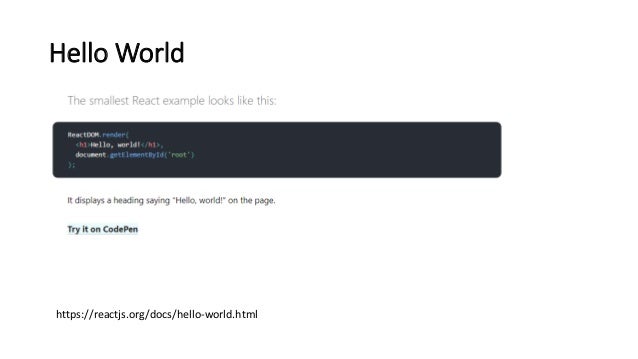
To render a React element into a root DOM node, pass both to ReactDOM.render():
const element = < h1>Hello, world< /h1>; ReactDOM.render(element, document.getElementById('root'));
Components and Props
function Welcome(props) { return < h1>Hello, {props.name}< /h1>; }
This function is a valid React component because it accepts a single “props” (which stands for properties) object argument with data and returns a React element. We call such components “function components” because they are literally JavaScript functions