You can control the size of an image using the width and height properties in CSS, just like you can for any other box.
Centering images Using css
By default, images are inline elements. This means that they flow within the surrounding text. In order to center an image, it should be turned into a block�level element using the display property with a value of block
Background Images
The background-image property allows you to place an image behind any HTML element. This could be the entire page or just part of the page. By default, a background image will repeat to fill the entire box.
Repeating imges repeat The background image is repeated both horizontally and vertically (the default way it is shown if the background�repeat property isn't used).
When an image is not being repeated, you can use the background-position property to specify where in the browser window the background image should be placed.
Using CSS, it is possible to create a link or button that changes to a second style when a user moves their mouse over itknown as a rollover and a third style when they click on it.
If you want to overlay text on a background image, the image must be low contrast in order for the text to be legible.
-
High Contrast A high contrast background image makes the text difficult to read.
-
Low Contrast A low contrast background image makes the text easier to read
-
Screen A screen added to a high contrast image makes the text easier to read.
Search Engine Optimization (SEO) SEO is a huge topic and several books have been written on the subject. The following pages will help you understand the key concepts so you can improve your website's visibility on search engines
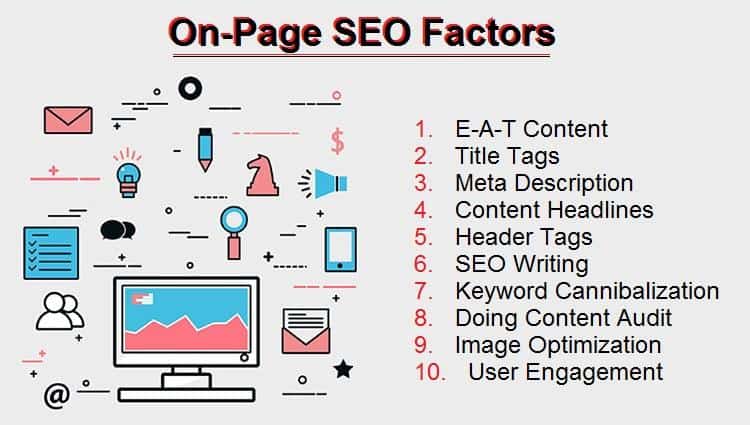
How to Identify Keywords and Phrases
- Brainstorm
- Organize
- Research
-
Domain Names Your domain name is your web address (e.g. google.com or bbc. co.uk). There are many websites that allow you to register domain names. Usually you will have to pay an annual fee to keep that domain name
-
Hosting
So that other people can see your site, you will need to upload it to a web server. Web servers are special computers that are constantly connected to the Internet. They are specially set up to serve web pages when they are requested.
To transfer your code and images from your computer to your hosting company, you use something known as File Transfer Protocol.
-
Search engine optimization helps visitors find your sites when using search engines.
-
Analytics tools such as Google Analytics allow you to see how many people visit your site, how they find it, and what they do when they get there.
-
FTP programs allow you to transfer files from your local computer to your web server.
-
Many companies provide platforms for blogging, email newsletters, e-commerce and other popular website tools (to save you writing them from scratch).