The best known form on the web is probably the search box that sits right in the middle of Google's homepage. Form Controls
- ADDING TEXT:
- Text input
- Password input
- Text area (multi-line)
- aking Choices:
- Radio buttons
- Checkboxes
- Drop-down boxes
- Submitting Forms:
- Submit buttons
- Image buttons
- Uploading Files:
- File upload
How Forms Work A user fills in a form and then presses a button to submit the information to the server. Form Structure
- Form controls live inside a < form> element action Every < form> element requires an action attribute
- The < input> element is used to create several different form controls.
- < input> type="password" When the type attribute has a value of password it creates a text box that acts just like a single-line text input. name The name attribute indicates the name of the password input.
- he < textarea> element is used to create a mutli-line text input.
ou have probably seen forms on the web that give users messages if the form control has not been filled in correctly; this is known as form validation.
-
Unordered Lists
-
Ordered Lists

You have already met several properties that are commonly used with tables. The cursor property allows you to control the type of mouse cursor that should be displayed to users.
his helpful extension for Firefox and Chrome provides tools to show you the CSS styles that apply to an element when you hover over it, along with the structure of the HTML.
DIFFERENT EVENT TYPES Here is a selection of the events that occur in the browser while you are browsing the web. Any of these events can be used to trigger a function in your JavaScript code.
TERMINOLOGY When an event has occurred, it is often described as having fired or been raised. In the diagram on the right, if the user is tapping on a link, a cl ick event would fire in the browser
EVENTS TRIGGER SCRIPTS Events are said to trigger a function or script. When the click event fires on the element in this diagram, it could trigger a script that enlarges the selected item.
When the user interacts with the HTML on a web page, there are three steps involved in getting it to trigger some JavaScript code. Together these steps are known as event handling.
-
Select t he element node(s) you want the script to respond to.
-
Indicate which event on the selected node(s) will trigger the response
-
State the code you want to run when the event occurs.
Here you can see how event handling can be used to provide feedback to users filling in a registration form. It will show an error message if their username is too short.
-
SELECT ELEMENT The element that users are interacting with is the text input where they enter the username
-
SPEC! FY EVENT When users move out of the text input, it loses focus, and the blur event fires on this element
-
CALL CODE When the blur event fires on the username input, it will trigger a function called chec kUsername ().
Event handlers let you indicate which event you are waiting for on any particular element. There are three types of event handlers.
TRADITIONAL DOM EVENT HANDLERS All modern browsers understand this way of creating an event handler, but you can only attach one function to each event handler.
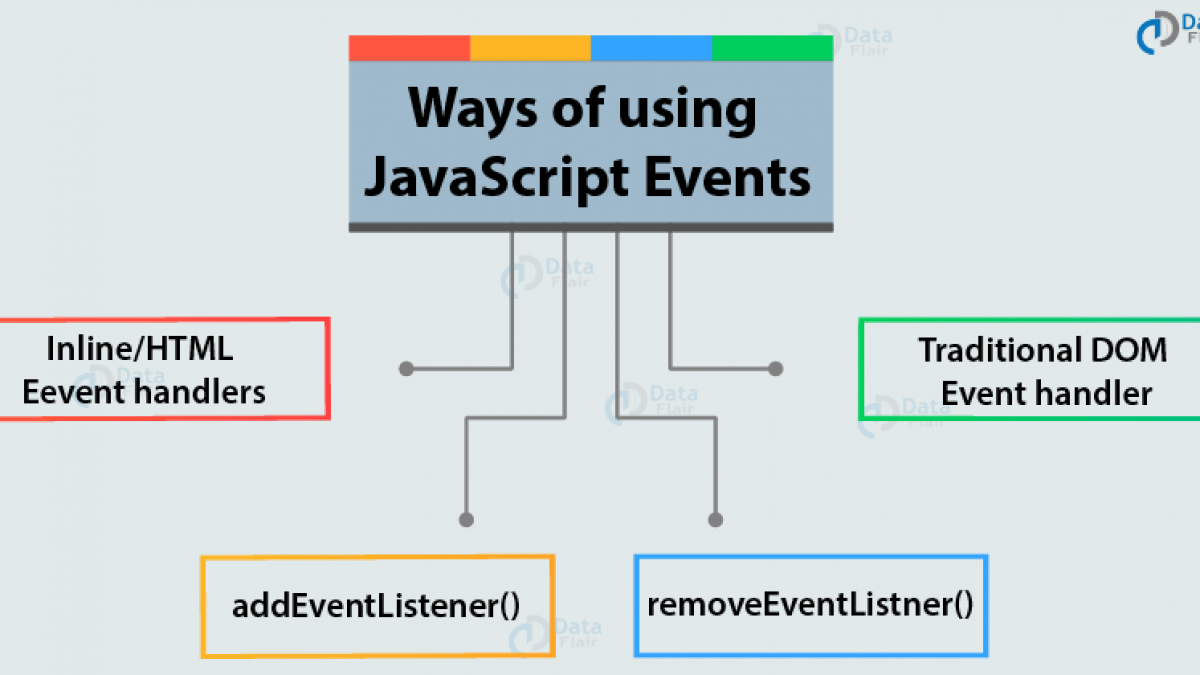
EVENT LISTENERS Event listeners are a more recent approach to handling events. They can deal with more than one function at a time but they are not supported in older browsers.
-
If you use a named function when the event fires on your chosen DOM node, write that function first. (You could also use an anonymous function.)
-
. The DOM element node(s) is stored in a variable. Here the text input (whose id attribute has a value of username) is placed into a variable called el Username.
USING PARAMETERS WITH EVENT HANDLERS & LISTENERS Because you cannot have parentheses after the function names in event handlers or listeners, passing arguments requires a workaround.
When an event occurs, the event object tells you information about the event, and the element it happened upon.
EVENT DELEGATION Creating event listeners for a lot of elements can slow down a page, but event flow allows you to listen for an event on a parent element
USING EVENT DELEGATION This example will put together a lot of what you have learned in the chapter so far. Each list item contains a link. When the user clicks on that link (to indicate they have completed that task), the item will be removed from the list.
FOCUS & BLUR EVENTS The HTML elements you can interact with, such as links and form elements, can gain focus. These events fire when they gain or lose focus.
MOUSE EVENTS The mouse events are fired when the mouse is moved and also when its buttons are clicked.
When an event occurs on an element, it can trigger a JavaScript function. When this function then changes the web page in some way, it feels interactive because it has responded to the user.
Binding is the process of stating which event you are waiting to happen, and which element you are waiting for that event to happen upon
You can use event delegation to monitor for events that happen on all of the children of an element.
The most commonly used events are W3C DOM events, although there are others in the HTMLS specification as well as browser-specific events