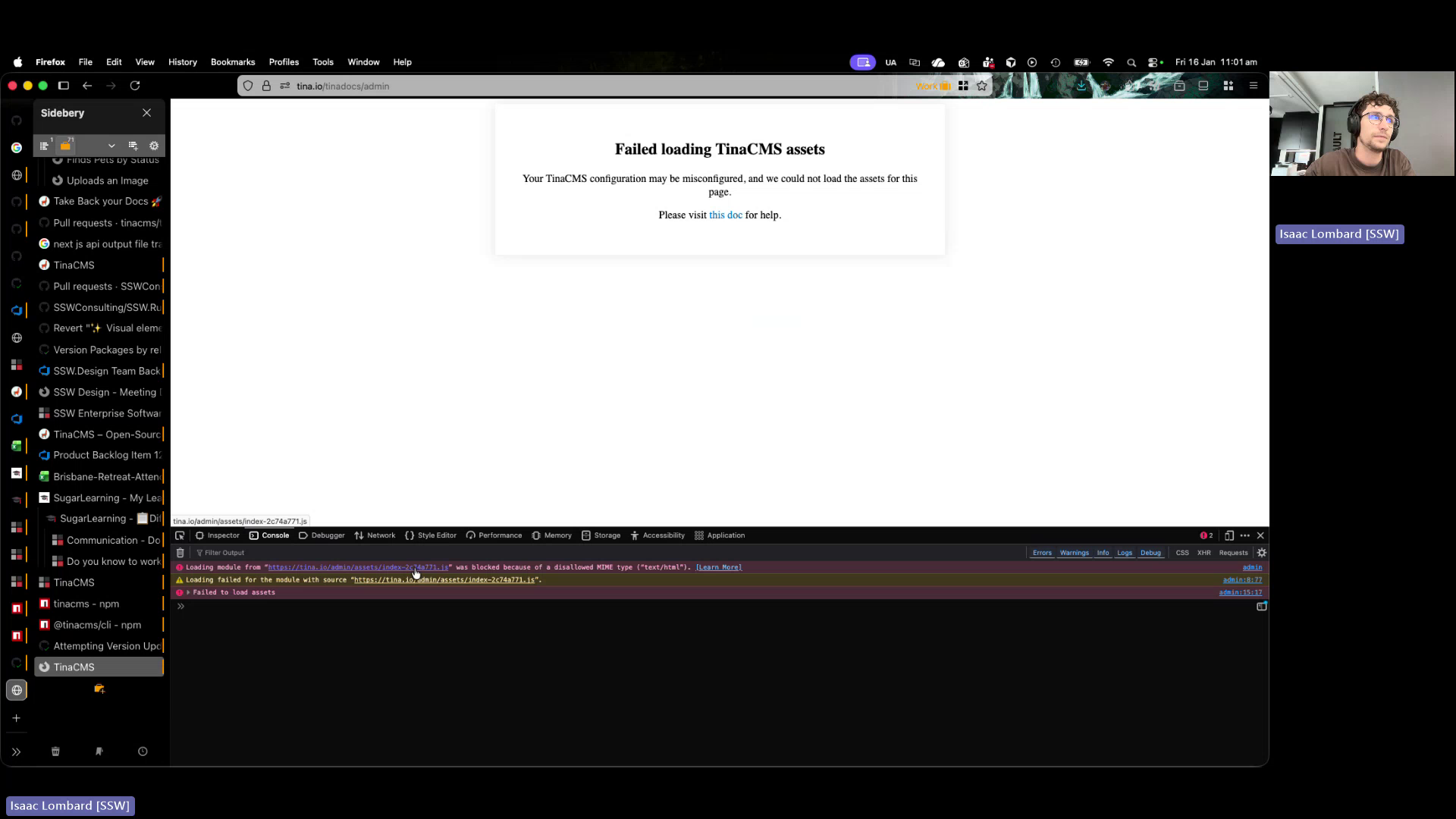
🐛 Bug - Tina-docs cannot load Tina admin assets when served from sub-route #306


Description

Requested by: @isaaclombardssw via YakShaver.ai 🦬
cc: @isaaclombardssw, @Marxoz, @joshbermanssw
Hi Team!
🟥 Watch the video (1 min 4 sec)
Url from screen share: https://tina.io/tinadocs/admin
Pain
Editing content on the live Tina-docs site is broken when Tina is served from an admin sub-route. The Tina admin UI attempts to load assets from an incorrect path (tina.io admin assets) instead of the Tina-docs sub-route, likely due to an extra or misconfigured slash in the asset path configuration. As a result, the editor cannot load and content cannot be edited on the live site.
Acceptance Criteria
- Tina admin loads successfully when Tina-docs is served from a sub-route (e.g., /admin).
- All Tina admin assets are requested from the Tina-docs sub-route and not from tina.io.
- No 404 or asset-related errors appear in the browser console when opening the Tina admin.
- Content can be edited and saved successfully on the live Tina-docs site.
- Asset path configuration works consistently across environments (local, staging, live).
Reproduce Steps
- Open the live Tina-docs site.
- Navigate to the Tina admin interface served from a sub-route (e.g., /admin).
- Open the browser developer console.
- Observe failed network requests for Tina admin assets.
- Note that assets are requested from tina.io instead of the Tina-docs sub-route.
- Attempt to edit any content and observe that the editor does not function.
Screenshot
Figure: Admin assets resolving to wrong domain, breaking live editing