HTML form elements work a bit differently from other DOM elements in React, because form elements naturally keep some internal state.
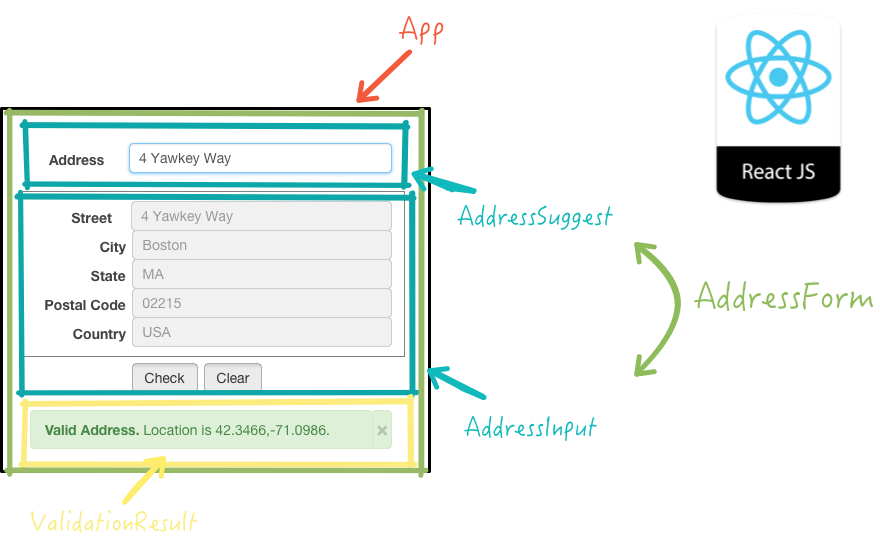
We can combine the two by making the React state be the “single source of truth”. Then the React component that renders a form also controls what happens in that form on subsequent user input. An input form element whose value is controlled by React in this way is called a “controlled component”.
In HTML, a (textarea) element defines its text by its children.
In HTML, (select) creates a drop-down list. For example, this HTML creates a drop-down list of flavors
It can sometimes be tedious to use controlled components, because you need to write an event handler for every way your data can change and pipe all of the input state through a React component. This can become particularly annoying when you are converting a preexisting codebase to React, or integrating a React application with a non-React library. In these situations, you might want to check out uncontrolled components, an alternative technique for implementing input forms.
Starting With the Basics — The if statement Using a conditional, like an if statement, allows us to specify that a certain block of code should be executed if a certain condition is met.

- The condition is what you’re actually testing. The result of your condition should be true or false or at least coerce to either boolean value.
- A ? separates our conditional from our true value. Anything between the ? and the : is what is executed if the condition evaluates to true.
- Finally a : colon. If your condition evaluates to false, any code after the colon is executed.
i would to know more about using stayling the form and how to use operator with React .