원티드 프론트엔드 챌린지에서 배운 내용을 학습하고 적용하기 위해 사전 과제인 Todo App을 만들고, 리팩토링을 진행하고 있습니다.
| 기술 | 사용 이유 |
|---|---|
 |
빌드 설정이 간단하고, 빌드 속도가 빠르다는 장점을 통해 개발 경험을 향상시키기 위해 사용했습니다. |
 |
Suspense를 사용해 비동기 요청을 처리 중일 때 스켈렡톤 컴포넌트를 렌더링하기 위해 React 18을 사용했습니다. |
 |
axios 인스턴스를 생성해 base url 및 헤더에 토큰을 넣어주는 반복 작업을 줄이기 위해 사용했습니다. |
 |
서버 상태 관리 로직을 분리하기 위해 사용했습니다. |
 |
CSS-in-JS 스타일링을 위해 사용했습니다. |
개발 서버를 실행시키기 위한 방법은 다음과 같습니다.
client
cd/client
yarn dev
server
cd/server
yarn start
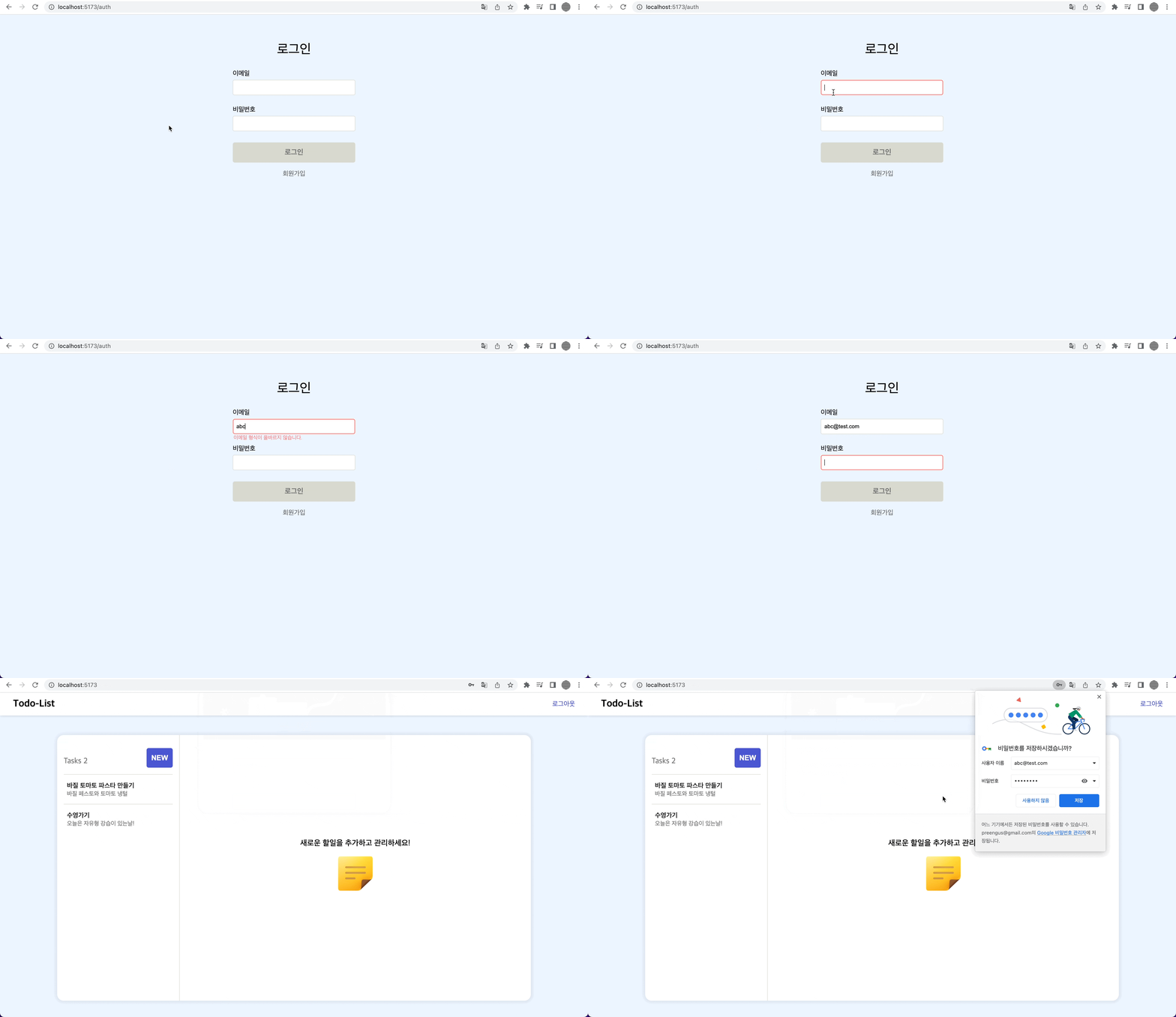
로그인
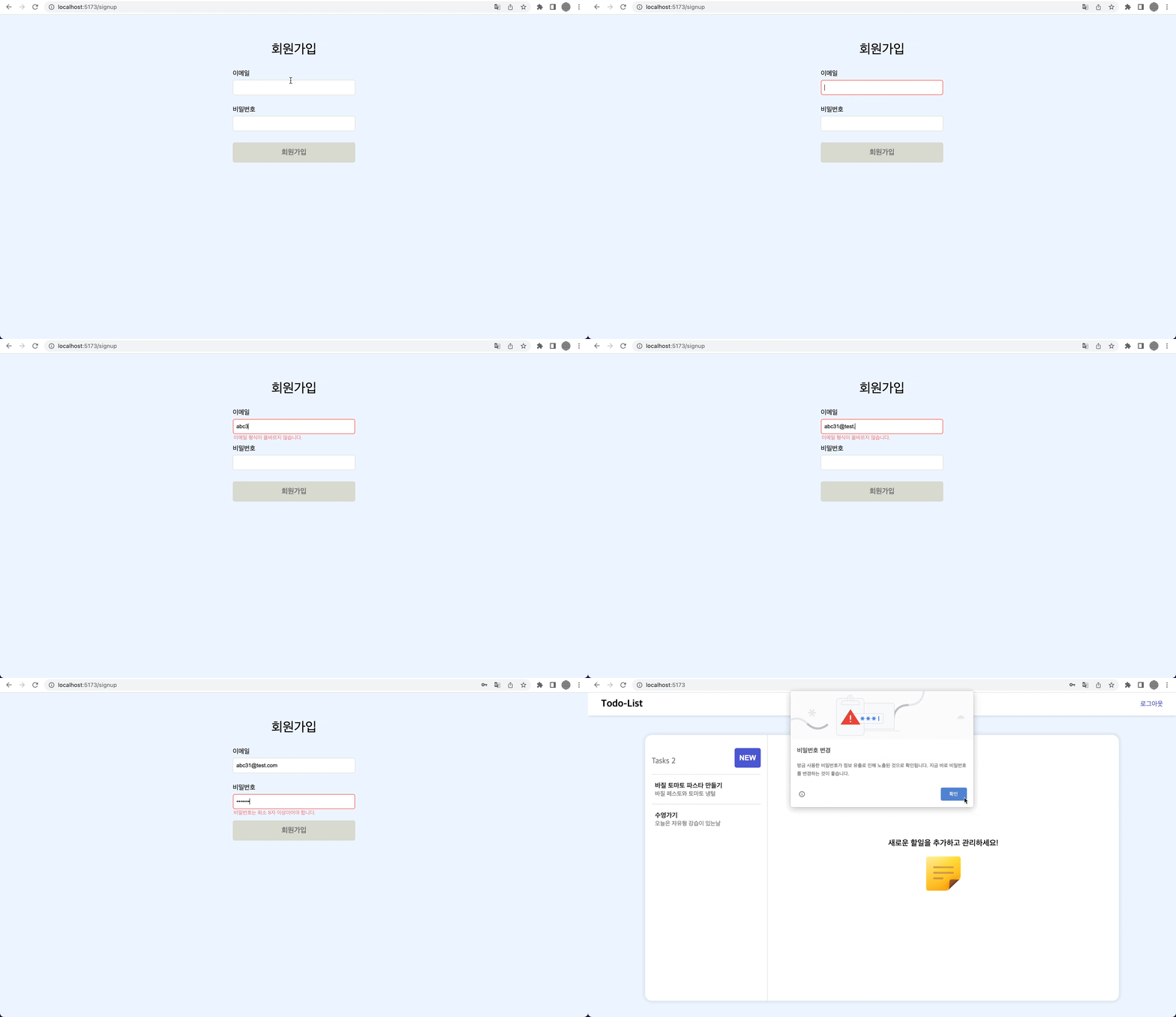
회원가입
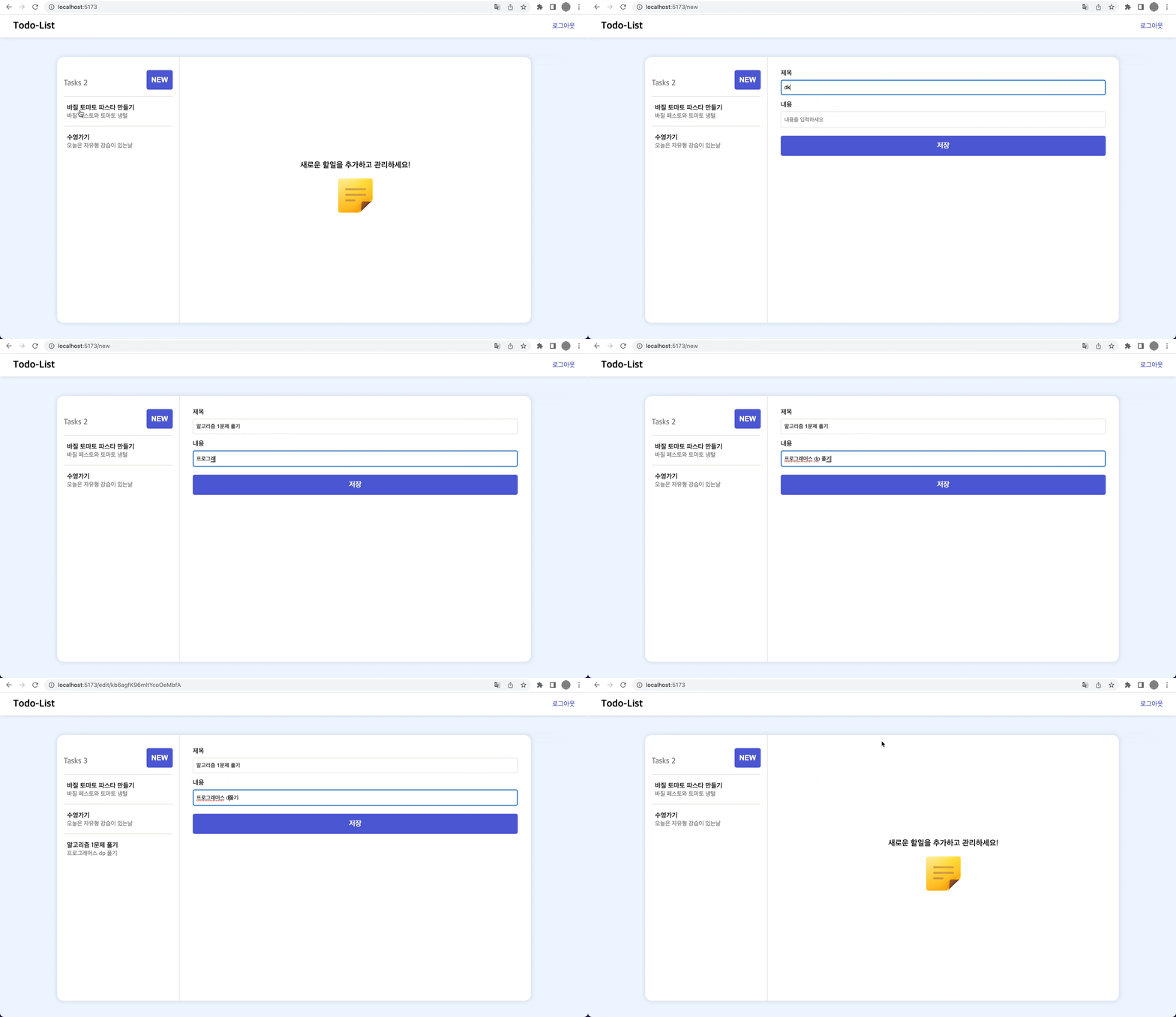
투두 조회/생성/수정/삭제
├── App.tsx
├── api # api 호출 함수 관리
│   ├── auth.ts
│   ├── axiosInstance.ts
│   └── todos.ts
├── assets
├── components # 공통 컴포넌트, Fallback UI, Skeleton 및 VAC 관리
│   ├── auth
│   │   └── AuthFormView
│   │       ├── index.tsx
│   │       └── style.ts
│   ├── common
│   │   ├── Button
│   │   ├── DefferedComponent
│   │   └── Navbar
│   └── todos
│       ├── TodoDetailView
│       ├── TodoFallback
│       ├── TodoFormView
│       ├── TodoLayout
│       ├── TodoListView
│       ├── TodoMain
│       └── TodoSkeleton
├── constants
├── hooks # 커스텀 훅 관리
│   ├── queries # API별 React-Query 커스텀 훅 관리
│   │   ├── auth.ts
│   │   └── todo.ts
│   └── useResizeTextArea.ts
├── index.css
├── index.tsx
├── pages # View Component 관리
│   ├── LoginPage
│   ├── MainPage
│   ├── NotFoundPage
│   ├── SignupPage
│   ├── TodoCreatePage
│   ├── TodoDetailPage
│   └── TodoEditPage
├── router # route 설정
│   ├── PrivateRoutes.tsx
│   ├── RestrictedRoutes.tsx
│   └── Router.tsx
├── styles
│   ├── GlobalStyle.ts
│   ├── ellipsisStyle.ts
│   └── theme.ts
├── types # 타입
│   ├── auth.ts
│   └── todos.ts
├── utils
│   ├── dateFormat.ts
│   └── validator.ts
└── vite-env.d.ts
문제 상황
- 모든 페이지에서 왼쪽에 Todo List가 있고, 오른쪽 UI만 변경되는 상황
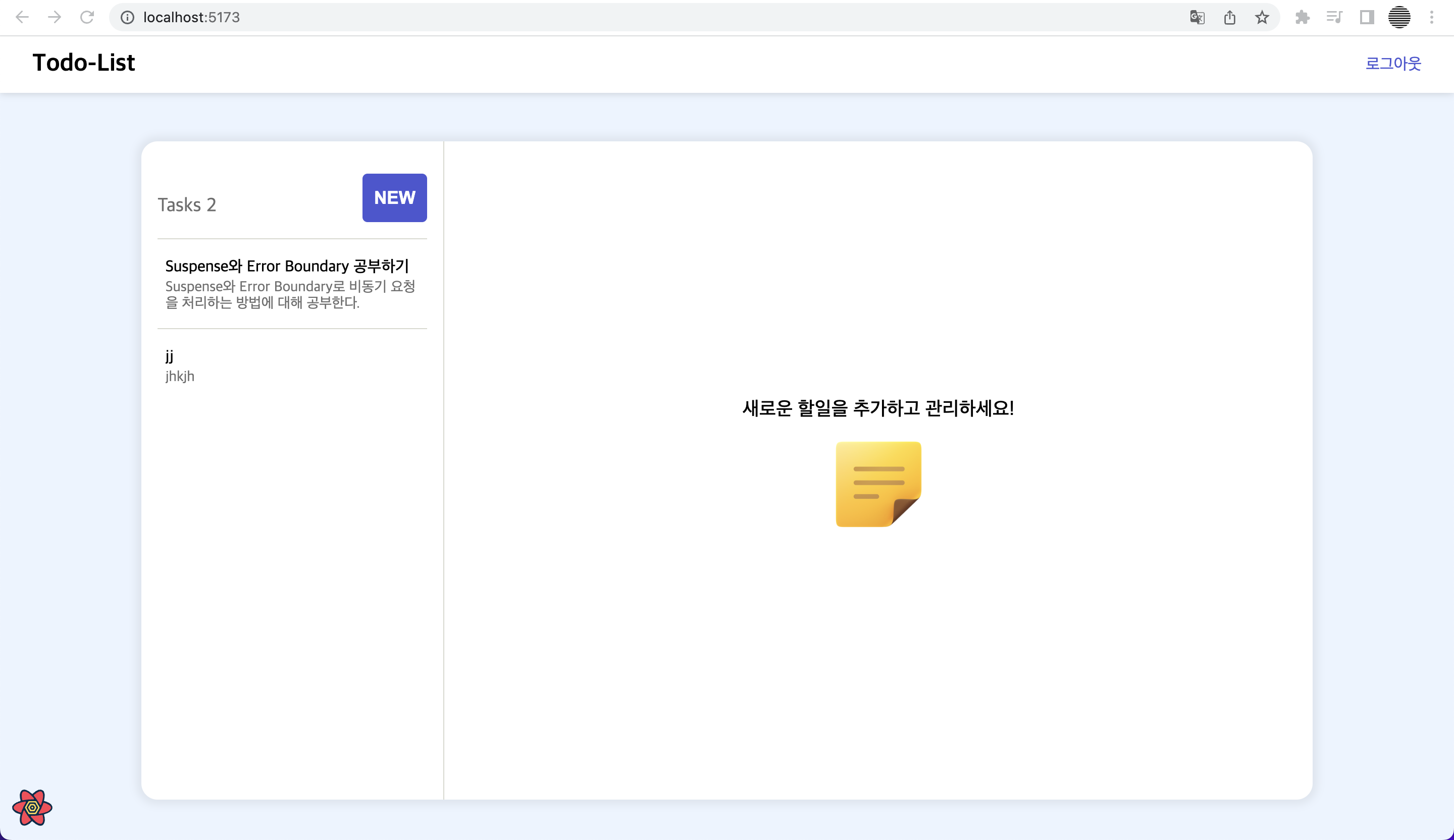
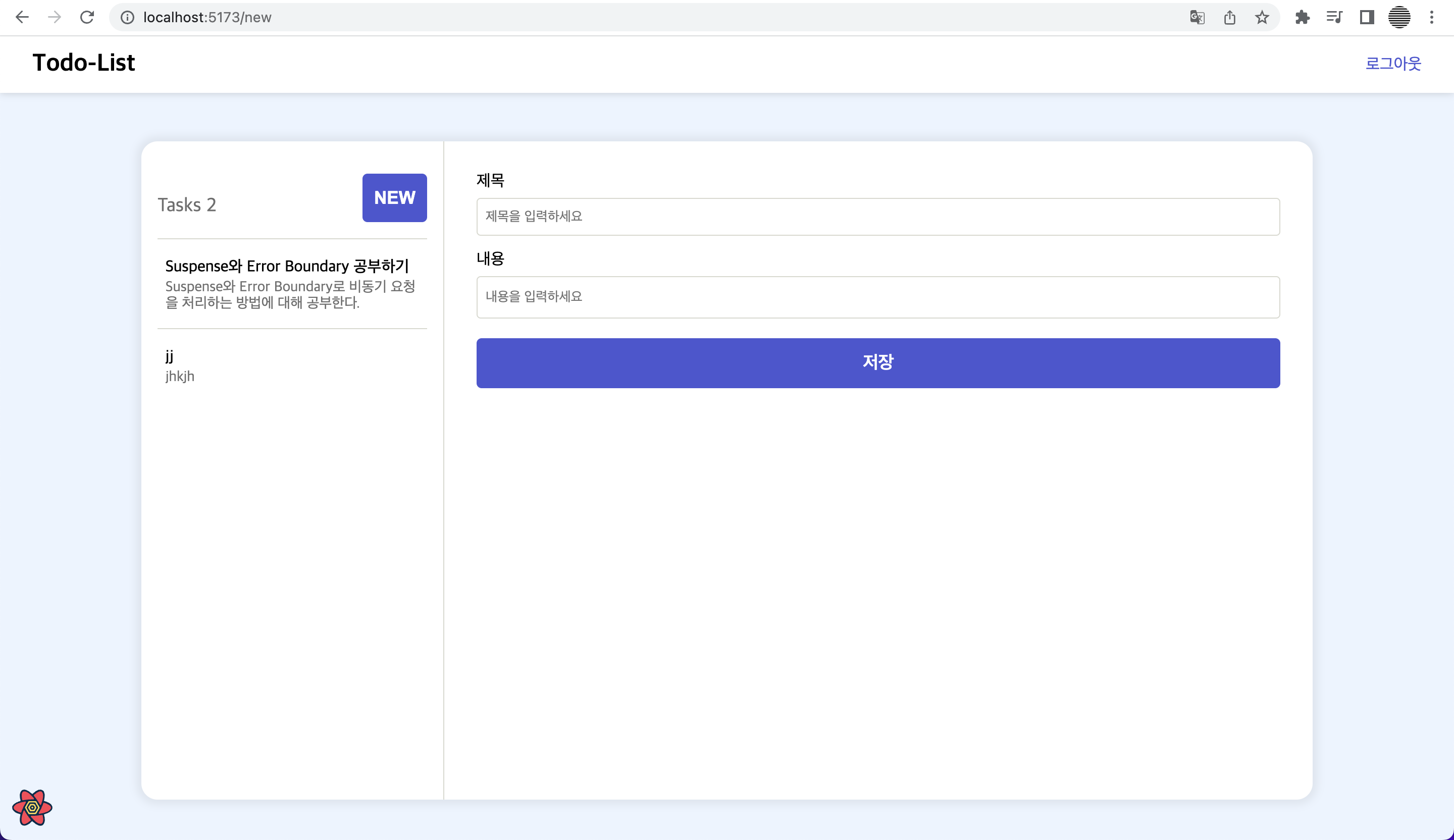
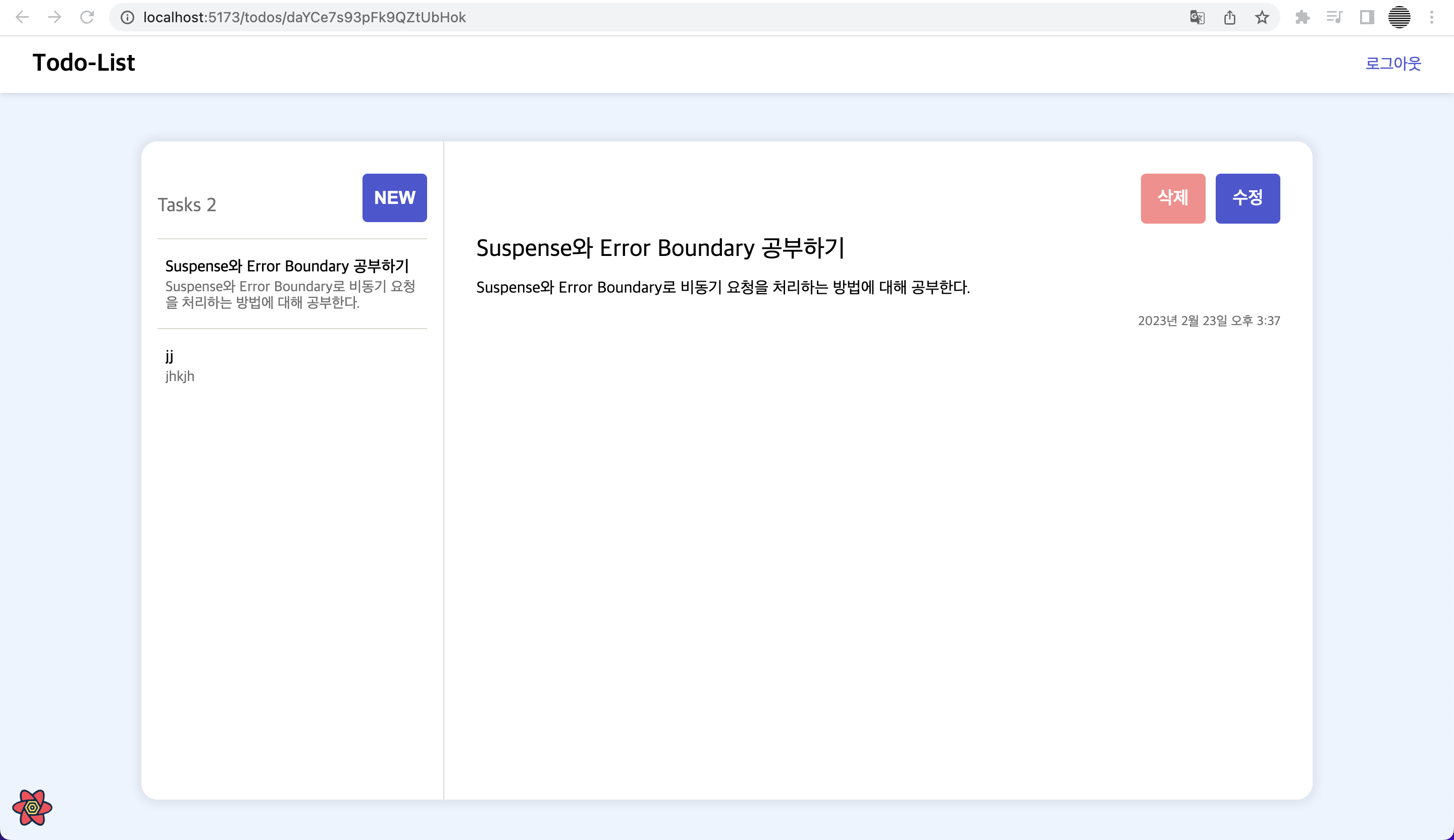
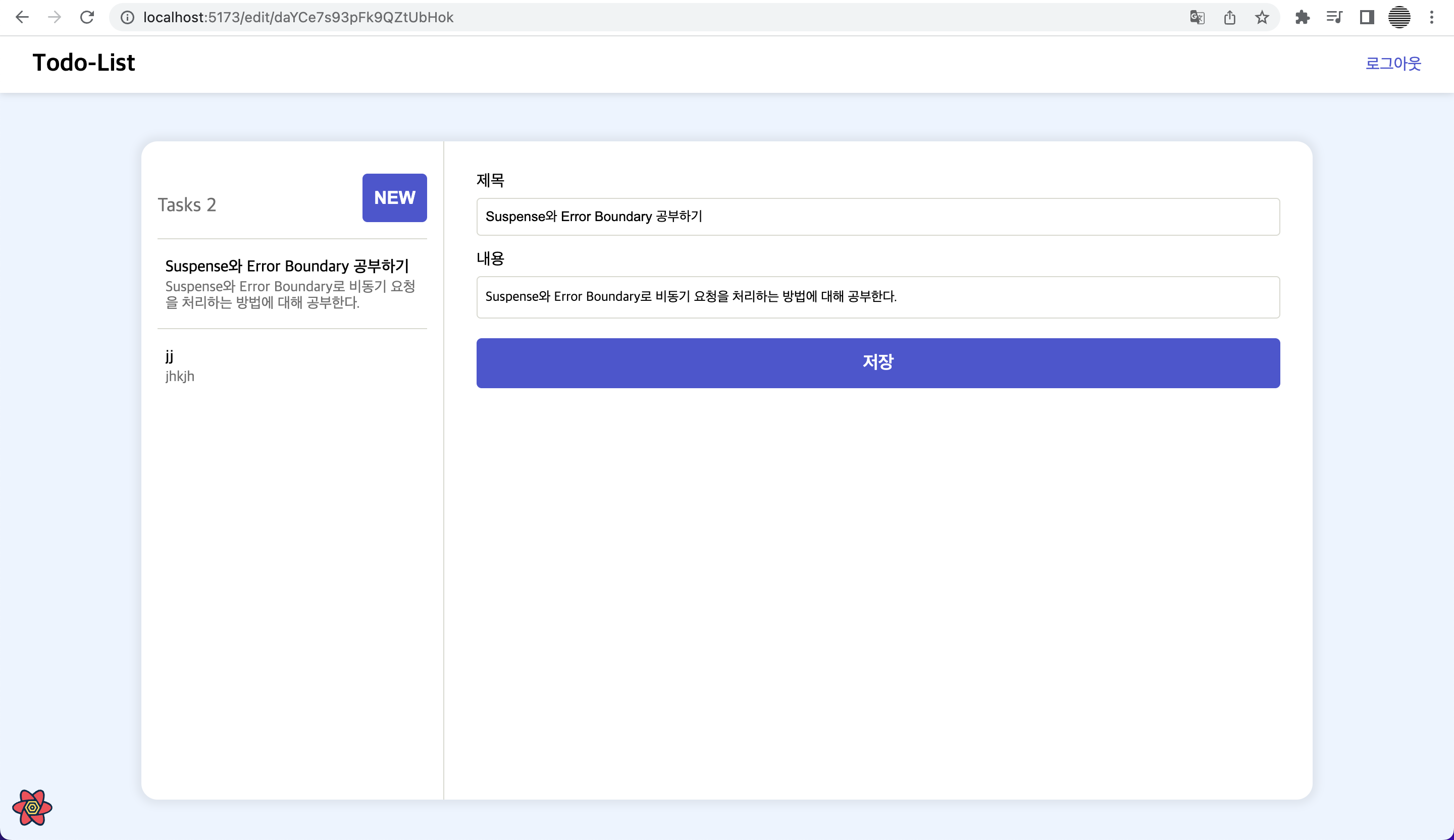
- 기존에 만든
TodoLayout컴포넌트에서TodoDetail컴포넌트 부분을 유동적으로 다른 컴포넌트로 대체할 수 있으면 좋을 것 같다.
const TodoLayout = () => {
  return (
    <Container>
      <h2 className='sr-only'>할일 목록 및 할일 생성</h2>
      <TodoList />
      <TodoDetail />
    </Container>
  );
};

export default TodoLayout;
문제 해결
childrenprop을 사용해 각Page컴포넌트에서TodoLayout컴포넌트 안에 자식 컴포넌트로 각 페이지에서 보여야할 UI 컴포넌트를 넣는 방법을 생각했다.
- TodoLayout 컴포넌트가 children prop을 받아 렌더링 해주도록 JSX를 수정
- 이때, 전달받는 children prop의 타입을
ReactNode로 정의했다. - ReactNode의 타입은 다음과 같아서 리액트 엘리먼트를 받아올 수 있다.
type ReactNode = ReactElement | string | number | ReactFragment | ReactPortal | boolean | null | undefined;interface todoLayoutProps {
children: React.ReactNode;
}
const TodoLayout = ({ children }: todoLayoutProps) => {
return (
<Container>
<h2 className='sr-only'>할일 목록 및 할일 생성</h2>
<TodoList />
{children}
</Container>
);
};
export default TodoLayout;- 각 페이지에서 나타나야 할 UI를 TodoLayout 컴포넌트의 자식 컴포넌트로 배치한다.
const MainPage = () => {
  return (
    <TodoLayout>
      <TodoMain />
    </TodoLayout>
  );
};

export default MainPage;
const TodoCreatePage = () => {
const { mutate } = usePostTodoMutation();
return (
<TodoLayout>
<TodoForm mutate={mutate} />
</TodoLayout>
);
};
export default TodoCreatePage;알게된 점
- 이미 유용하게 사용되고 있을 방법이라 생각해 검색했는데, 문제를 해결한 방법이 합성 모델이라는 것을 알게 되었다.
- 합성을 사용해 컴포넌트 간에 코드를 재사용할 수 있고, 어떤 자식 컴포넌트가 들어올지 미리 예상할 수 없는 경우 사용한다.
문제 상황
- 비즈니스 로직은 서버 상태를 관리하는 React Query로 관리하였지만 JSX에 여전히 상태값이나 UI 변경 로직이 포함되어 있어 복잡하게 느껴졌다.
- 또한, useQuery나 useMutation이 필요할 때마다 컴포넌트에서 호출하였더니 compoents 또는 pages 컴포넌트 두곳 모두 API 통신 로직이 존재한다. 따라서, component와 page 컴포넌트의 역할이 애매해졌다. -> 따라서, VAC 패턴을 적용해 컴포넌트 구조, 역할을 일관되게 하고, 관심사 분리에 초점을 맞췄다.
문제 해결
- VAC 패턴: View 컴포넌트에서 JSX 영역을 props object로 추상화하고, JSX는 VAC(View Asset Component)로 분리하는 설계 패턴
- VAC 패턴을 적용하면 기능은 Props Object에서, 스타일은 VAC에서 수정할 수 있게 된다.
[Before]
TodoForm 컴포넌트
const TodoForm = ({ todo, mutate, isEditMode }: todoFormProps) => {
  const params = useParams();

  const [title, setTitle] = useState(todo?.title || '');
  const [content, setContent] = useState(todo?.content || '');
  const refContent = useRef<HTMLTextAreaElement>(null);

  useResizeTextArea(refContent.current, content);
  const handleChangeTitle = (e: React.ChangeEvent<HTMLInputElement>) => {
    setTitle(e.target.value);
  };

  const handleChangeContent = (e: React.ChangeEvent<HTMLTextAreaElement>) => {
    setContent(e.target.value);
  };

  const handleSubmit = (e: FormEvent) => {
    e.preventDefault();
    isEditMode ? mutate({ id: params?.id, data: { title, content } }) : mutate({ title, content });
  };

  return (
    <Container>
      <form onSubmit={handleSubmit}>
        <label htmlFor='title'>제목</label>
        <Input id='title' placeholder='제목을 입력하세요' maxLength={80} onChange={handleChangeTitle} value={title} />
        <label htmlFor='content'>내용</label>
        <TextArea
          id='content'
          placeholder='내용을 입력하세요'
          ref={refContent}
          rows={1}
          onChange={handleChangeContent}
          value={content}
        />
        <Button type='submit'>저장</Button>
      </form>
    </Container>
  );
};

export default TodoForm;
[After]
export interface TodoFormProps {
  contentRef: React.RefObject<HTMLTextAreaElement>;
  title: string;
  content: string;
  handleChangeTitle: (e: React.ChangeEvent<HTMLInputElement>) => void;
  handleChangeContent: (e: React.ChangeEvent<HTMLTextAreaElement>) => void;
  handleSubmit: (e: React.FormEvent) => void;
}

const TodoCreatePage = () => {
  const [title, setTitle] = useState('');
  const [content, setContent] = useState('');

  const contentRef = useRef(null);
  const { mutate } = usePostTodoMutation();

  const todoFormProps: TodoFormProps = {
    contentRef,
    title,
    content,
    handleChangeTitle: (e) => setTitle(e.target.value),
    handleChangeContent: (e) => setContent(e.target.value),
    handleSubmit: (e) => {
      e.preventDefault();
      mutate({ title, content });
    },
  };

  return (
    <TodoLayout>
      <TodoForm {...todoFormProps} />
    </TodoLayout>
  );
};

export default TodoCreatePage;
const TodoEditPage = () => {
const params = useParams();
const { data: todo } = useGetTodoByIdQuery(params?.id);
const { mutate } = useUpdateTodoMutation();
const contentRef = useRef<HTMLTextAreaElement>(null);
const [title, setTitle] = useState(todo.title);
const [content, setContent] = useState(todo.content);
const todoFormProps: TodoFormProps = {
contentRef,
title,
content,
handleChangeTitle: (e) => setTitle(e.target.value),
handleChangeContent: (e) => setContent(e.target.value),
handleSubmit: (e) => {
e.preventDefault();
mutate({ id: params?.id, data: { title, content } });
},
};
return (
<TodoLayout>
<TodoForm {...todoFormProps} />
</TodoLayout>
);
};
export default TodoEditPage;const TodoForm = ({
contentRef,
title,
content,
handleChangeTitle,
handleChangeContent,
handleSubmit,
}: TodoFormProps) => {
useResizeTextArea(contentRef.current, content);
return (
<Container>
<form onSubmit={handleSubmit}>
<label htmlFor='title'>제목</label>
<Input id='title' placeholder='제목을 입력하세요' maxLength={80} onChange={handleChangeTitle} value={title} />
<label htmlFor='content'>내용</label>
<TextArea
id='content'
placeholder='내용을 입력하세요'
ref={contentRef}
rows={1}
onChange={handleChangeContent}
value={content}
/>
<Button type='submit'>저장</Button>
</form>
</Container>
);
};
export default TodoForm;-> todo 생성, 수정 페이지에서 모두 사용되었던 TodoForm이 props를 받아 JSX에 연결만 하고, 세부 기능을 알 필요가 없어지면서 재사용이 용이해졌다.