HTML form elements work a bit differently from other DOM elements in React, because form elements naturally keep some internal state. For example, this form in plain HTML accepts a single name:
<form> <label> Name: <input type="text" name="name" /> <label> <input type="submit" value="Submit" /> </form>

<select> <option value="grapefruit">Grapefruit</option> <option value="lime">Lime</option> <option selected value="coconut">Coconut</option> <option value="mango">Mango</option></select>
In HTML, an <input type="file"> lets the user choose one or more files from their device storage to be uploaded to a server or manipulated by JavaScript via the File API.
<input type="file" />
Should we wait to store the users responses from the form into state when they submit the form OR should we update the state with their responses as soon as they enter them?
*we wait to store the users responses from the form into state when they submit the form * because you need to write an event handler for every way your data can change and pipe all of the input state through a React component. This can become particularly annoying when you are converting a preexisting codebase to React, or integrating a React application with a non-React library.

The event also applies to elements with contenteditable enabled, and to any element when designMode is turned on. In the case of contenteditable and designMode, the event target is the editing host. If these properties apply to multiple elements, the editing host is the nearest ancestor element whose parent isn't editable.
It can sometimes be tedious to use controlled components, because you need to write an event handler for every way your data can change and pipe all of the input state through a React component. This can become particularly annoying when you are converting a preexisting codebase to React, or integrating a React application with a non-React library. In these situations, you might want to check out uncontrolled components, an alternative technique for implementing input forms.
If you’re looking for a complete solution including validation, keeping track of the visited fields, and handling form submission, Formik is one of the popular choices. However, it is built on the same principles of controlled components and managing state — so don’t neglect to learn them.
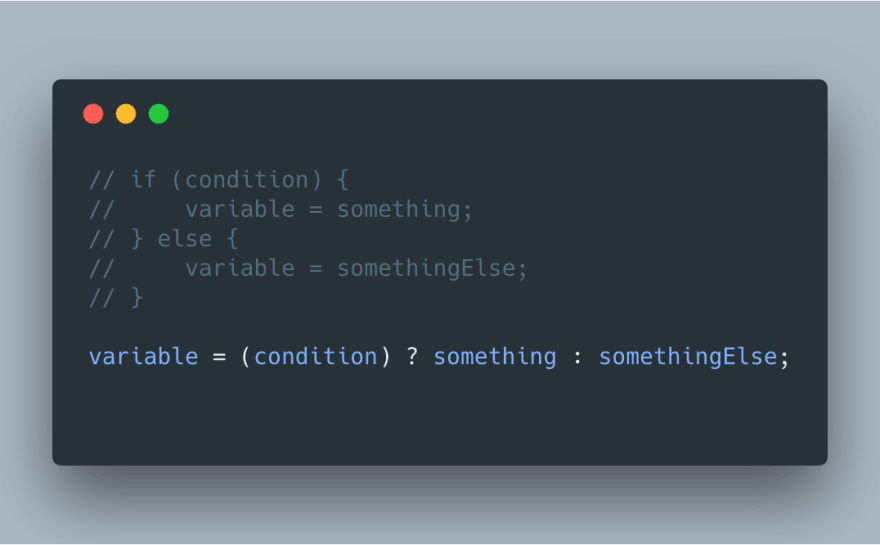

if(x===y){ console.log(true);} else {console.log(false);x===y ? 'true' : 'false';