- Choosing Images for Your site A picture can say a thousand words, and great images help make the difference between an average-looking site and a really engaging one.
- storing Images on Your site
If you are building a site from scratch, it is good practice to create a folder for all of the images the site uses.

-
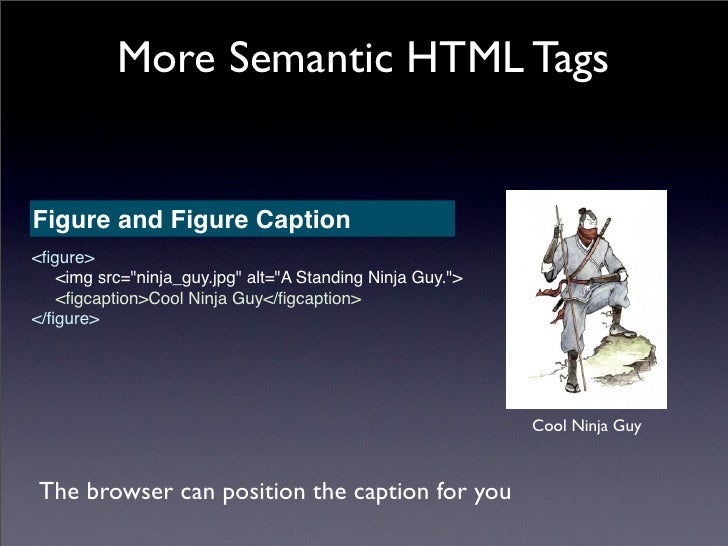
<img>To add an image into the page you need to use an<img>element. This is an empty element (which means there is no closing tag). It must carry the following two attributes: -
src **This tells the browser where it can find the image file. This will usually be a relative URL pointing to an image on your own site. **
-
alt This provides a text description of the image which describes the image if you cannot see it.
-
title You can also use the title attribute with the
<img>element to provide additional information about the image. Most browsers will display the content of this attribute in a tootip when the user hovers over the image.


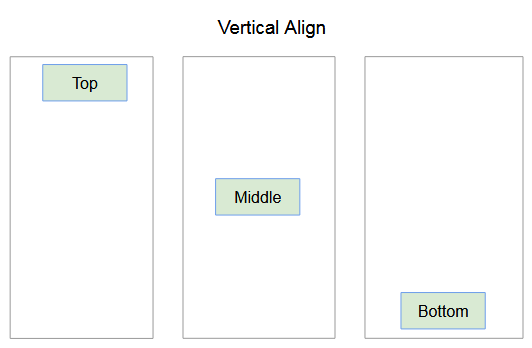
- left
- right

- top
- middle
- bottom
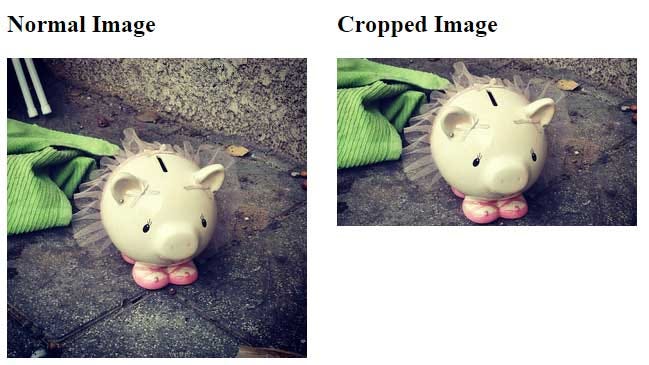
When cropping images it is important not to lose valuable information. It is best to source images that are the correct shape if possible.
Images created for the web should be saved at a resolution of 72 ppi. The higher the resolution of the image, the larger the size of the file.
/blogmerge/cf67f56e-00e6-48c0-a1a4-31a8e3baf0de.jpeg)
- How to specify colors
- Color terminology and contrast
- Background color
rgb values


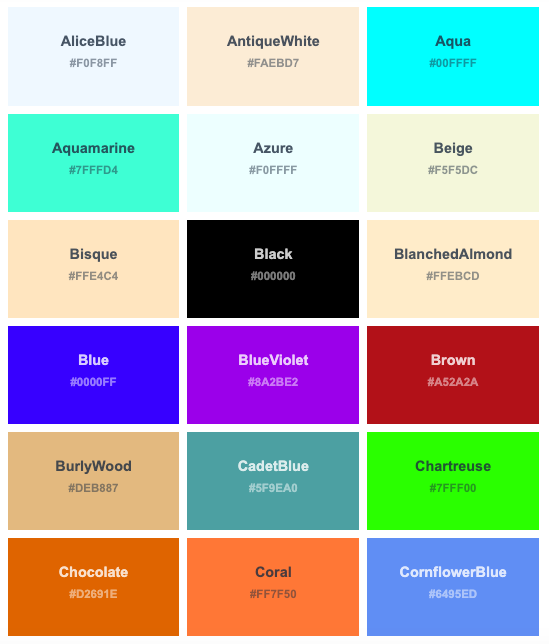
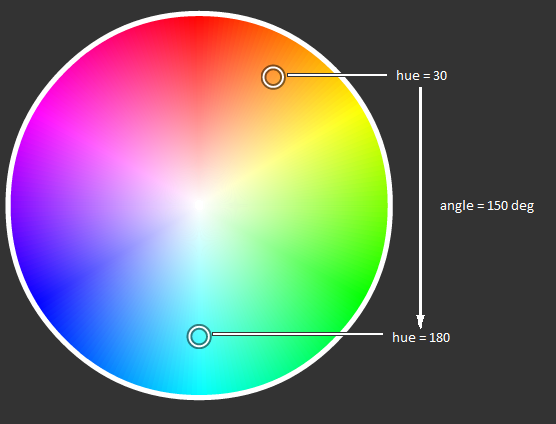

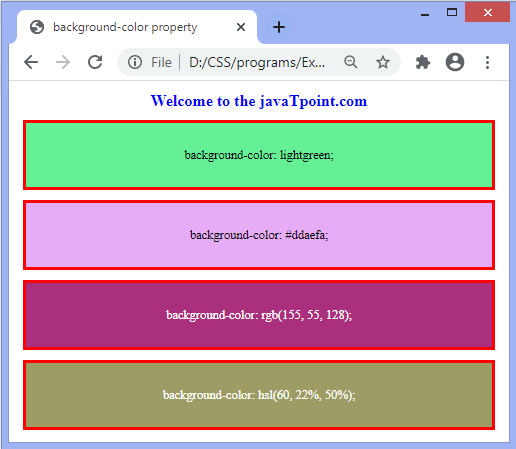
When picking foreground and background colors, it is important to ensure that there is enough contrast for the text to be legible.

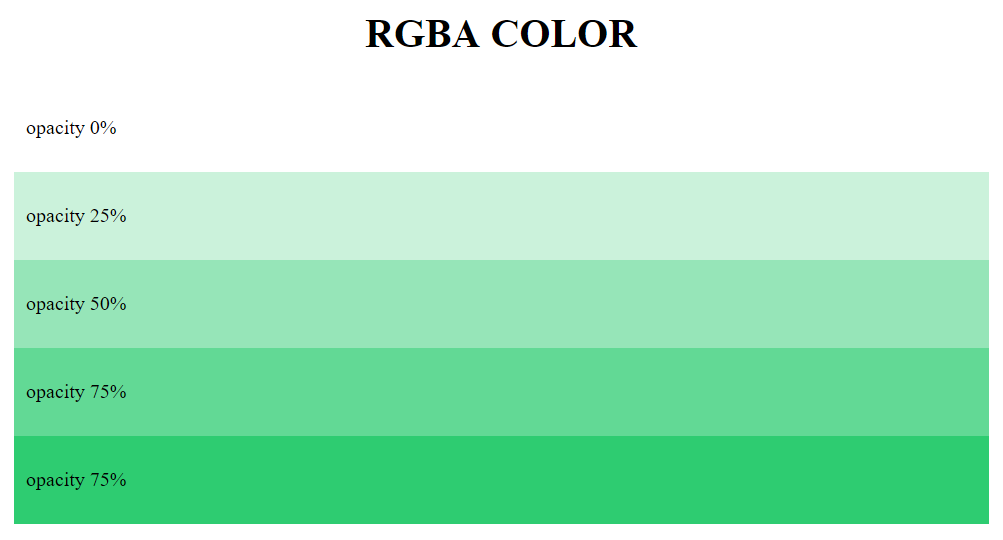
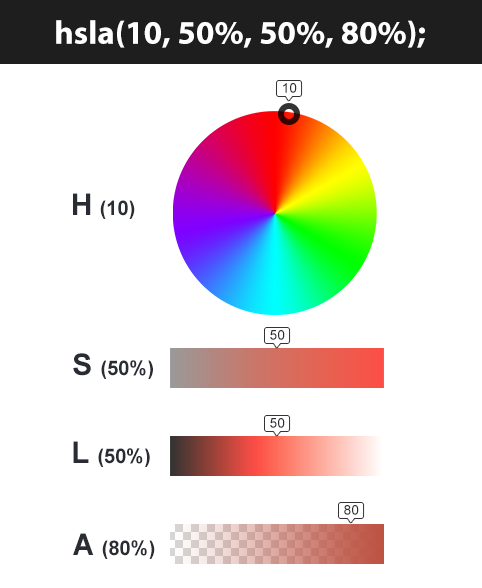
opacity, rgba
- Size and typeface of text
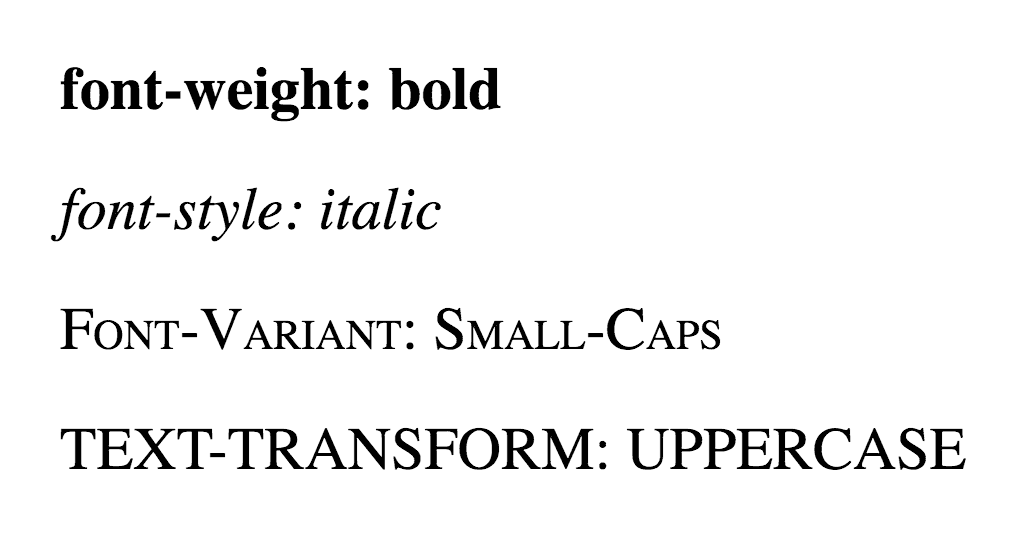
- Bold, italics, capitals, underlines
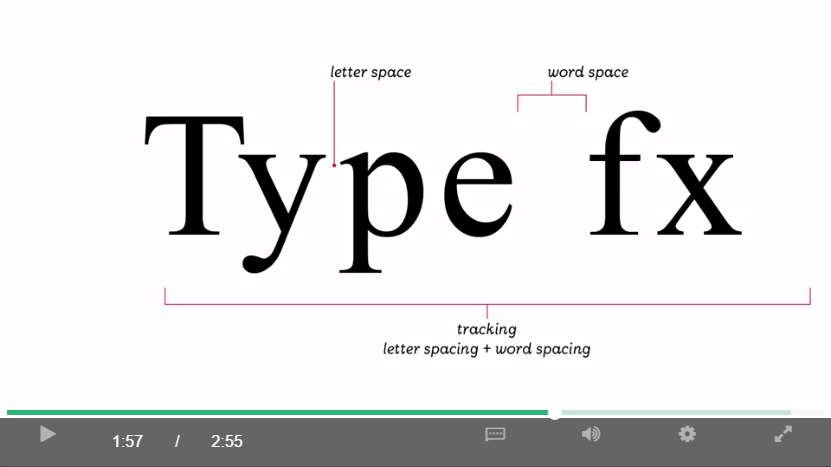
- Spacing between lines, words, and letters
-
Serif
-
Sans-Serif
-
monoSpace

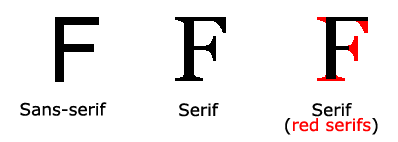

- font-family

-
Size of type
-
font-weight
-
font-style
-
text-transform
-
text-decoration
-
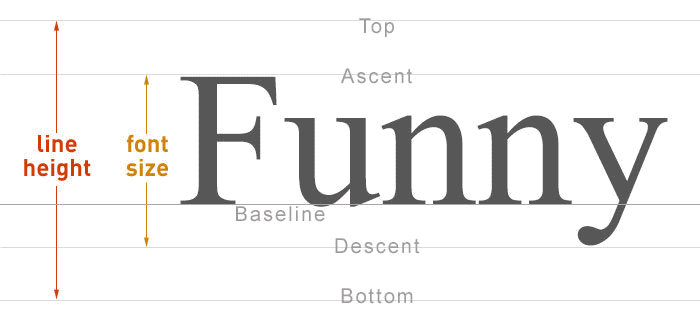
line-height
-
letter-spacing, word-spacing
-
text-align
-
vertical-align
-
text-indent
-
text-shadow
-
:first-letter, :first-line





- :link, :visited
- :hover, :active, :focus