
- Controlling size of images in CSS
- Aligning images in CSS
- Adding background images Controlling the size and alignment of your images using CSS keeps rules that affect the presentation of your page in the CSS and out of the HTML markup.
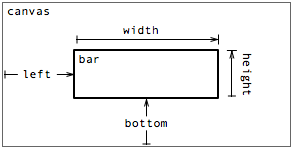
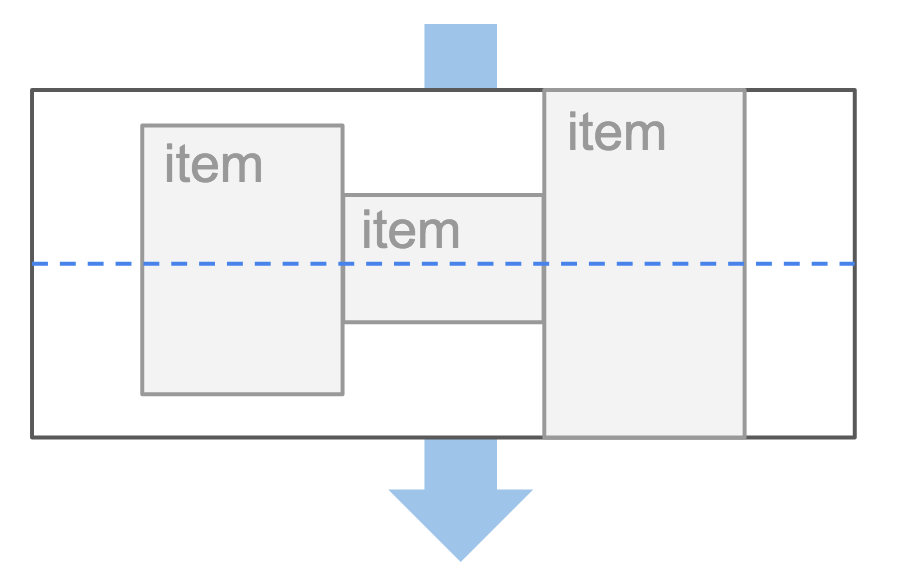
<img> element's align attribute, web page authors are increasingly using the float property to align images. There are two ways that this is commonly achieved:
- The float property is added to the class that was created to represent the size of the image.
- New classes are created with names such as align-left or align-right to align the images to the left or right of the page. These class names are used in addition to classes that indicate the size of the image.

- On the containing element, you can use the text-align property with a value of center.
- On the image itself, you can use the use the margin property and set the values of the left and right margins to auto. You can specify class names that allow any element to be centered, in the same way that you can for the dimensions or alignment of images.
- background-repeat
- background-attachment
The background-repeat property can have four values:
- repeat
The background image is repeated both horizontally and vertically (the default way it is shown if the background- repeat property isn't used).
- repeat-x
The image is repeated horizontally only.
- repeat-y
The image is repeated vertically only.
- no-repeat
The image is only shown once.
The background-attachment property specifies whether a background image should stay in one position or move as the user scrolls up and down the page. It can have one of two values:
- fixed
The background image stays in the same position on the page.
- scroll
The background image moves up and down as the user scrolls up and down the page.
When an image is not being repeated, you can use the background-position property to specify where in the browser window the background image should be placed.
This property usually has a pair of values. The first represents the horizontal position and the second represents the vertical.

If you want to overlay text on a background image, the image must be low contrast in order for the text to be legible.

- Search engine optimization
- Using analytics to understand visitors
- Putting your site on the web
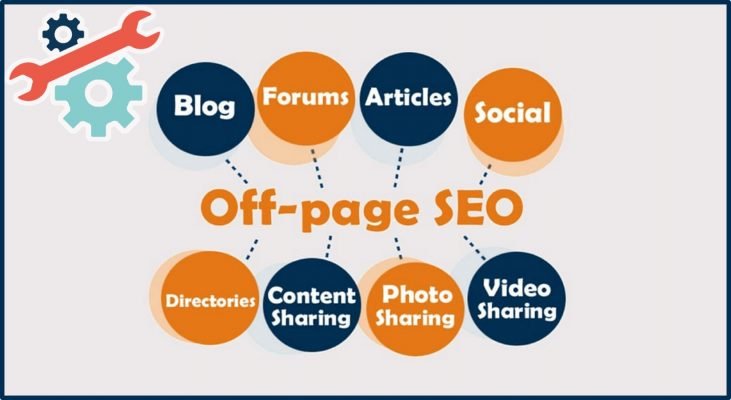
- the Basics Search engine optimization (or SEO) is the practice of trying to help your site appear nearer the top of search engine results when people look for the topics that your website covers.At the heart of SEO is the idea of working out which terms people are likely to enter into a search engine to find your site and then using these terms in the right places on your site to increase the chances that search engines will show a link to your site in their results. In order to determine who comes first in the search results, search engines do not only look at what appears on your site. They also consider how many sites link to you (and how relevant those links are). For this reason, SEOis often split into two areas: on-page techniques and off-page techniques.

On-page techniques are the methods you can use on your web pages to improve their rating in search engines.The main component of this is looking at keywords that people are likely to enter into a search engine if they wanted to find your site, and then including these in the text and HTML code for your site in order to help the search engines know that your site covers these topics.Search engines rely very heavily on the text that is in your pages so it is important that the terms people are going to search for are in text. There are seven essential places where you want your keywords to appear. Ensuring that any images have appropriate text in the value of their alt attribute also helps search engines understand the content of images.
<a> tag and closing </a> tagin the link. If the text in the link contains keywords (rather than just click here or your website address) it may be considered more relevant. The words that appear in links to your site should also appear in the text of the page that the site links to.
Determining which keywords to use on your site can be one of the hardest tasks when you start to think about SEO. Here are six steps that will help you identify the right keywords and phrases for your site.
- Brainstorm
- organiz
- research
- compare
- refine
- map
As soon as people start coming to your site, you can start analyzing how they found it, what they were looking at and at what point they are leaving. One of the best tools for doing this is a free service offered by Google called Google Analytics.
- Signing up
- How it works
- The tracking code
The overview page gives you a snapshot of the key information you are likely to want to know. In particular, it tells you how many people are coming to your site.
- Visits
- unique Visits
- Page Views
- Pages per visit
- average time on site
- date selector
The content link on the left-hand side allows you to learn more about what the visitors are looking at when they come to your site
- Pages
- landing Pages
- top exit Pages
- Bounce rate
- referrers
- direct
- search terms
- advanced features
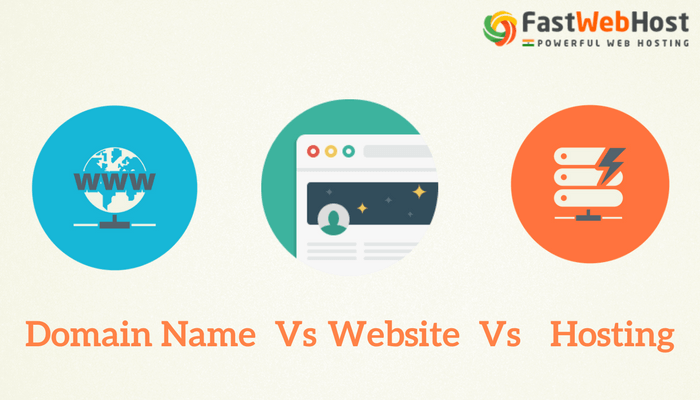
- domain names Your domain name is your web address (e.g. google.com or bbc. co.uk). There are many websites that allow you to register domain names. Usually you will have to pay an annual fee to keep that domain name. These sites usually have a form that allows you to check whether your preferred domain name is available, and because millions of domain names have already been registered, it might take you a while to find the one that is right for your site. A lot of sites that offer domain name registration also offer web hosting.
- Web hosting
So that other people can see your site, you will need to upload it to a web server. Web servers are special computers that are constantly connected to the Internet. They are specially set up to serve web pages when they are requested. With the exception of some very large sites, most websites live on web servers run by web hosting companies. This is usually far cheaper and more reliable than trying to run your own web servers. There are lots of different types of hosting on offer. We will now take a look at some of the key things that will help you choose which hosting company to use.
To transfer your code and images from your computer to your hosting company, you use something known as File Transfer Protocol. As the name suggests, File Transfer Protocol (or FTP) allows you to transfer files across the Internet from your computer to the web server hosting your site. There are many FTP programs that offer a simple interface that shows you the files on your computer alongside the files that are on your web server. These allow you to drag and drop files from your computer to the server or vice versa.