Adding I2C Connection #29


-
|
I'm trying to add a device using an I2C connection. Following along with the examples on the Notion page, it seems I should just be able to use the connection initialized by pycubed.py ("i2c = cubesat.i2c1"), but this requires me to connect to the SDA/SCL pins. How would I do this? I also see in other examples that PA08 and PA09 are the defaults for these, but I can't find them on the board. I also understand I can maybe use GPIO pins for this and do an I2C scan to find the address of the external device, but I can't get that to work either. If I could get just a brief explanation of how to wire an I2C connection and how to initialize the interface, I'd really appreciate it. |
Beta Was this translation helpful? Give feedback.
Replies: 1 comment 8 replies

-
|
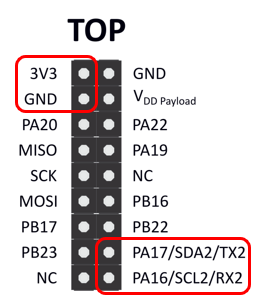
Hey @ecburns33 I didn't make external wiring to I2C bus #1 very easy on mainboardv05 and this is something I have in my notes for potential future revisions. That being said, you have many options since you can configure many different pins to be additional I2C buses. I'll answer your specific questions below:
Hope this helps! Let me know if you need more details. |
Beta Was this translation helpful? Give feedback.

-
|
Okay, I tried that and is still says the SDA connection is in use. The board we're trying to interface with is an Adafruit Motor Shield v2.3 . We're able to successfully use the Motor Shield board with Arduino, but are trying to convert it to PyCubed. I switched over the power supplies and connected the PA16/PA17 pins to the SDA and SCL pins on the Motor Shield board. |
Beta Was this translation helpful? Give feedback.

-
|
Did you also connect GND b/t the motor shield and PyCubed? |
Beta Was this translation helpful? Give feedback.
-
|
Yes, I have pins running from 3.3V and GND on the PyCubed to Vin and GND on the Motor Shield. I also have an external battery pack connected to the Motor Shield board via the 5V and GND on the Motor Shield. |
Beta Was this translation helpful? Give feedback.
-
|
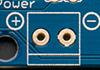
Taking a quick look at the adafruit tutorial on the motor shield you should NOT have PyCubed 3.3V connected to VIN. Having not used this motor shield before, I interpret the instructions like this:
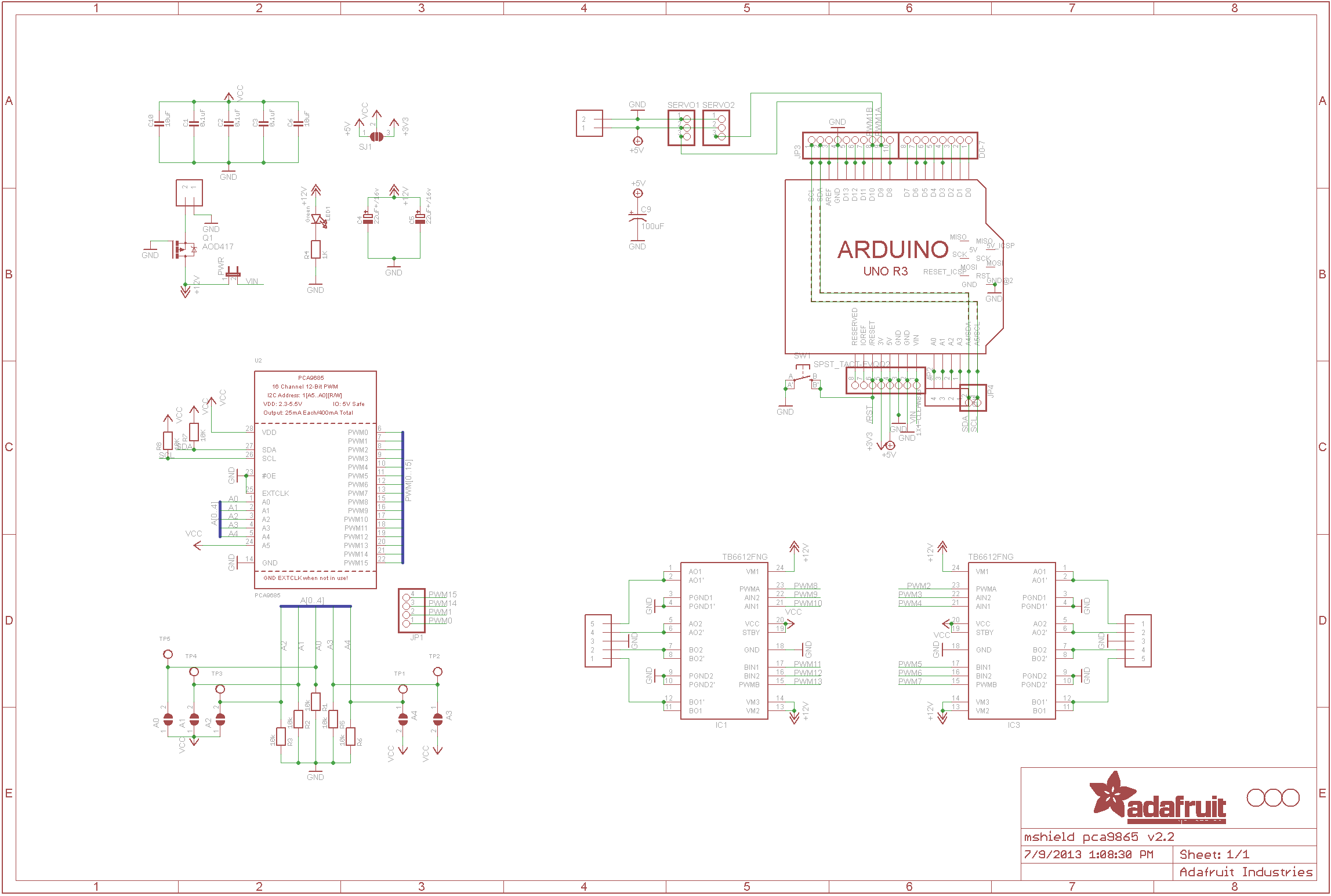
I'm referencing the motor shield schematics and adafruit's faq on the product |
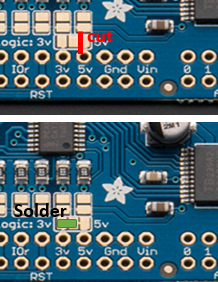
Beta Was this translation helpful? Give feedback.
-
|
OH! and I just realized why your code wasn't working. The library was written to explicitly set an i2c argument otherwise it defaults to the board's default i2c. your code needs to look like this: from pycubed import cubesat
import time
import busio
import board
from adafruit_motorkit import MotorKit
i2c2 = busio.I2C(board.SCL2, board.SDA2)
kit = MotorKit(i2c=i2c2)
kit.motor2.throttle = 1.0
time.sleep(0.5)
kit.motor2.throttle = 0But DON'T try this until you've fixed the power issue above |
Beta Was this translation helpful? Give feedback.


Hey @ecburns33
I didn't make external wiring to I2C bus #1 very easy on mainboardv05 and this is something I have in my notes for potential future revisions. That being said, you have many options since you can configure many different pins to be additional I2C buses. I'll answer your specific questions below:
i2c1) but it would require soldering wires to some resistors and whatnot on the board. A better solution is to use one of the options below, but if you reeeallllyyy wanted to doi2c1you would start by looking at the kicad schematic+layout to determine which pads to access.