How to get binaries #52


-
|
The updater is broken on Linux but I can run the binaries. Is there a way to get the nightly build .exe files? |
Beta Was this translation helpful? Give feedback.
Replies: 1 comment

-
|
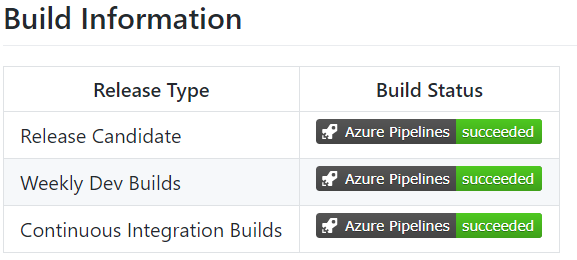
The news headers in the wiki section contain links to the relevant versions at that point, i.e. You can follow the pattern, and for the current build 1.3.7-ci.7 this would be https://ultimaterails.blob.core.windows.net/builds/1.3.7/ci/1.3.7-ci.7.zip There currently is no separately published list of builds, but you could follow the build status on the this repos [home page] (https://github.com/perpetualKid/ORTS-MG/blob/Monogame/README.md) towards the bottom |
Beta Was this translation helpful? Give feedback.


The news headers in the wiki section contain links to the relevant versions at that point, i.e.
https://ultimaterails.blob.core.windows.net/builds/1.3.6/ci/1.3.6-ci.16.zip
You can follow the pattern, and for the current build 1.3.7-ci.7 this would be https://ultimaterails.blob.core.windows.net/builds/1.3.7/ci/1.3.7-ci.7.zip
There currently is no separately published list of builds, but you could follow the build status on the this repos [home page] (https://github.com/perpetualKid/ORTS-MG/blob/Monogame/README.md) towards the bottom
and click on the Continuous Integration Builds --> . This will link to the Azure DevOps build history which reveals the build name (version)