Pixels no longer handles scaling factors correctly. #330

Description

I used to be able to set the surface and buffer physical sizes to the same and it would work. I would have a pixel buffer that filled my current window (who's surface matched the window's inner size). Now pixels asserts when resizing the surface and buffer to the same sizes when scale factor is not 1. This assertion happens inside the clamp function.
Even the examples do not correctly function with a scale factor other than 1. For example in minimal-winit you get a thick black border around the rendered area.
Right now, I can't see any method where I can get the buffer and the window the same size when scale factor is not equal to 1. And therefore, I am unable to update to a newer pixels version.
What I would expect:
- Get the logical size of the window (this takes into account scale factor)
- call resize_surface with the new logical size (maybe physical size?)
- call resize_buffer with the new logical size
- Have pixels not panic with an assert.
- See the pixel buffer fully cover the window.
This is the minimal winit example with scale factor of 125%
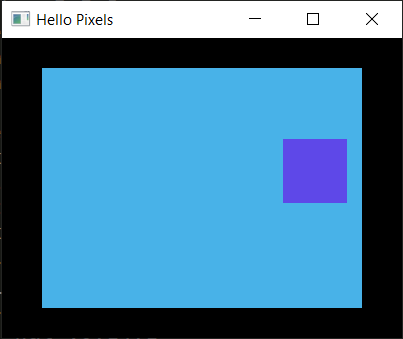
This is the minimal winit example with scale factor of 100%

Consequently, switching scale factor while the minimal winit example is running causes a crash.