-
-
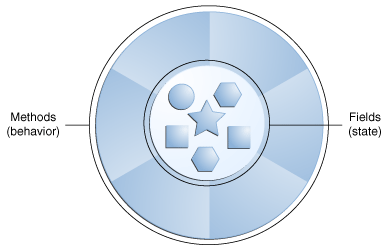
Software objects are conceptually similar to real-world objects: they too consist of state and related behavior.
-
An object stores its state in fields (variables in some programming languages) and exposes its behavior through methods (functions in some programming languages).
-
Methods operate on an object's internal state and serve as the primary mechanism for object-to-object communication.
-
Hiding internal state and requiring all interaction to be performed through an object's methods is known as data encapsulation — a fundamental principle of object-oriented programming
-
A software object.
-
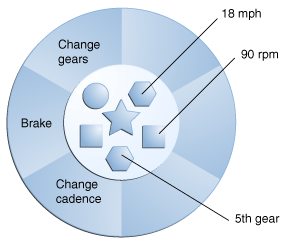
A bicycle modeled as a software object.
-
- 1- Modularity: The source code for an object can be written and maintained independently of the source code for other objects. Once created, an object can be easily passed around inside the system.
- 2- Information-hiding: By interacting only with an object's methods, the details of its internal implementation remain hidden from the outside world.
- 3- Code re-use: If an object already exists (perhaps written by another software developer), you can use that object in your program. This allows specialists to implement/test/debug complex, task-specific objects, which you can then trust to run in your own code.
- 4- Pluggability and debugging ease: If a particular object turns out to be problematic, you can simply remove it from your application and plug in a different object as its replacement. This is analogous to fixing mechanical problems in the real world. If a bolt breaks, you replace it, not the entire machine.
-
-
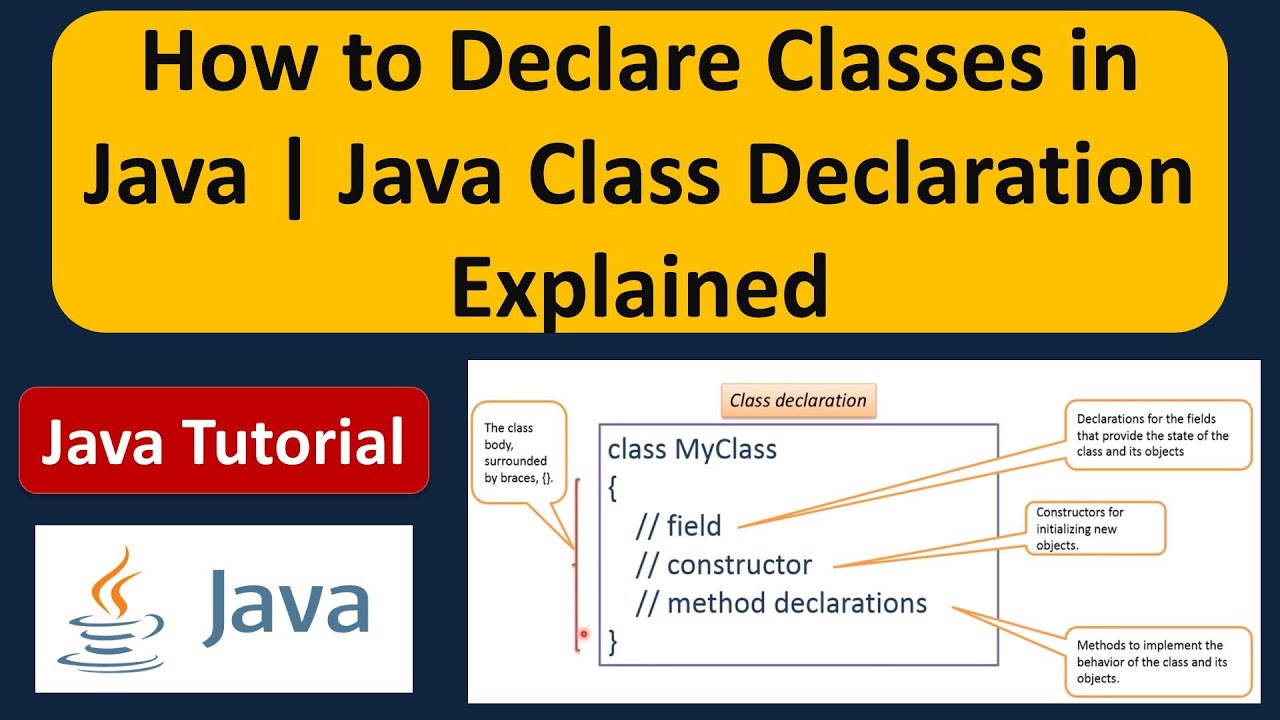
A class is the blueprint from which individual objects are created.
-
-
-
class declarations can include these components, in order:
-
1- Modifiers such as public, private, and a number of others that you will encounter later. (However, note that the private modifier can only be applied to Nested Classes.)
-
2- The class name, with the initial letter capitalized by convention.
-
3- The name of the class's parent (superclass), if any, preceded by the keyword extends. A class can only extend (subclass) one parent.
-
4- A comma-separated list of interfaces implemented by the class, if any, preceded by the keyword implements. A class can implement more than one interface.
-
5- The class body, surrounded by braces, {}
-
-
- public modifier—the field is accessible from all classes.
- private modifier—the field is accessible only within its own class.
-
-
-
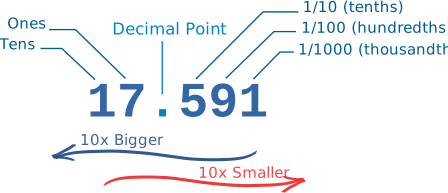
- How do Decimal Numbers work?
-
- The Decimal Number System is also called "Base 10", because it is based on the number 10, with these 10 symbols:(0, 1, 2, 3, 4, 5, 6, 7, 8 and 9)
- In decimal you count "0,1,2,3,4,5,6,7,8,9,..." but then you run out of symbols!So you add 1 on the left and then start again at 0: 10,11,12, ...
-
-
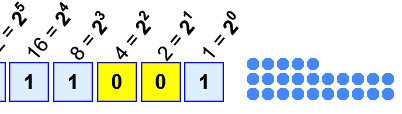
- Binary Numbers are just "Base 2" instead of "Base 10". So you start counting at 0, then 1, then you run out of digits ... so you start back at 0 again, but increase the number on the left by 1.
-
-
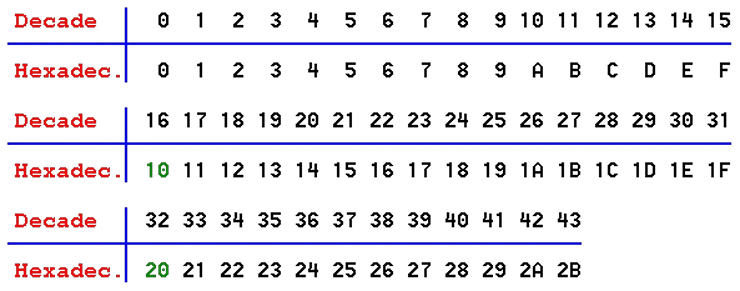
Hexadecimal numbers are interesting. There are 16 of them!
-
They look the same as the decimal numbers up to 9, but then there are the letters ("A',"B","C","D","E","F") in place of the decimal numbers 10 to 15.
-
-
-