-
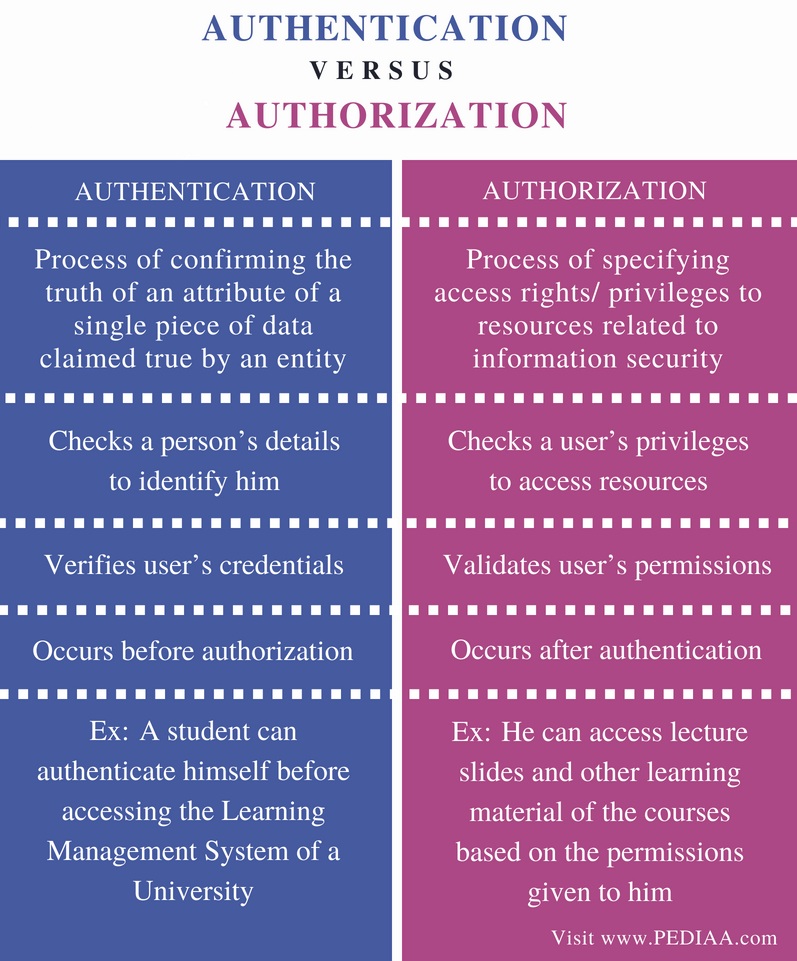
OAuth is an open-standard authorization protocol or framework that describes how unrelated servers and services can safely allow authenticated access to their assets without actually sharing the initial, related, single logon credential. In authentication parlance, this is known as secure, third-party, user-agent, delegated authorization.
-
Another common example OAuth scenario could be a user sending cloud-stored files to another user via email, when the cloud storage and email systems are otherwise unrelated other than supporting the OAuth framework (e.g., Google Gmail and Microsoft OneDrive). When the end-user attaches the files to their email and browses to select the files to attach, OAuth could be used behind the scenes to allow the email system to seamlessly authenticate and browse to the protected files without requiring a second logon to the file storage system. Another example, one given in the OAuth 2.0 RFC, is an end-user using a third-party printing service to print picture files stored on an unrelated web server
-
Let’s assume a user has already signed into one website or service (OAuth only works using HTTPS). The user then initiates a feature/transaction that needs to access another unrelated site or service. The following happens (greatly simplified):
- 1- The first website connects to the second website on behalf of the user, using OAuth, providing the user’s verified identity.
- 2- The second site generates a one-time token and a one-time secret unique to the transaction and parties involved.
- 3- The first site gives this token and secret to the initiating user’s client software.
- 4- The client’s software presents the request token and secret to their authorization provider (which may or may not be the second site).
- 5- If not already authenticated to the authorization provider, the client may be asked to authenticate. After authentication, the client is asked to approve the authorization transaction to the second website.
- 6- The user approves (or their software silently approves) a particular transaction type at the first website.
- 7- The user is given an approved access token (notice it’s no longer a request token).
- 8- The user gives the approved access token to the first website.
- 9- The first website gives the access token to the second website as proof of authentication on behalf of the user.
- 10- The second website lets the first website access their site on behalf of the user.
- 11- The user sees a successfully completed transaction occurring.
- 12- OAuth is not the first authentication/authorization system to work this way on behalf of the end-user. In fact, many authentication systems, notably Kerberos, work similarly. What is special about OAuth is its ability to work across the web and its wide adoption. It succeeded with adoption rates where previous attempts failed (for various reasons).
-
OpenID is one of couples of other security technologies that you might hear about in the same context as OAuth. At a base level, the distinction between the two is simple to grasp. Remember when we said up above that the auth in OAuth stood for authorization, not authentication? Well, OpenID is about authentication: as a commenter on StackOverflow pithily put it: "OpenID is for humans logging into machines, OAuth is for machines logging into machines on behalf of humans."
-
-
Because regular web apps are server-side apps where the source code is not publicly exposed, they can use the Authorization Code Flow (defined in OAuth 2.0 RFC 6749, section 4.1), which exchanges an Authorization Code for a token. Your app must be server-side because during this exchange, you must also pass along your application's Client Secret, which must always be kept secure, and you will have to store it in your client.
-
The Authorization Code Flow + PKCE is an OpenId Connect flow specifically designed to authenticate native or mobile application users.PKCE, pronounced “pixy” is an acronym for Proof Key for Code Exchange. The key difference between the PKCE flow and the standard Authorization Code flow is users aren’t required to provide a client_secret. PKCE reduces security risks for native apps, as embedded secrets aren’t required in source code, which limits exposure to reverse engineering.
-
Implicit Flow with Form Post flow uses OIDC to implement web sign-in that is very similar to the way SAML and WS-Federation operates. The web app requests and obtains tokens through the front channel, without the need for secrets or extra backend calls. With this method, you don’t need to obtain, maintain, use, and protect a secret in your application
-
The Client Credentials flow is a server to server flow. There is no user authentication involved in the process. In fact there is no user at all, the resulting access tokens will not contain a user, but will instead contain the Client ID as subject (if not configured otherwise).This flow is useful for systems that need to perform API operations when no user is present. It can be nightly operations, or other that involve contacting OAuth protected APIs.
-
The OAuth 2.0 Device Authorization Grant (formerly known as the Device Flow) is an OAuth 2.0 extension that enables devices with no browser or limited input capability to obtain an access token. This is commonly seen on Apple TV apps, or devices like hardware encoders that can stream video to a YouTube channel.
-
The Resource Owner Password Credentials flow allows exchanging the username and password of a user for an access token and, optionally, a refresh token. This flow has significantly different security properties than the other OAuth flows. The primary difference is that the user’s password is accessible to the application. This requires strong trust of the application by the user.