-
Every statement in a script lives in one of three execution contexts:
- 1- Global Context Code that is in the script, but not in a function. There is only one global context in any page.
- 2- Function Context Code that is being run within a function. Each function has its own function context.
- 3- Eval Context Text is executed like code in an internal function called eva l {) (which is not covered in this book).
-
The first two execution contexts correspond with the notion of scope
- 1- Global Scope If a variable is declared outside a function, it can be used anywhere because it has global scope. If you do not use the var keyword when creating a variable, it is placed in global scope.
- 2- Function-Level Scope When a variable is declared within a function, it can only be used within that function. This is because it has function-level scope.
Stack is a data structure that follows a simple rule. Last-in, first-out, or LIFO. In Javascript, Functions are stack on top of each other until the function returns and functions will start popping off the stack.

-
If a JavaScript statement generates an error, then it throws an exception. At that point, the interpreter stops and looks for exception-handling code.
-
Error objects can help you find where your mistakes are and browsers have tools to help you read them.
-
When an Er ror object is created, it will contain the following properties:
PROPERTY DESCRIPTION name Type of execution message Description fileNumber Name of the JavaScript file lineNumber Line number of error -
There are seven types of built-in error objects in JavaScript. You'll see them on the next two pages:
OBJECT DESCRIPTION Error Generic error - the other errors are all based upon this error Syntax Error Syntax has not been followed ReferenceError Tried to reference a variable that is not declared/within scope TypeError An unexpected data type that cannot be coerced Range Error Numbers not in acceptable range URI Error encodeURI ().decodeURI(),and similar methods used incorrectly EvalError eva l () function used incorrectly

-
- 1- Debug The Script To Fix Error
- 2- Handle Errors Gracefully
- Debugging is about deduction: eliminating potential causes of an error.
-
The JavaScript console will tell you when there is a problem with a script, where to look for the problem, and what kind of issue it seems to be.
-
The JavaScript console is just one of several developer tools that are found in all modern browsers.
-
You can Open Chrome Console as the follwing 1-

2-

- The console will show you when there is an error in your JavaScript. It also displays the line where it became a problem for the interpreter.
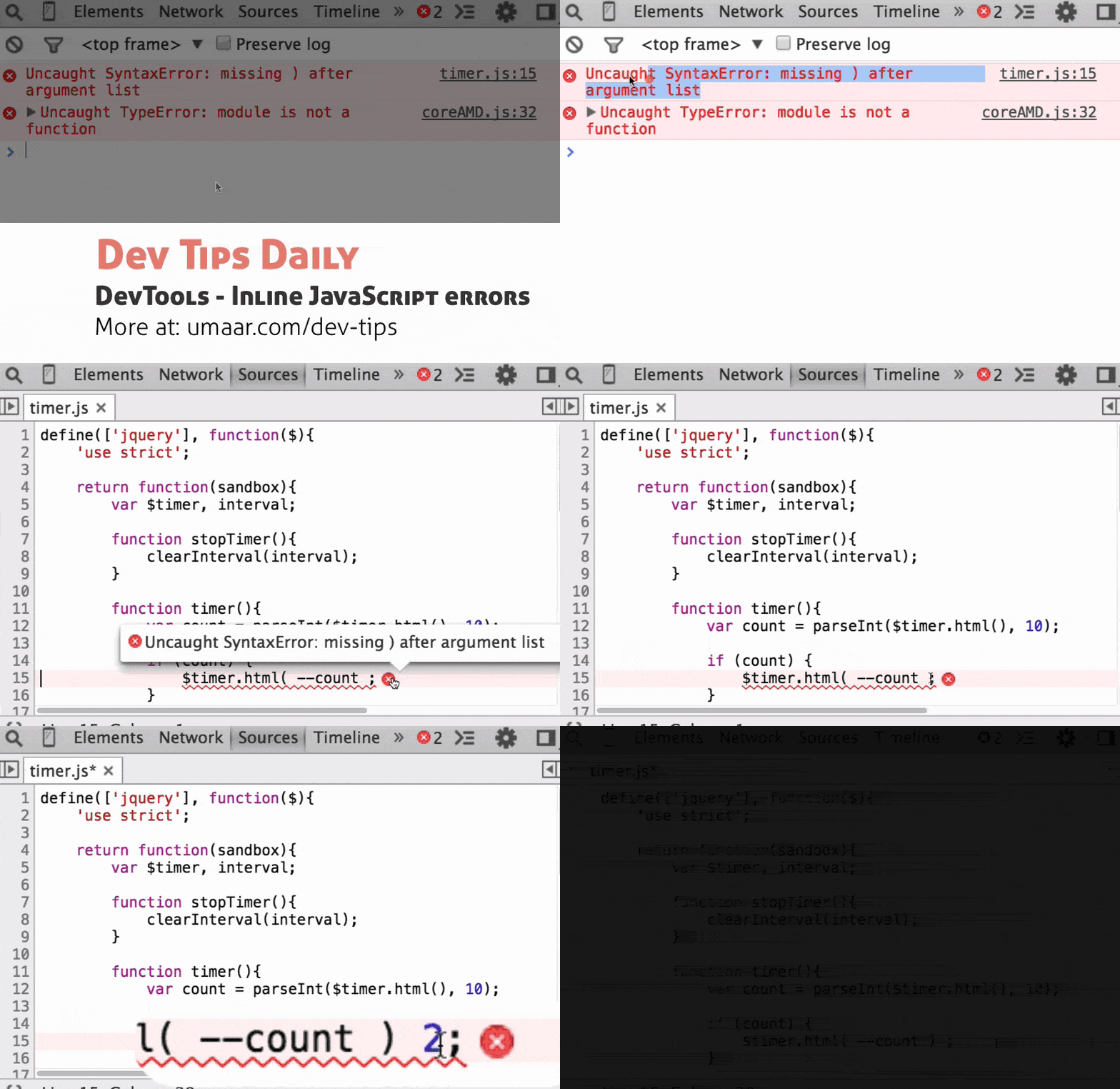
- Browsers that have a console have a console object, which has several methods that your script can use to display data in the console. The object is documented in the Console API.
- 1- The console.log() method can write data from a script to the console. If you open console- l og. html, you will see that a note is written to the console when the page loads.
- 2- Such notes can tell you how far a script has run and what values it has received. In this example, the blur event causes the value entered into a text input to be logged in the console.
- 3- 3. Writing out variables lets you see what values the interpreter holds for them. In this example, the console will write out the values of each variable when the form is submitted.
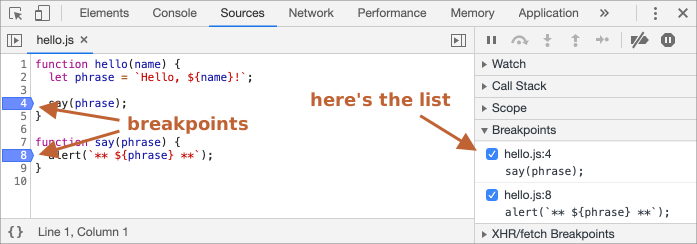
- You can pause the execution of a script on any line using breakpoints. Then you can check the values stored in variables at that point in time.
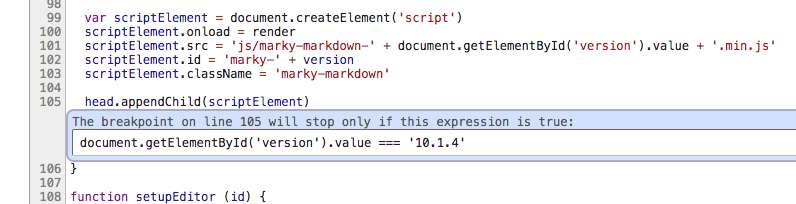
- You can indicate that a breakpoint should be triggered only if a condition that you specify is met. The condition can use existing variables. this is called Conditional Breakpoint
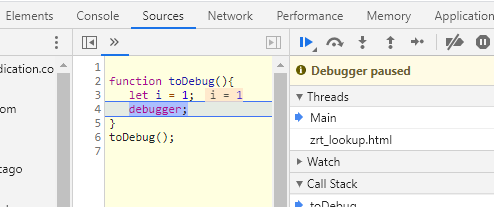
- You can create a breakpoint in your code using just the debugger keyword. When the developer tools are open, this will automatically create a breakpoint.
-
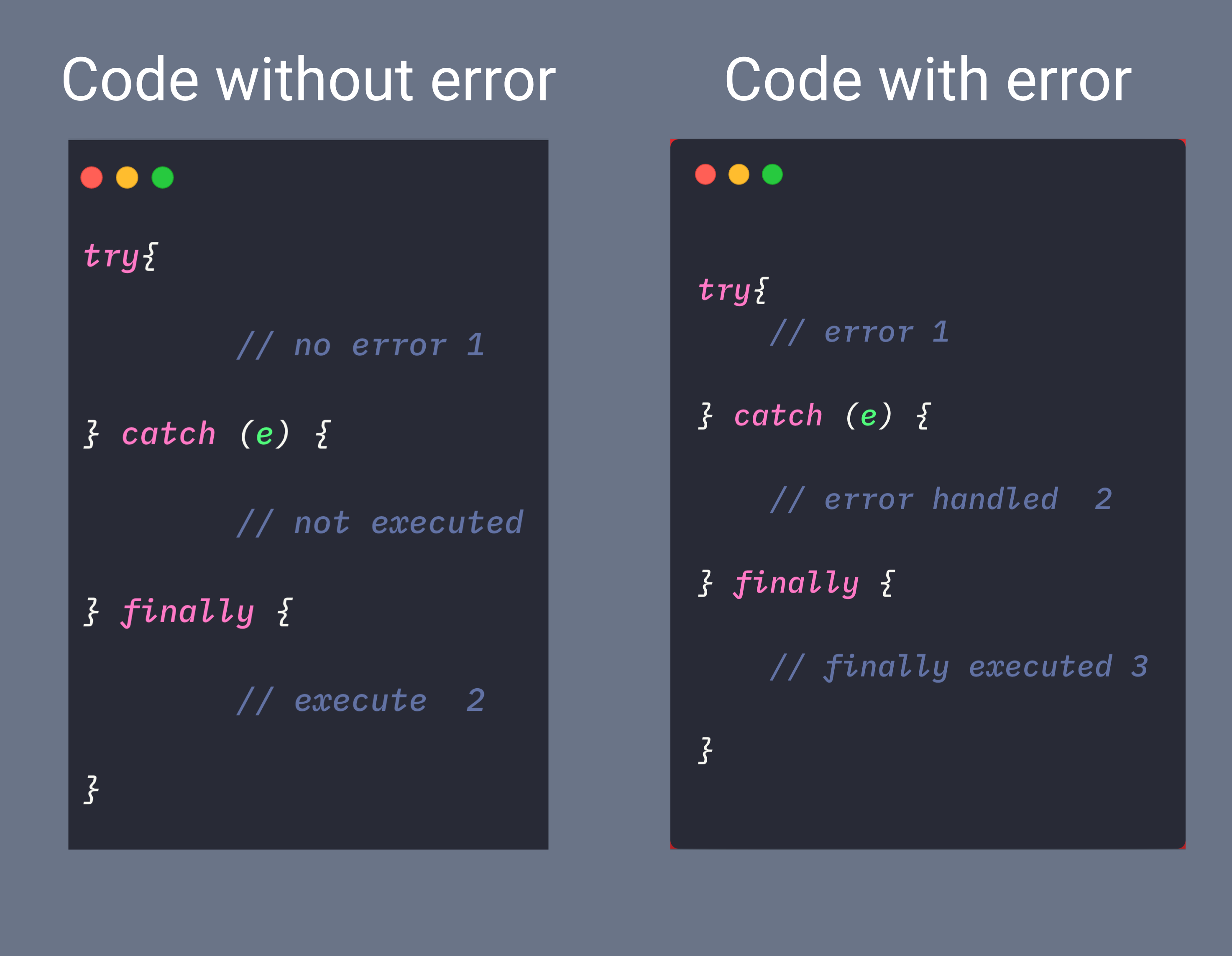
If you know your code might fail, use try, catch, and finally. Each one is given its own code block.
-
The try statement lets you test a block of code for errors.
-
The catch statement lets you handle the error.
-
The throw statement lets you create custom errors.
-
The finally statement lets you execute code, after try and catch, regardless of the result.