-
Notifications
You must be signed in to change notification settings - Fork 0
Expand file tree
/
Copy pathfunctions.Rmd
More file actions
196 lines (153 loc) · 3.62 KB
/
functions.Rmd
File metadata and controls
196 lines (153 loc) · 3.62 KB
1
2
3
4
5
6
7
8
9
10
11
12
13
14
15
16
17
18
19
20
21
22
23
24
25
26
27
28
29
30
31
32
33
34
35
36
37
38
39
40
41
42
43
44
45
46
47
48
49
50
51
52
53
54
55
56
57
58
59
60
61
62
63
64
65
66
67
68
69
70
71
72
73
74
75
76
77
78
79
80
81
82
83
84
85
86
87
88
89
90
91
92
93
94
95
96
97
98
99
100
101
102
103
104
105
106
107
108
109
110
111
112
113
114
115
116
117
118
119
120
121
122
123
124
125
126
127
128
129
130
131
132
133
134
135
136
137
138
139
140
141
142
143
144
145
146
147
148
149
150
151
152
153
154
155
156
157
158
159
160
161
162
163
164
165
166
167
168
169
170
171
172
173
174
175
176
177
178
179
180
181
182
183
184
185
186
187
188
189
190
191
192
193
194
195
196
---
title: "Functions"
author: "Jasmine Lai"
date: "23/10/2019"
output:
ioslides_presentation:
transition: "faster"
---
```{r setup, include=FALSE}
knitr::opts_chunk$set(include = TRUE, warning = FALSE, message = FALSE, comment = "")
```
## Outline
- What are functions
- Writing your own Functions
- Debugging
- Pitfalls
## Why Functions?
- Reduce the amount of copy & pasting required
- Let computers do what they do best: repeatitive tasks
- Code is more readable
## Functions
- You have used Functions in the past like `sum()`, `mean()`, `filter()`
- Under the hood these are powered by lines of R code
- you can see this by going command + click the function name
- does not work for all functions (ie base R)
```{r source}
#filter
#mean
```
## `r emo::ji("cake")` {.smaller}
<div style="float: left; width: 40%;">
### Recipe
Pumpkin Pie `r emo::ji("jack-o-lantern")`
Ingredients:
- Pumpkin
- Egg
- Pie Crust
Recipe:
- Preheat the oven to 350 F
- Whisk together pumpkin, egg
- Pour mixture into pie crust
</div>
<div style="float: right; width: 60%;">
### R code
```{r pie function}
Pumpkin_pie <- function(pumpkin, ..., p_crust){
# 1. Preheat the oven to 350 F
# 2. Whisk together pumpkin, egg
# 3. Pour mixture into crust
# Produces a pi <- automatically `returns`
}
```
</div>
## Basic Structure
```{r structure}
Name_of_function <- function(ingredient_1){
# Body of your function
# where your R code goes
# "Recipe goes here"
}
```
## Demo - Function for Area
```{r function demo}
#fill in the template
#variables in your arguments can be referenced in your body
tri_area <- function(height, base){
height * base / 2
}
# running it will give you a new function in your environment
tri_area(1, 5)
```
## General rule of thumb:
If you need to copy more than 3 times
you should start thinking about writing a function
## Tips for writing functions
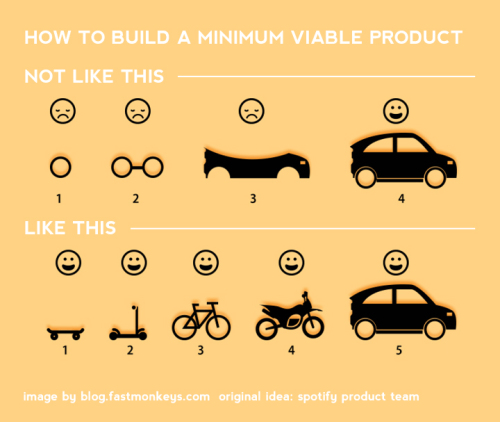
## General Steps
- Write some working R code
- Put code into the function format
- Test it
- Fix it until it works
## Challenge 1
Write a function that:
- given the width, depth and height
- calculates the volume of a rectangular prisim
```{r challenge1, include = FALSE}
vol_rect <- function(w,d,h){
w * d * h
}
vol_rect(3,4,5)
```
## Debugging - specialized functions
- `debug()`
- `browser()`
- rstudio "red dot" debugger
## Debugging with Print!
```{r print}
debug <- function(height, base){
1 + 2
height * base / 2
}
debug(1,2)
debug2 <- function(height, base){
print(1 + 2)
height * base / 2
}
debug2(1,2)
```
## Pitfalls
- TidyEvaluation (we will focus on this)
- Lexical Scoping (look this up later)
## Pitfalls - Tidy Evaluation
Trying this for ggplot2
```{r loadyourlibrary}
library("ggplot2")
```
Using the built in dataset
```{r mtcarsdataset}
head(mtcars)
```
## But this doesn't work
```{r errormtcars, results = 'hide'}
#ggplot(data = mtcars, aes(x = mpg, y = wt)) +
# geom_point()
multi_graph <- function(cx, cy){
ggplot(data= mtcars, aes(x = cx, y = cy)) +
geom_point()
}
#multi_graph(mpg,wt)
```
## Tidyeval to the Rescue
put a {{}} on everything
```{r tidyeval demo, echo=FALSE}
multi_graph_2 <- function(cx, cy){
ggplot(data= mtcars,
aes(x = {{cx}}, y = {{cy}})) +
geom_point()
}
multi_graph_2(mpg,wt)
```
## Challenge 2
Create a function that:
- will plot a graph of any column in the mtcars dataset
- saves the box plot under any name given
```{r challenge2, echo=FALSE}
custom_gg <- function(column1, column2, name){
ggplot(data = mtcars,
aes(x = {{column1}}, y = {{column2}})) +
geom_boxplot()
ggsave(name)
}
custom_gg(mpg, cyl, "new_plot.jpg")
```