This is example configuration to get updates notification in a Telegram chat. Based on multiple configurations from Home-Assistan Community topic.
Notifies about:
- Core updates
- Supervisor updates
- OS updates
- Supervisor Add-ons updates
- HACS Integrations/Frontend updates
- Valetudo Firmware updates
Lovelace UI card example is also available.
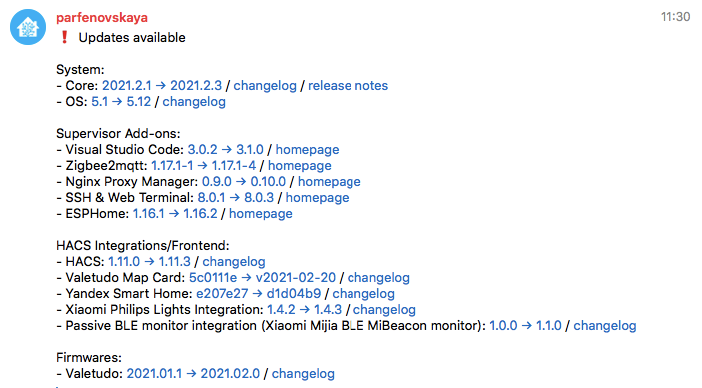
The links in the message are clickable.
- Copy the contents of the
secrets.yamlto yoursecrets.yamlfile and change it according to your home configuration - Copy the contents of the
configuration.yamlto yourconfiguration.yaml- You can remove any sensors if you don't need some of them (for example, you can remove Valetudo entities if you don't use it)
- You can change the alert text according to your needs
- Restart Home Assistant
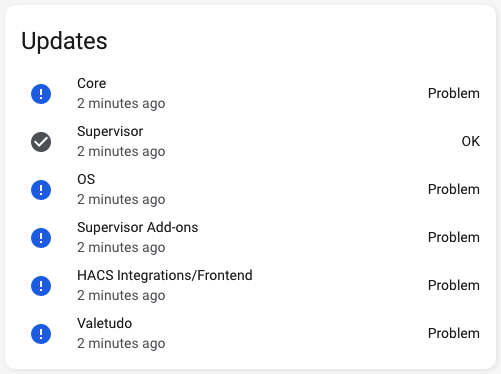
You need to install Lovelace auto-entities card in order to use the below code.
cards:
  - type: custom:auto-entities
    card:
      type: entities
      title: Updates
      state_color: true
    filter:
      include:
        - group: group.updaters
          options:
            secondary_info: last-changed