

Deploy your Angular app to Netlify directly from the Angular CLI! 🚀
You will need two things in order to get started
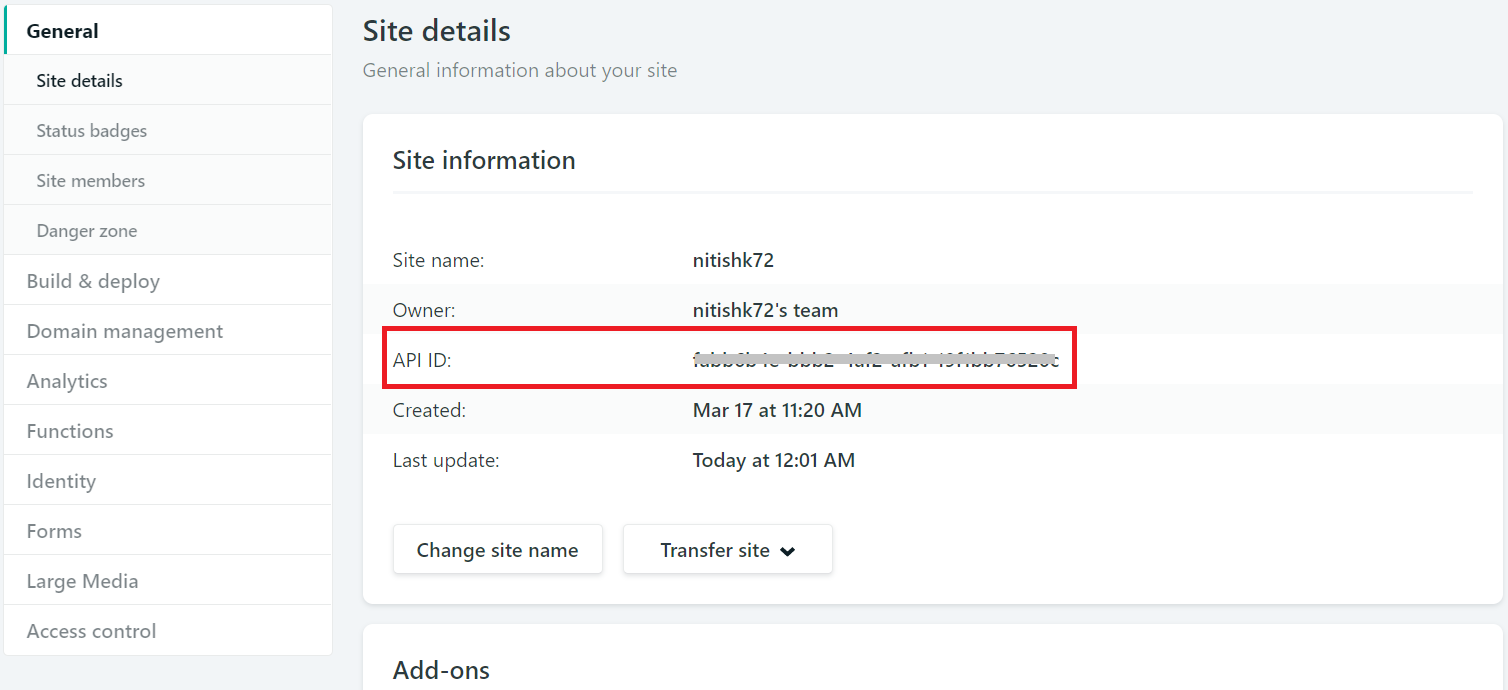
- API ID (Site ID) : Every Netlify application has an API ID that uniquely identify the respective app. You can find it inside your project's Setting/General section.
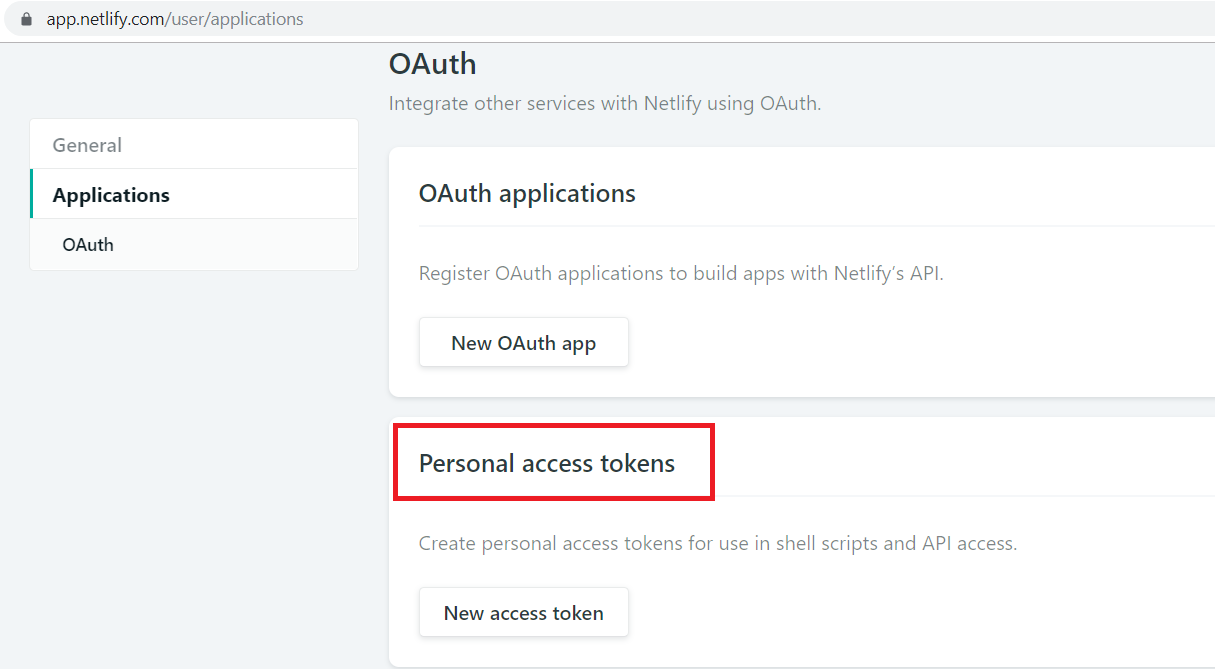
- Personal access tokens : Access token gives the ability to communicate with Netlify over API and helps to push the code on Netlify.
ng add @netlify-builder/deploy
OR
ng add @netlify-builder/deploy --project={projectName}
The above command will configure everything, you just need to provide API ID and Personal access tokens when it will ask you for that.
Now, Whenever you want to deploy your angular project just run a command ng run [YOUR_PROJECT_NAME]:deploy and your project will be deployed with new updates.
- optional
- Alias:
-c - Default:
production(string) - Example:
ng deploy– Angular project is build in production modeng deploy --configuration=test– Angular project is using the configurationtest(this configuration must exist in theangular.jsonfile)
A named build target, as specified in the configurations section of angular.json.
Each named target is accompanied by a configuration of option defaults for that target.
Same as ng build --configuration=XXX.
This command has no effect if the option --no-build option is active.
- optional
- Default:
false(string) - Example:
ng deploy– Angular project is build in production mode before the deploymentng deploy --no-build– Angular project is NOT build
Skip build process during deployment.
This can be used when you are sure that you haven't changed anything and want to deploy with the latest artifact.
This command causes the --configuration setting to have no effect.
- optional
- Default:
false(string) - Example:
ng deploy --create– The command will create a new site if there is no site id or the site id does not exists on netlify
- optional
- Default:
undefined(string) - Example:
ng deploy– The tag<base href="/">remains unchanged in yourindex.htmlng deploy --base-href=/the-repositoryname/– The tag<base href="/the-repositoryname/">is added to yourindex.html
Specifies the base URL for the application being built.
Same as ng build --base-href=/XXX/
- optional
- Default:
false(string) - Example:
ng deploy --with-deps– Use this flag with Nx, to build your app withDeps.
MIT