The code failed on my Mac.What could I do #1

Description

Mac Catalina 10.15.7
Python 3.6.13
Thanks for sharing such cool idea and code.I want to modify the code that the 🐱picture is directly shown on my mac.So I rewrite the function as follows:
def send_cat():
    cat_name = random_cat_name()
    cat_picture = download_random_cat()
    img = Image.open(cat_picture)
    img.show()
    print(f"send_cat_{cat_name}")
It doesn't work on my mac.I tried to figure out where the problem is so I add a few more lines in the code:
    def translate_path(self, path: str) -> str:
        print('point0')
        if path == "/":
            # models are requested from `../models/`
            # but we want to serve the index from `/`
            path = "/web/"

        if path == "/web/cat.json":
            print('point1')
            send_cat()

        return super().translate_path(path)
Meanwhile I adjust following const.
    const timeBetweenCats = 1 * 6 * 1000 // ms
    const trackEmotionFor = 3 * 1000 // ms
The outputs in terminal is as follows:
MacBook-Pro%python server.py
Serving at http://localhost:8080
point0
127.0.0.1 - - [02/May/2022 15:40:51] "GET / HTTP/1.1" 200 -
^C%
The network information in Chrome browser is as follow(in Console log the status is "200" too):
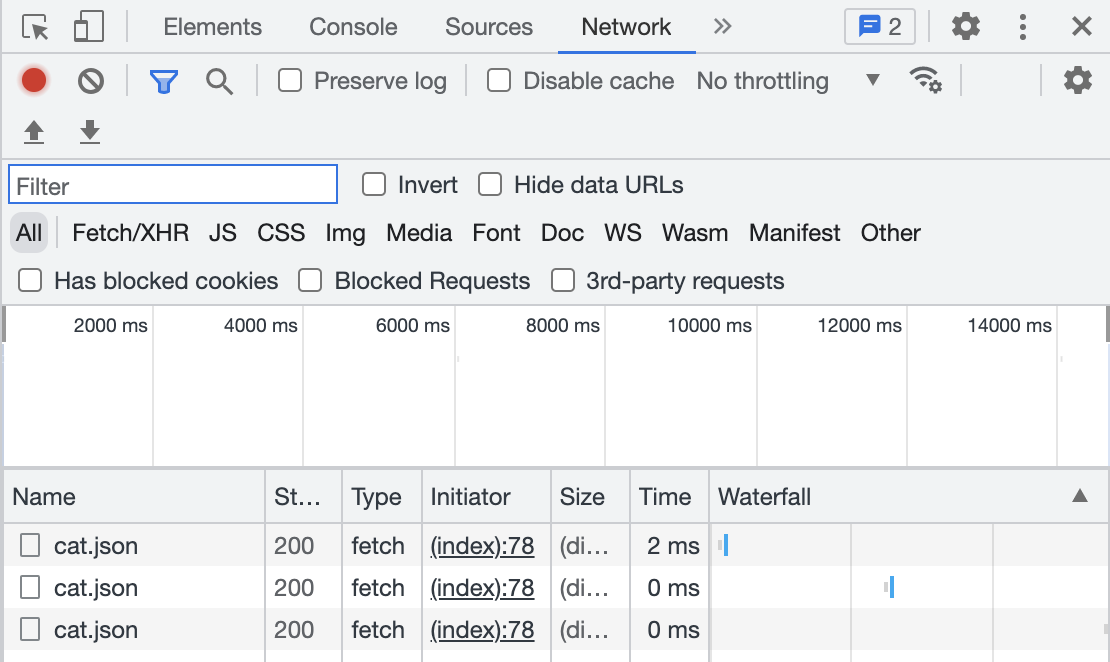
I suppose that the front end send the "cat.json" request successfully but the python HttpRequestHandler didn't response to the request and call translate_path function.
I really want to figure out what I'm missing.Could you help me to find out where I am wrong.
Thanks a lot!