[Bug] Password Leak Alert Blocks Actions in Chrome for Testing #2751

Description

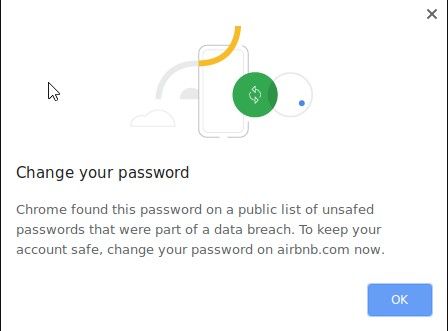
When running Taiko tests using the Chrome for Testing browser, a system “Chrome Password Leak Detection” alert dialog pops up, does not dismiss itself, and blocks all further interactions with page elements.
Environment
Taiko version: v1.4.4
Chrome for Testing version: 133.0.6878.0
OS: Windows 10
Node.js version: 22.13.1
Test locale: ru
Steps to Reproduce
- Run a simple test:
- Observe the “Password leak” alert dialog.
- Click any element
Expected Behavior
The alert dialog should auto-dismiss or be disableable via a flag/option.
Actual Behavior
The dialog remains on-screen and blocks all interactions. None of the usual flags (--disable-features, --ignore-certificate-errors, etc.) have any effect.
Proposed Solution
• Add a command-line flag --disable-password-leak-detection
• Add an option to openBrowser, for example:
openBrowser({ ignorePasswordLeakAlert: true });
PS:
Workaround
Manually create a browser profile, disable security settings via the GUI, and pass the profile path to openBrowser.