To update all firmware on the robot, follow this procedure:
- Pull the latest code from github
- Build the code in VSCode while connected to the internet
- Make sure the following software is installed on your laptop:
- Download and unzip the latest Talon SRX firmware from: http://www.ctr-electronics.com/control-system/motor-control/talon-srx.html#product_tabs_technical_resources
- Power on your robot, connect an Ethernet cable, and turn off your WiFi.
- Run the "RoboRIO imaging tool", which was installed with WpiLib. It'll likely be a link on your desktop.

- Type in our team number
- Select "Format target"
- Click "Reformat". The process will take 10-20 minutes.
- Select "Update Firmware"

- Click "Update". This should be under 10 minutes.
- Deploy code to the robot. (This is required for the next step to work.)
- Open the Phoenix Tuner (came with Phoenix Framework)
- Type in the robot's address (eg 10.0.95.2)
- NOTE: The Robot address field is a drop-down field but you can type into the field as well.
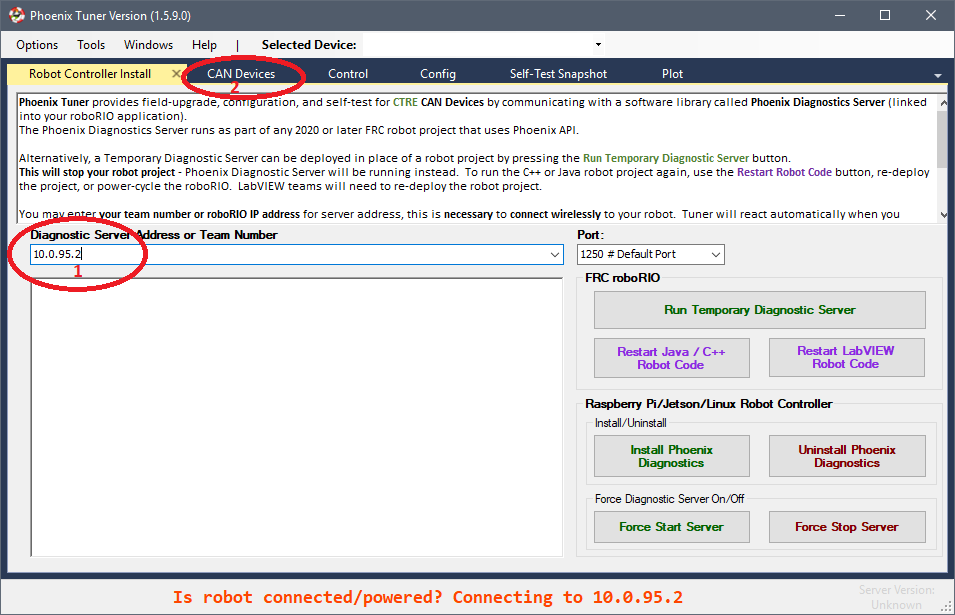
- NOTE: The Robot address field is a drop-down field but you can type into the field as well.
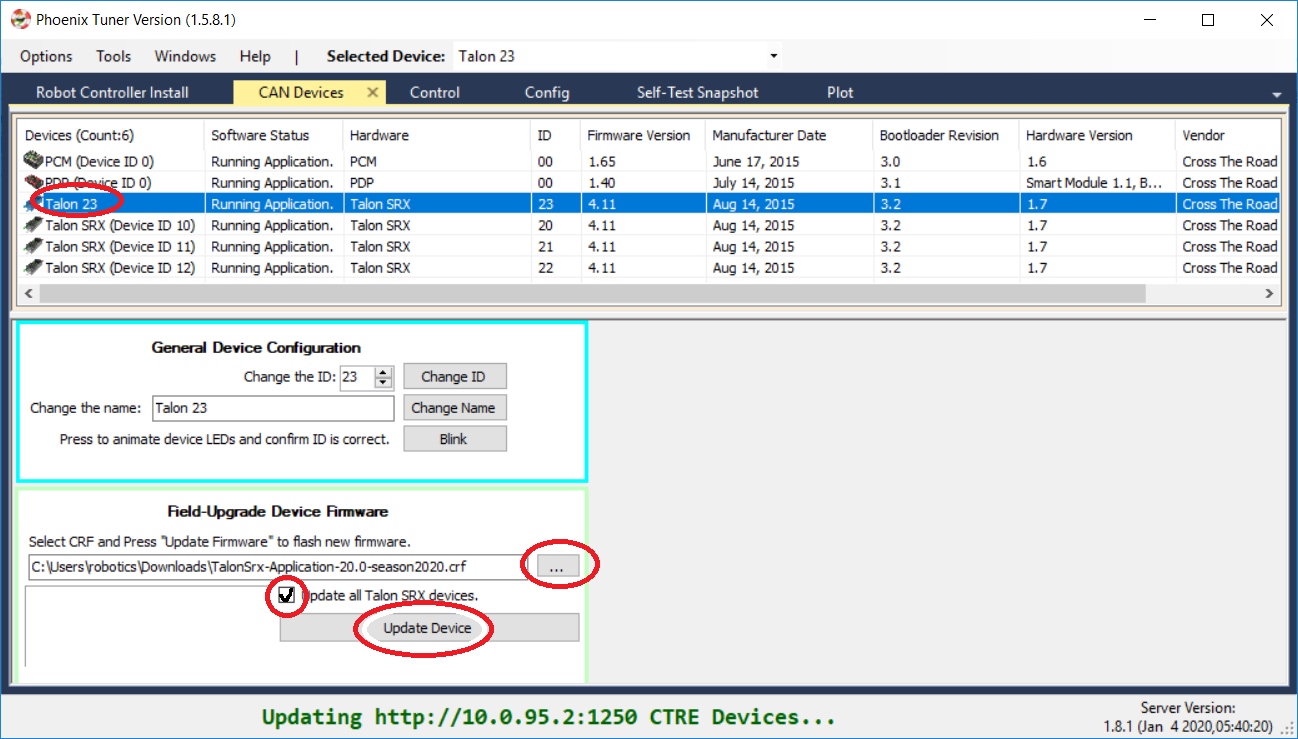
- Open the "CAN Devices" tab. You should see a listing of all Talon SRX's and their firmware revision numbers.
- Under the box labeled "Field-Upgrade Device Firmware", click "..." and browse to the unzipped Talon SRX firmware (a *.crf file)
- Select a Talon SRX from the list.
- Check the box labeled "Update all Talon SRX devices"
- Click "Update device". Process should take a few minutes.
- Type in the robot's address (eg 10.0.95.2)
- Rev Robotics has good documentation on upgrading firmware on their SparkMax controllers at their SPARK MAX Software Resources page. Make sure to run this client as an administrator; otherwise you'll get errors. You can change your icon for the tool to always start as administrator using the following steps:
