New keyboard-driven Show All Windows view #995

Description

Problem
A month back there was a conversation in #72 where I suggested a (poorly drawn) concept for a more comprehensive app switcher. After seeing the direction the new Alt Tab switcher was going, I thought maybe the idea I presented in that thread better fit this feature.
At the moment, the Show All Windows overview doesn't allow keyboard navigation. Since this by default has a keyboard shortcut, I think it makes sense to be able to continue navigating with the keyboard.
Other minor issues with the current implementation are cosmetic, such as Wingpanel keeping whatever transparency it had when super+A was triggered. It'd be nicer if it switched to whatever opacity the wallpaper dictates. In a similar vein, the Plank currently retains whatever visibility it has when the preview is triggered, which if clicked will close the overview (also confusing because if you could open an app in the All Windows view, that could lead to unpredictable window placement in workspaces).
Finally, because it's an app switching view, it makes sense to darken the background to increase contrast between apps and the desktop.
Proposal
This new All Window preview would aim to do the following;
- Allow keyboard control
- Provide better unity with the rest of the system
- Provides an alternative to the Alt Tab view with window thumbnails, and spans across all workspaces (issues like Configure Alt+Tab to cycle through windows in all workspace #406 have suggested this, and that functionality would be more at home here and doesn't disturb what some prefer about the current Alt Tab switcher)
- Change the way windows are laid out - currently, placement is seemingly arbitrary, the new solution would order by most recent use from Top Right to Bottom Left
- Makes picking out windows easier by showing thumbnails, icons, and window + app names (window name - app name)
- Hides the Plank and makes the Wingpanel blend in better
Prior Art
I whipped up a couple quick GIMP concepts, one with dimmed unfocused apps and one with no app dimming.
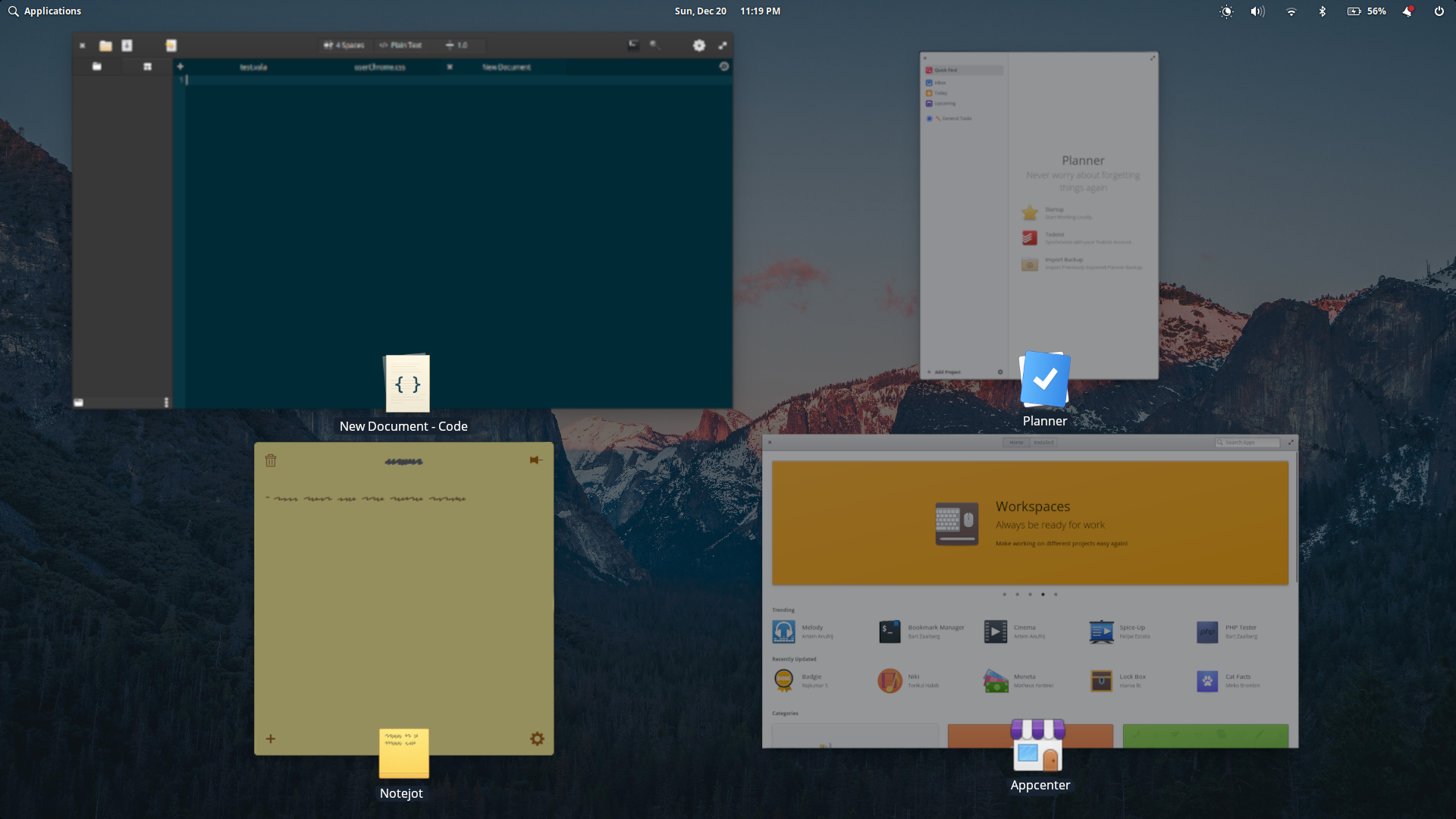
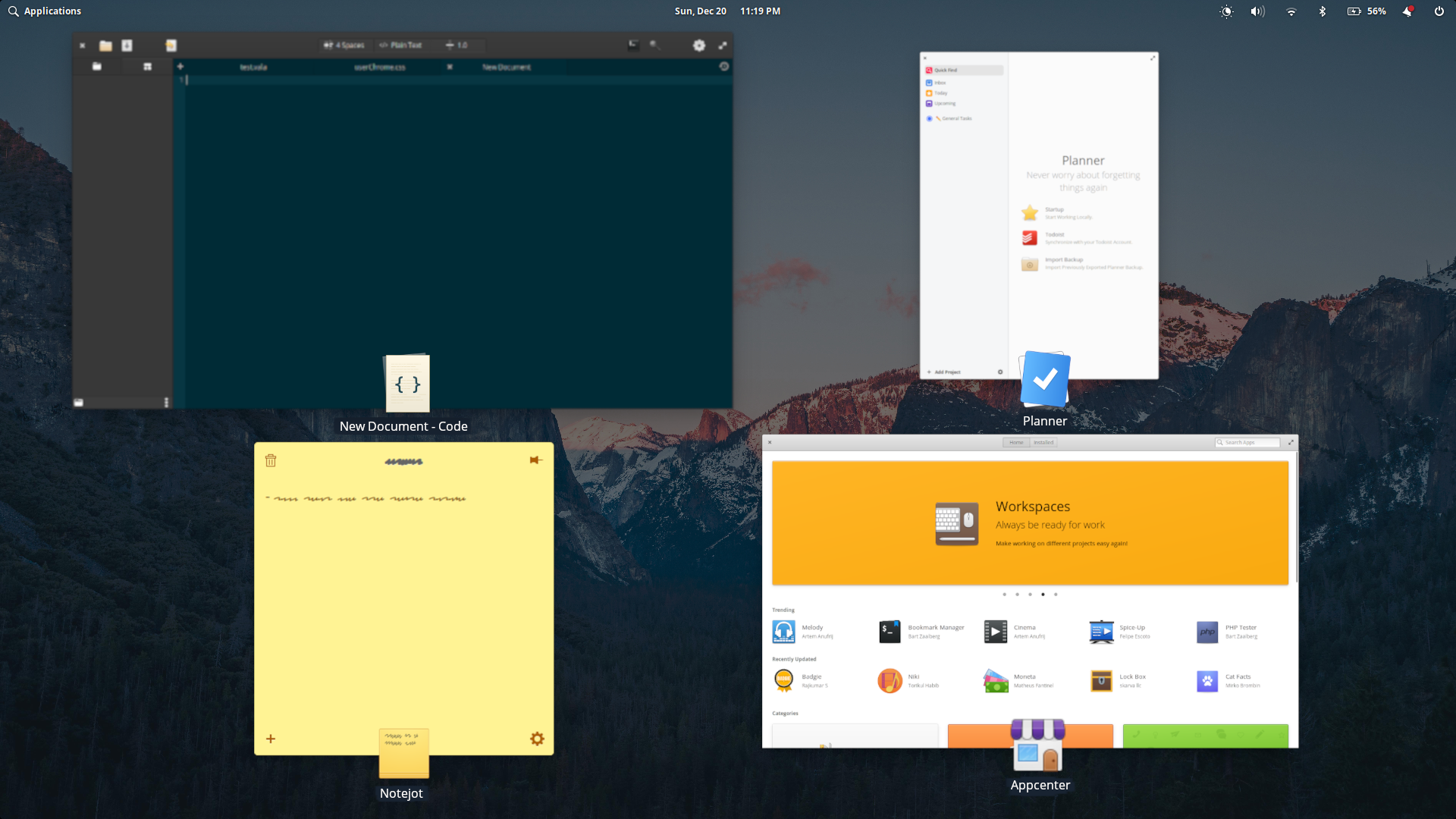
Appearance-wise, the animation on trigger should stay as-is, it's not too flashy or distracting. Not entirely sure how best to animate to the selected app, if it should animate to an un-zoomed app then bring it into focus, or just animate to the focused app.
The window names should have the same styling as system tooltips (my concept did not illustrate that well, whoops), and the selected app (but not the icon or name label) will scale up to draw attention. A light dimming of unfocused windows could help draw focus to the selected window too, but this might make the overview too dark.
Final Thoughts
My final thoughts on overall behavior involve how this view should work when triggered: if opened from a hotcorner, the view should be toggled, but how should keyboard shortcuts handle things? Should toggle behavior be retained, while app switching is done with Tab, Shift-Tab, or the arrow keys? (This would mean the view wouldn't close till the app was selected with Enter/Space or toggled with Super+A again) Or should keyboard triggering behave like Alt Tab, where you hold Super while hitting A or Shift+A to move forwards and backwards through the app list linearly?
Personally I think the second behavior allows for faster switching, but perhaps there is a way to include both a keyboard toggle view and a more Alt-Tab-like behavior.
This ended up wordier than I wanted, but hopefully this covers the most important stuff. Finally, I'd like to say how much I love this project. Great team doing amazing things, I can't wait for the new release!