Android phone/ tablet #4

Description

If the user completes this component, goes back to the menu, back to the component, then changes screen orientation, the layout becomes slightly broken - some of the items return to the bottom of the component instead of staying on the answers, and these can then be dragged and dropped anywhere in the component.
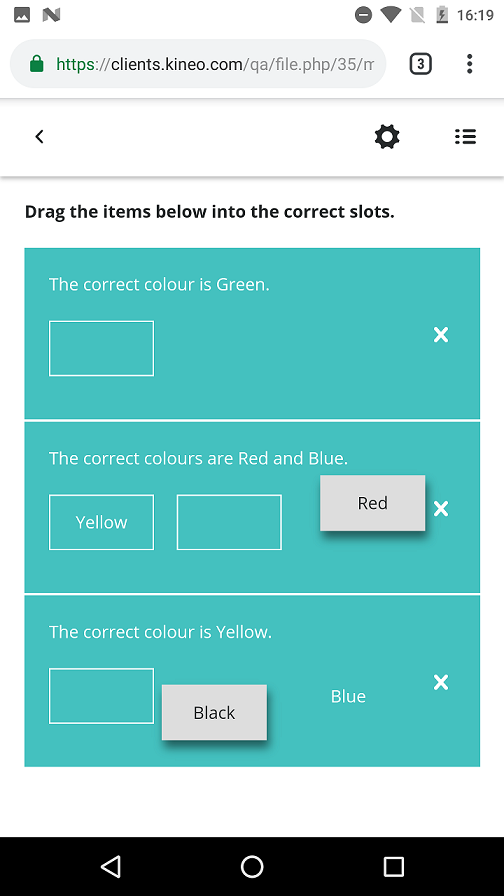
Steps to reproduce:
- On Android phone, complete this component - it doesn't seem to matter if you get it right or wrong.
- Return to the main menu, make sure the device is in landscape mode, and then return to the component.
- When in the component, switch the device to portrait orientation.
- At least 2 drag and drop items should now have returned to their original places, and the user will be able to drag and drop them anywhere in the component.
Also seen on Android tablet. When initially completing the component, the device may have to be in portrait before being switched to landscape on the main menu to replicate this.