The desktop application for Design Driven Development — design software visually as flow graphs, let AI implement from YAML specs.
Note: The abbreviation "DDD" is used in command names and directory references throughout this project for brevity. This is not related to Eric Evans' Domain-Driven Design, which is an entirely separate methodology.
Built with Tauri 2.0 (Rust) + React 19 + TypeScript + Tailwind CSS v4.


Full Feature Preview — 9 domains, 53 flows, 30 node types (Vantage supply chain project):

The Design Driven Development Tool is a visual editor for designing software as flow diagrams. You draw flows on a canvas, the tool outputs YAML specs, and Claude Code generates working code from those specs.
Three-level canvas navigation:
| Level | View | What you see |
|---|---|---|
| L1 — System Map | Bird's-eye view | All domains as cards, inter-domain event wiring |
| L2 — Domain Map | Domain detail | Flow blocks with drag positioning, connections, sync indicators |
| L3 — Flow Canvas | Flow editor | Full node graph with 30 node types, connections, spec panel |
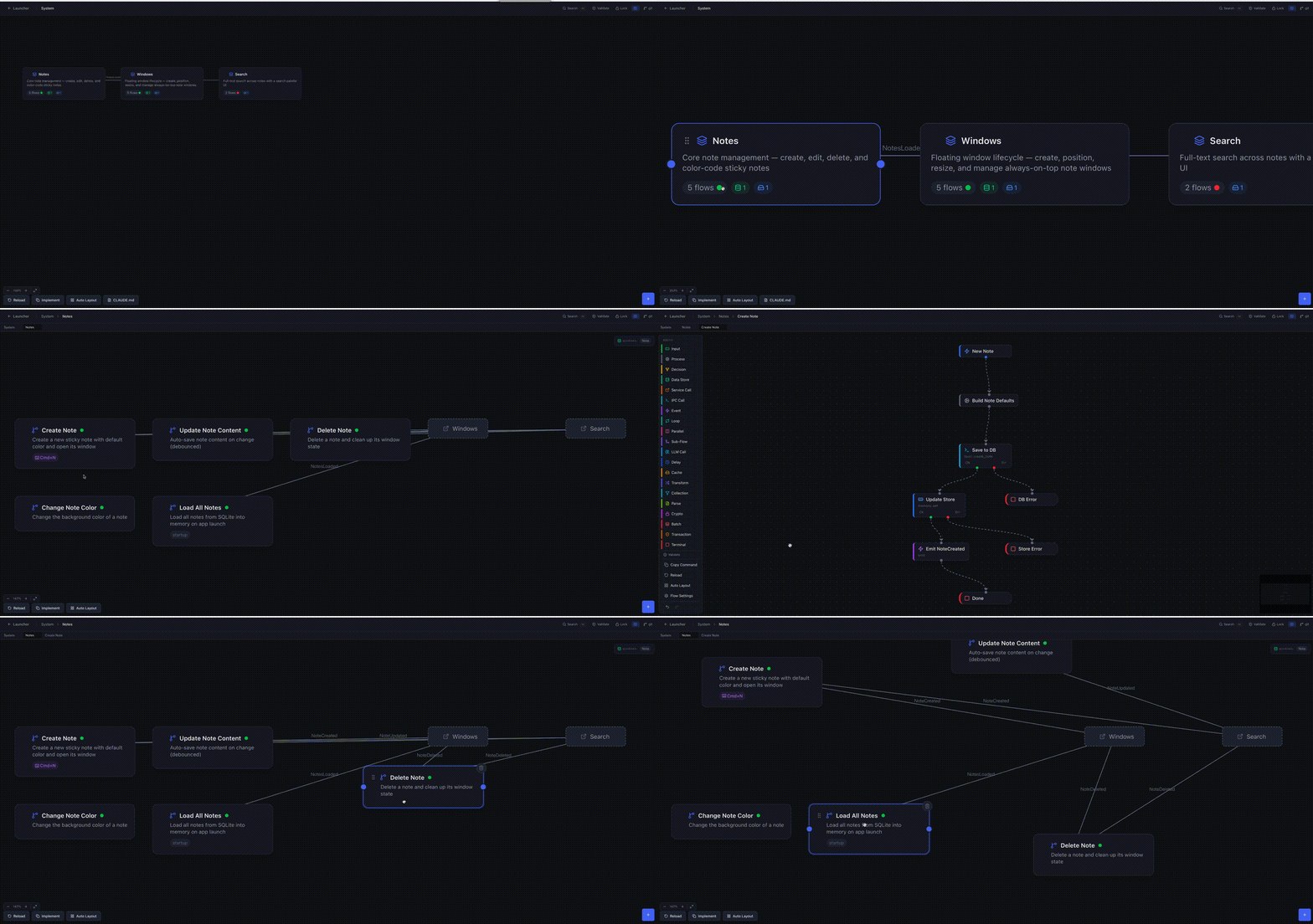
System Map — domains and event wiring at a glance:

Domain Map — flows within a domain, with cross-domain references:

Flow Canvas — full node graph editor with 30 node types:

- 30 node types — trigger, input, process, decision, terminal, data_store, service_call, ipc_call, event, loop, parallel, sub_flow, llm_call, delay, cache, transform, collection, parse, crypto, batch, transaction, text_split, agent_loop, guardrail, human_gate, orchestrator, smart_router, handoff, agent_group, websocket_broadcast
- Visual flow editor — drag-and-drop nodes, connect with typed handles (valid/invalid, true/false, success/error, hit/miss, etc.)
- YAML spec panel — edit node specs directly alongside the canvas, changes sync both ways
- Validation engine — 20+ rules checking flow completeness, connection wiring, event matching, and spec correctness
- Git integration — branch display, staged/unstaged changes, commit from within the app
- Bidirectional drift detection — tracks spec-vs-code sync state (synced, spec_ahead, code_ahead, diverged)
- Annotation tracking — shows pending implementation wisdom captured by
/ddd-reflect - Project lock — prevent accidental edits with Cmd+Shift+L
- Minimap — overview navigation for large flow graphs
- Search — Cmd+K to find flows, domains, and nodes across the project
- Undo/redo — per-flow undo history with Cmd+Z / Cmd+Shift+Z
- Auto-layout — automatic node positioning for imported or messy flows
- Context menus — right-click on nodes, flows, and canvas for quick actions
- Dark theme — designed for extended use
- Node.js 20+
- Rust (latest stable) — Install via rustup
- Platform-specific Tauri dependencies — see the Tauri v2 prerequisites guide
xcode-select --installsudo apt update
sudo apt install libwebkit2gtk-4.1-dev build-essential curl wget file \
libssl-dev libgtk-3-dev libayatana-appindicator3-dev librsvg2-devInstall Microsoft Visual Studio C++ Build Tools and WebView2.
No pre-built binaries yet. This is alpha — you'll need to build from source. Packaged releases are planned.
New here? Read GETTING-STARTED.md for a complete walkthrough — navigation, adding nodes, connecting flows, keyboard shortcuts, and more.
git clone https://github.com/cybersoloss/ddd-tool.git
cd ddd-tool
npm install
npm run tauri dev
The app opens at 1280x800. On first launch, use the Project Launcher to open or create a Design Driven Development project directory.
npm run tauri buildThe built app will be in src-tauri/target/release/bundle/.
src/                              # React frontend
  components/
    SystemMap/                    # L1 — system overview with domain cards
    DomainMap/                    # L2 — domain map with draggable flow blocks
    FlowCanvas/                   # L3 — React Flow canvas
      nodes/                      # 30 node type components
    SpecPanel/                    # YAML spec editor sidebar
      editors/                    # Per-field editors (cross-cutting, spec fields)
    Validation/                   # Validation panel and badges
    GitPanel/                     # Git status, staging, commits
    Navigation/                   # Breadcrumb, search palette, toolbar
    ProjectLauncher/              # Project open/create/recent screen
    Settings/                     # App settings
  stores/                         # Zustand state management
    project-store.ts              # Project loading, domain configs
    flow-store.ts                 # Flow nodes, connections, editing
    sheet-store.ts                # Canvas navigation (L1/L2/L3)
    implementation-store.ts       # Mapping, drift detection, annotations
    validation-store.ts           # Validation rules and results
    git-store.ts                  # Git operations
    ui-store.ts                   # UI state (lock, minimap, search)
    undo-store.ts                 # Per-flow undo/redo history
    app-store.ts                  # App-level state (view, theme)
  types/                          # TypeScript type definitions
    flow.ts                       # 30 node types, specs, connections
    implementation.ts             # SyncState, FlowMapping, DriftInfo, Annotations
  utils/                          # Validators, auto-layout, helpers
src-tauri/                        # Rust backend
  src/lib.rs                      # Tauri commands: file I/O, git ops, file hashing, directory watching
tests/
  e2e/
    auto-test-runner.ts           # CLI runner: validates a DDD project, produces two YAML reports
The tool includes a standalone CLI runner that validates a DDD project using the same TypeScript validation logic as the app — no Tauri required.
npm run test:specs -- /path/to/ddd-projectProduces two YAML reports in <project>/.ddd/reports/:
| Report | What it catches |
|---|---|
tool-compatibility-report.yaml |
YAML parse failures, unknown node types, normalization crashes — "the tool broke" |
spec-quality-report.yaml |
Validation errors, broken references, event wiring issues, feature coverage — "the specs are wrong" |
The runner is part of the DDD e2e test infrastructure. The DDD repo ships a purpose-built example project (Nexus) that exercises all 30 node types, 13 trigger types, and all other DDD features. After cloning the DDD repo, run:
npm run test:specs -- ~/dev/DDD/examples/nexusExpected: FULLY_COMPATIBLE, 0 errors, 90+ quality score. Any regression here means a framework change broke the tool.
Every DDD project covers four foundational pillars of software. The tool lets you view and edit specs across all four — changes propagate to code via /ddd-implement.
| Pillar | Spec location | What /ddd-implement generates |
|---|---|---|
| Logic | specs/domains/*/flows/*.yaml |
Services, route handlers, job processors |
| Data | specs/schemas/*.yaml |
DB models, migrations, data access layer |
| Interface | specs/ui/*.yaml |
Frontend pages, components, forms |
| Infrastructure | specs/infrastructure.yaml |
Docker config, startup scripts, deployment |
After editing specs in the tool, run /ddd-sync to detect what drifted, then /ddd-implement to regenerate the affected code. No pillar is silently skipped.
You design flows          DDD Tool outputs        Claude Code reads specs
in DDD Tool          -->  YAML spec files    -->  and generates code
                          (specs/)                (/ddd-implement)
                               |                       |
                               v                       v
                          Code wisdom             Working code
                          feeds back              with tests
                          (/ddd-reflect)
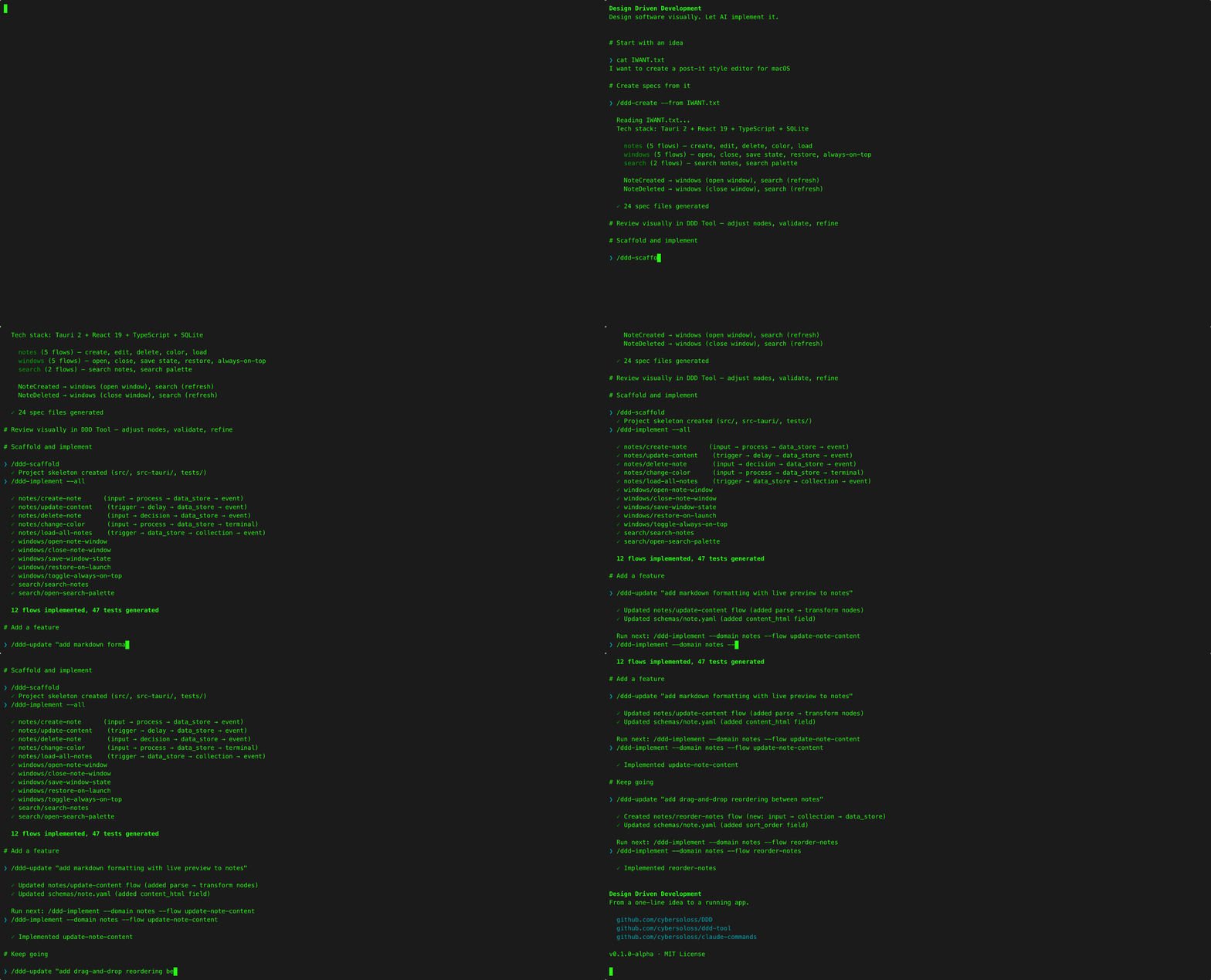
The Design Driven Development Tool is Phase 2 (Design) of the four-phase Design Driven Development lifecycle. The full workflow:
- Create —
/ddd-creategenerates specs from a description - Design — Open specs in DDD Tool, visualize and refine on canvas
- Build —
/ddd-scaffold+/ddd-implement+/ddd-test - Reflect —
/ddd-sync+/ddd-reflect+/ddd-promote
| Repo | What |
|---|---|
| Design Driven Development | Methodology docs, Usage Guide, spec format reference, templates |
| claude-commands | Claude Code slash commands (/ddd-create, /ddd-implement, etc.) |
See CONTRIBUTING.md for development setup, guidelines, and how to submit changes.
MIT — Copyright (c) 2026 Murat Hüseyin Candan
Significant portions of this software were developed with Claude (Anthropic).