

Displays additional date attributes for Bandcamp releases, such as publish_date, mod_date, and release_date. These are extracted from the page's hidden JSON data.
For more info and discusson about these dates see the MusicBrainz forum thread:
https://community.metabrainz.org/t/question-about-bandcamp-publish-dates/667997
This script is based on the Bandcamp: Show publish date userscript by @w-biggs
- Detailed Dates: Specific dates for when a release was published, modified, or created.
- Source Transparency: Shows where each date comes from (e.g., "release date" vs "publish date").
- Smart Sorting: Automatically sorts and displays the dates chronologically.
Enhances Beatport with MusicBrainz integration for easier importing of missing releases.
Based on the original Beatport status and import scripts by RustyNova.
- Status Icons: Adds icons to releases indicating if they are already on MusicBrainz or need importing via Harmony.
- Quick Links: Provides "Open in MusicBrainz" or "Search in MusicBrainz" buttons on release pages.
- Harmony Integration: One-click import for missing releases using Harmony.
Allows selecting multiple checkboxes by drawing a selection box around them.
- Drag Selection: Click and drag to draw a box and toggle all checkboxes inside it.
- Visual Feedback: Shows a semi-transparent selection rectangle.
- Modernized Code: Updated code of the original CheckBoxMate Greasemonkey script by scottmweaver.
Synchronizes button clicks and form submissions across multiple open tabs.
This will make it easier to submit edits and ISRCs to MusicBrainz from supported sites (MagicISRC and ISRC Hunt) from multiple tabs at once. It can also automatically close the tab after submitting a merge edit (when it was opened in a new tab).
You can use it either from the script's context menu or via bookmarklets.
MusicBrainz: Submit Edit (All Tabs)
javascript:(function(){ new BroadcastChannel('mb_edit_channel').postMessage('submit-edit'); })();
MagicISRC: Submit ISRCs (All Tabs)
javascript:(function(){ new BroadcastChannel('magicisrc_submit_channel').postMessage('submit-isrcs'); })();
ISRC Hunt: Submit ISRCs (All Tabs)
javascript:(function(){ new BroadcastChannel('isrc_hunt_submit_channel').postMessage('submit-isrcs'); })();
- Cross-Tab Sync: Will click the same button in all open tabs to trigger the same action in other tabs.
- Rate Limiting: Has a configurable rate limit to prevent errors during bulk submissions.
- Auto-Close: Can automatically close tabs after a successful submission.
Helper userscript for MusicBrainz editors to simplify data import from Deezer. It provides quick access to external tools for data import and editing.
- Release Seeding: Allows importing releases with Harmony and search for existing artists, releases, or recordings on MusicBrainz.
- SAMBL: Provides quick access to SAMBL, which can fetch an artist's entire Deezer discography and compare it against MusicBrainz. This allows editors to quickly identify missing release or incomplete entries.
- ISRC Hunt: Provides quick access to ISRC Hunt to find and import track-level ISRCs.
- ListenBrainz: Provides quick access to ListenBrainz, an open-source alternative to Last.fm built entirely on top of MusicBrainz data.
Prevents Discourse from hiding editor toolbar functions on touch-capable devices. It works by spoofing the browser APIs that Discourse uses for touch detection, ensuring the full desktop toolbar is always visible. The script is designed to be robust, supporting both recent and old versions of Discourse.
By default, this script only runs on the MetaBrainz Community Discourse. To use it on other forums, you can add more @match directives in the script's settings.
- Spoofing: Spoofs browser APIs to report a mouse-based interface.
- Toolbar: Ensures the desktop version of the editor toolbar is shown.
Before:

After:

See also:
A developer tool that logs all DOM changes to the console.
- Live Logging: Real-time console logs for element additions, removals, and attribute changes.
- Detailed Info: Shows exactly what changed, including old and new values.
A comprehensive userscript for Harmony that adds quality-of-life features, data correction tools, and advanced language detection to streamline your import workflow.
- Improved Release Type Detection: Automatically corrects the release type to "Single" or "EP" based on track title analysis, useful for releases that contain multiple versions of a single song.
- Artist Credit Sync: For single-track releases, automatically syncs the more detailed track artist credit up to the main release artist.
- Normalize ETI: Converts hyphenated Extra Title Information (ETI) on titles (e.g.,
Title - RemixtoTitle (Remix)) to match MusicBrainz style guidelines. - Self-Release Labeling: Automatically sets the label to the special purpose label
[no label]for self-releases where the artist name matches the label name. - Label MBID Mapping: Automatically sets a known Label MBID based on a user-defined list if Harmony cannot resolve it.
- Remixer Removal: Detects remix information in track titles (e.g.,
(Artist Remix)) and automatically removes the credited remixer from the track artist field. - Catalog Number Cleanup: Automatically removes catalog numbers that are identical to the release barcode (GTIN).
- Enhanced Language/Script Guessing: Implements a secondary browser-based language detection system which can be more accurate than Harmony's default.
- Customizable Settings: Offers a dedicated settings panel to control detection mode (browser, Harmony, or none) and fine-tune confidence thresholds for applying changes.
- Include GTIN and Packaging on Update: Adds an option to include GTIN (barcode) and set packaging when updating existing releases.
- Drop Artist Names as credited from Seed: When an MBID is available, this option removes the artist's name from the seed data.
- MusicBrainz Server Selection: Allows choosing between the main server (musicbrainz.org), the beta server, or the mirror (musicbrainz.eu) for all links and seeding actions.
- Clipboard Re-Lookup: Adds a "Re-Lookup from Clipboard" button to the lookup form for quickly starting a new lookup or extending an existing one using a supported source URL found in your clipboard.
- Provider Re-Lookup Buttons: Adds a small ⟳ button next to each secondary provider URL in the "Providers" section, allowing you to quickly redo the lookup using that provider as the primary source.
- External Search Links: Adds quick search links for yet unsupported providers (Qobuz, YouTube Music, Beatsource, etc.).
- Minor Tweaks: Enables copying the permalink URL on click and provides options to hide verbose/redundant info sections for a cleaner UI.
Generates and embeds scanable barcodes for ISBNs found on various German book retailer sites.
- Auto-Detection: Automatically spots ISBN-10 and ISBN-13 codes within the page text.
- Live Generation: Creates scannable barcode images on the fly.
- Toggleable: Includes a menu command to enable/disable the barcode embedding.
Cleans up the ISRC Hunt interface by hiding a-tisket links and normalizing styles.
- Filter: Hides "a-tisket" links to reduce clutter.
- Style Reset: Resets link styles to default for better consistency.
Visually compares ISRC codes between sources (e.g., Spotify vs. MusicBrainz) in the ISRC Hunt interface.
- Visual Diff: Highlights matching ISRCs in green and non-matching ones in red.
- Multi-ISRC Support: Handles and compares cells containing multiple comma-separated ISRCs.
Optimizes Harmony links on ISRC Hunt to default to the "preferred" category.
- Link Rewriting: Automatically updates Harmony URLs to prioritize the preferred category.
Adds customization options and extra features to ListenBrainz listen cards.
- Custom Actions: Choose which buttons (Love, Hate, Open in Service) appear on the card.
- Quick Access: Moves "Open in Service" (e.g. Spotify) links directly to the main controls.
- Source Info: Displays which player or service submitted the listen.
- Modal Dialog: Automatically copies the text in the link listen dialog into the search field.
Checks for duplicate releases based on barcode when viewing "Add Release" edits.
- Automatic Check: Scans edits for barcodes and checks for existing releases.
- Duplicate Warning: Highlights barcodes in yellow if they already exist on other releases.
- Quick Search: Adds a direct link to search MusicBrainz for the barcode.
Adds search buttons for Spotify and SoundExchange to the ISRC view page header.
- Direct Integration: Injects "Search on Spotify" and "Search on SoundExchange" buttons directly next to the ISRC header.
- Context-Aware: Uses the current ISRC code to construct precise search URLs.
Adds direct "import ISRCs" links to Spotify and Deezer relationships on release pages.
- Smart Integration: Finds existing Spotify and Deezer links in the sidebar.
- One-Click Import: Adds a [...] link that takes you directly to the ISRC Hunt import page for that release.
Makes "Add to Collection" and "Remove from Collection" actions in the sidebar instant without reloading the page.
Note: Works with English UI only.
- Instant Toggle: Adds or removes entities from your collection immediately.
- Visual Feedback: Updates the link text and the sidebar collection counter dynamically.
Aligns columns in 'Merge' edit tables for easier side-by-side comparison.
- Smart Alignment: Dynamically calculates and applies column widths based on content.
- Clean Interface: Options to Collapse Empty Columns to hide irrelevant data.
- Layout Control: Option to Widen Table Container for better use of screen space.
- Reactive: Automatically adjusts when table content changes (e.g., via other scripts).
Supercharges the MusicBrainz artwork uploader with batch processing and reliability features.
- Multi-Upload: Upload multiple images simultaneously. (FixesMBS-12374)
- Directory Support: Drag and drop entire folders to upload all images within. (Fixes MBS-12452)
- Resiliency: Automatically retries failed uploads and handles rate limits.
- Status Dashboard: Shows a detailed list of all file statuses and errors.
Automatically clicks the button to confirm submitting (seeding) data from other sites
- Auto-Confirm: Clicks the submit button on the confirmation page automatically.
- Time Saver: Skips a manual step when adding releases or recordings via external tools or scripts from other sites.
Simplifies the login process for ISRC submission sites like MagicISRC and ISRC Hunt.
- Auto-Confirm: Automatically clicks "Allow Access" on MusicBrainz OAuth pages for trusted importers.
- Auto-Login: Detects login forms on supported sites and initiates the sign-in process automatically.
- Security: Validates client IDs and scopes before taking action to ensure safety.
Automatically reveals AcoustIDs on Artist Recording pages.
Requires the Display acoustIDs and merge recordings with common acoustID userscript to be installed.
- Auto-Click: Triggers the "Show acoustIDs" button immediately upon page load.
Enables removing multiple cover art images from a release at once.
- Bulk Selection: Adds checkboxes to each cover art image and a "Select All" option.
- Elephant Editor: Features an edit note memory (based on and compatible with Elephant Editor) that remembers previous edit notes and offers quick-insert buttons.
- Progress Tracking: Shows a real-time progress bar and specific status messages for each image removal.
Enhances AcoustID visibility and comparison across MusicBrainz.
Modernized and refactored version of the original script which can be found at https://github.com/otringal/MB-userscripts/blob/master/Musicbrainz_acoustid.user.js
- Expanded Comparison: Adds AcoustID columns to recording merge edits.
- Visual Comparison: Color-codes identical AcoustIDs to make duplicates easily recognizable.
- Quick Links: Add direct links to AcoustID.org for analysis.
A dashboard for managing your editor subscriptions.
- Comprehensive List: View all your subscriptions in a sortable, filterable table.
- Editor Stats: See key metrics like edit count, rejection rate, and last active date for each subscribed editor.
- Bulk Actions: Unsubscribe from multiple inactive or unwanted editors with a single click.
Improves the native "Guess Case" functionality with smarter rules.
- Artist Deduplication: Automatically removes duplicate artists when using "Guess feat. artists".
- Smart ETI Handling: correctly cases Extra Title Information words like "Official Video", "Lyric Video", "Sped Up", etc.
- Preserves Intent: Respects existing uppercase acronyms when configured.
Automatically detects and sets the Release Language and Script based on track titles.
This is a modified version of the original script by ROpdebee at ROpdebee/mb-userscripts#502
Instead of LibreTranslate it uses the the language detector API
- One-Click Guessing: Adds a button to the Release Editor to analyze the tracklist.
- Language Detection: Uses an AI model internal to the browser to detect the language of the tracklist.
- Auto-Fill: Automatically selects the correct values in the Language and Script dropdown menus.
Simplifies merging duplicate releases by visually grouping them based on barcode.
- Visual Grouping: Highlights identical barcodes with matching colors for easy spotting.
- Click-to-Select: Click any highlighted barcode to instantly check/uncheck all releases with that barcode for merging.
Adds keyboard shortcuts for common actions on list pages (Release groups, Releases, Recordings, etc.).
- Quick Actions: Press keys to perform actions on selected items:
- A: Artwork
- D: Delete
- E: Edit
- W: Merge
- Q: Aliases
- R: Relationship Editor
- Batch Compatible: Opens actions for multiple selected entities in new tabs (staggered to prevent rate limits).
Import your Discogs collection directly into a MusicBrainz collection.
- CSV Support: Reads standard Discogs export files.
- Smart Matching: Looks up releases by Discogs ID to ensure accurate linking.
- Bulk Import: Adds found releases to your MusicBrainz collection automatically.
- Make a new release collection
- Upload your CSV
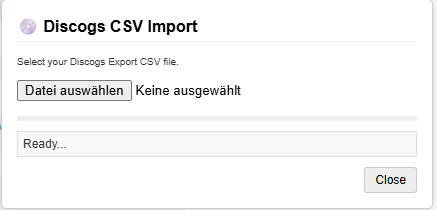
Allows merging recordings directly from "Edit medium" edits.
Based on the original Mass Merge Recordings script by @jesus2099
- In-place Merging: Adds "Merge" buttons next to changed recordings on edit medium edits.
- Batch Processing: Merge recording pairs sequentially with a single click.
- Progress Tracking: Shows a status bar with real-time feedback and retry logic for failed operations.
Power-up for the MusicBrainz Relationship Editor that enables batch removal of relationships using keyboard shortcuts.
- Batch Selection: Hold modifier keys while clicking the "Remove" button to affect multiple relationships at once:
- Shift: Affects all relationships of the same type.
- Ctrl: Affects all relationships to the same target entity.
- Ctrl+Shift: Affects all relationships of the same type AND target.
- Toggle Mode: Easily switch between removal and restore.
Displays the day of the week for release events across MusicBrainz and color-codes them based on regional standard release days.
Based on the original script by Jugdish and SultS.
- Visual Validation: Automatically color-codes release days (Green = Standard, Orange = Non-Standard, Grey = Unknown) to easily spot potential errors at a glance.
- Historical Accuracy: Understands complex historical release rules, such as Germany's shift to Fridays in September 2005 and the introduction of the Global Release Day on July 10, 2015.
- Informative Tooltips: Hover over any injected weekday to see exactly why it was flagged (e.g., "Expected Tuesday for United States, but is Friday").
Remembers your last selected entity type in the MusicBrainz search bar.
- Persistence: Keeps your last used search category (e.g., Artist, Release, Recording) active across page loads.
- Automatic Expiry: Resets after 48 hours
Enhances the MusicBrainz reports page by showing change indicators for each report.
- Change Tracking: Shows how many items have been added or removed from a report since your last visit.
- Visual Indicators: Uses arrows (▲/▼) and color-coding to highlight trends in report volume.
- Auto-Hider: Automatically hides reports with zero items to reduce clutter.
- Subscriptions Mode: Can toggle between all entities and only subscribed ones.

Note: Currently it will only work when using ISO 8601 date/time format in user preferences and UI language set to English:

Fixes MBS-10509 by making the release group secondary type dropdown resizable and expandable.
Enhances the MusicBrainz Release Editor by adding ISRC search capabilities to the recording lookup.
- ISRC Search: Allows you to find recordings by pasting an ISRC directly into the recording search field.
- Seamless Integration: Works within the existing inline search interface of the Release Editor.
Quickly deselect all checkboxes on the page by pressing the Esc key.
- Keyboard Shortcut: Clears selection without manual clicking.
- Targeted Selection: Primarily focused on checkboxes used for merging and within the release relationship editor.
Implementation of MBS-10966. Provides a warning when merging recordings with significantly different lengths.
- Visual Warning: Highlights recording pairs in the merge queue that differ by 15 seconds or more.
- Mistake Prevention: Helps avoid accidental merges of different versions or edits of the same song.
Injects MusicBrainz links into SecondHandSongs pages for artists, releases, and works.
- Context-Aware: Detects the type of entity (Artist, Work, Release) and adds the appropriate MusicBrainz icon link.
Based on the original script by RustyNova which can be found at https://github.com/RustyNova016/MusicBrainz-UserScripts/blob/main/spotify-musicbrainz-import.user.js
This version was reworked and notably adds buttons for ISRC Hunt, ListenBrainz and SAMBL. a-tisket was removed
Adds a "Search on Spotify" option to the context menu in YouTube Music.
- Context-Aware: Detects if you clicked on a Song, Album, Artist, or Playlist.
- Smart Query: Constructs a targeted Spotify search based on the artist and title.
- Native Look: Adds a menu item that seamlessly blends with the YouTube Music interface.
Adds a button to YouTube video pages to easily import them as MusicBrainz recordings.
- Data Import: Pre-fills the MusicBrainz "Add Recording" form with title, length and artist.
- ListenBrainz Sync: Also supports creating ListenBrainz playlists for mix videos with tracklists.