GridMap Example for Texture #5

Description

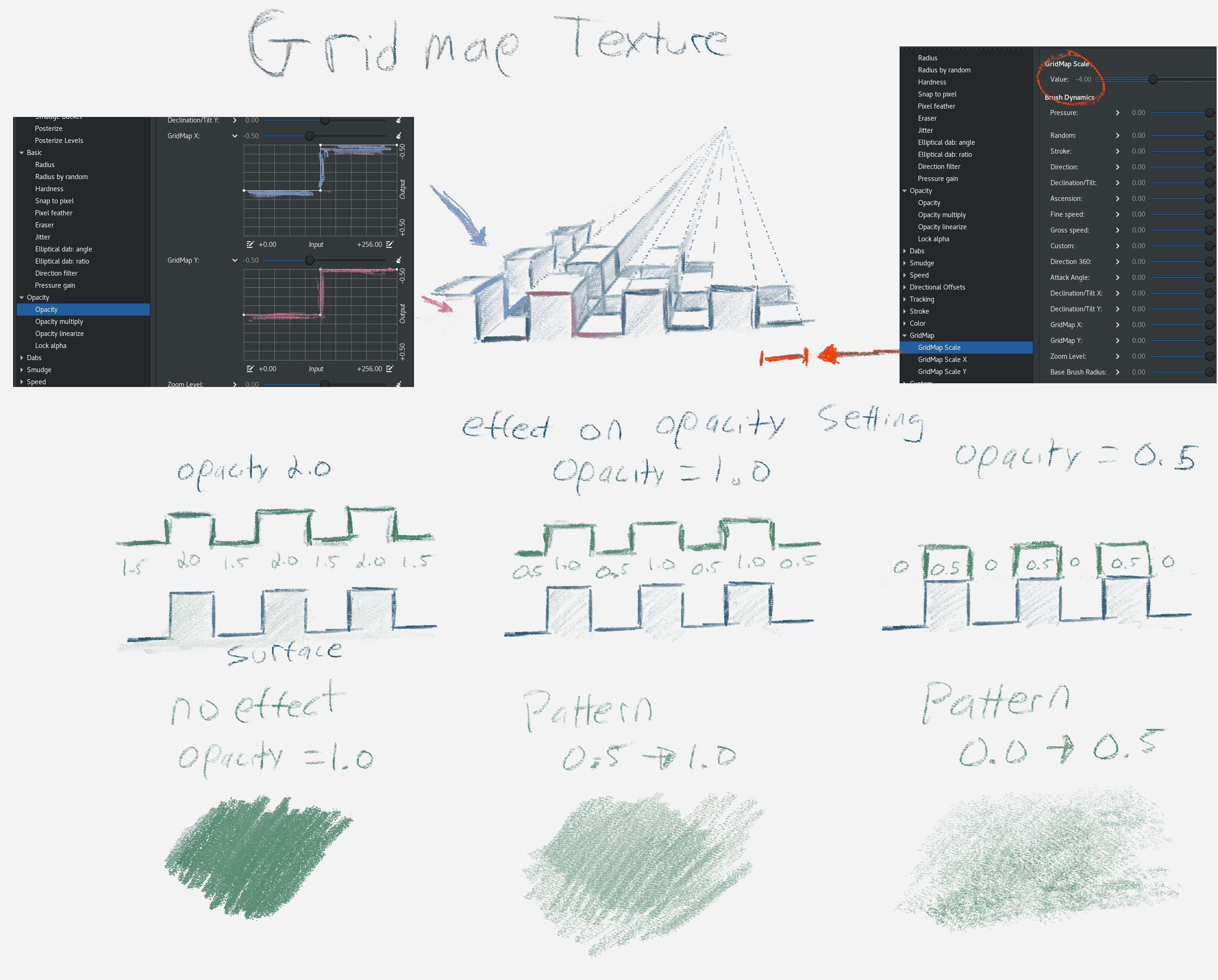
Here's another example that is less flexible because both grid dimensions are reducing by 1.0. So, where they overlap will always be -2.0. This means those areas will always be transparent because you can't set easily set opacity to 3.0 to account for this (2.0 is the max).
https://raw.githubusercontent.com/briend/briend.github.io/master/gridmap.webm
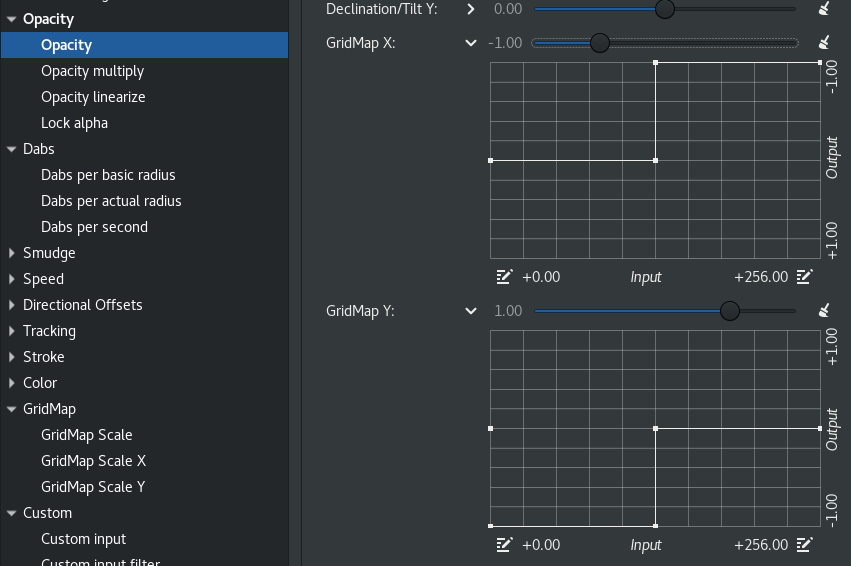
The above video shows the settings below, with the GridMap scale starting near 10 and moving towards -10. This is logarithmic with 256 pixels as the baseline. So, 256 * 10^10 through 256 * 10^-10. The opacity setting is configured so that 1/2 of the gridmap is transparent and the other 1/2 is opaque, in both X and Y dimensions. This is an attempt to mimic the rough surface of canvas with a pencil-like tool.