Data loss while using the app (input text disappears and menu title change after on-screen rotation) #160

Description

When I perform these sequences of events, the input text disappears, and the menu title change after on-screen rotation:
- Go to the Main activity
- Tap in View Items
- Tap in the menu New
- Tap in first of the list
- Long press on the list element named Title
- Write some text
- A form similar to this will appear:
Before rotation:
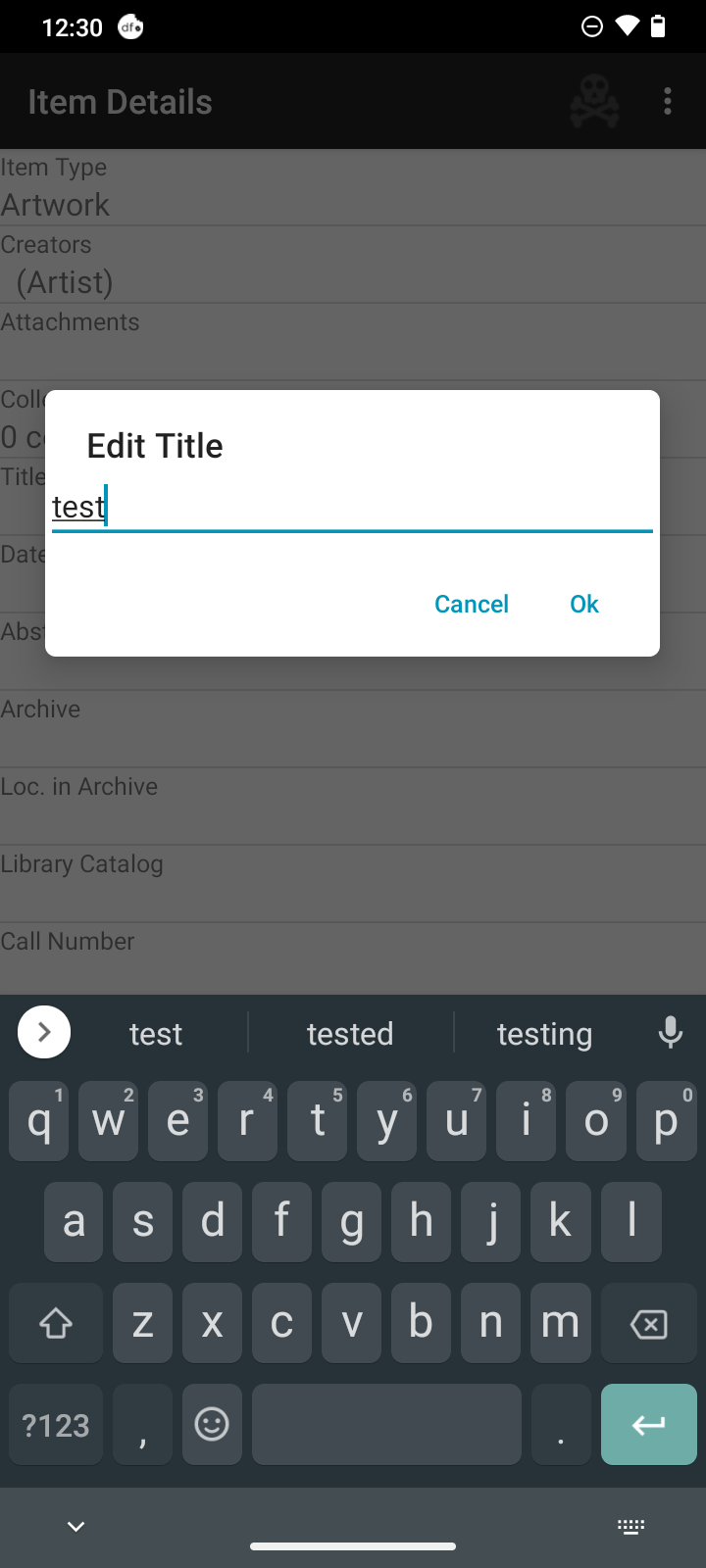
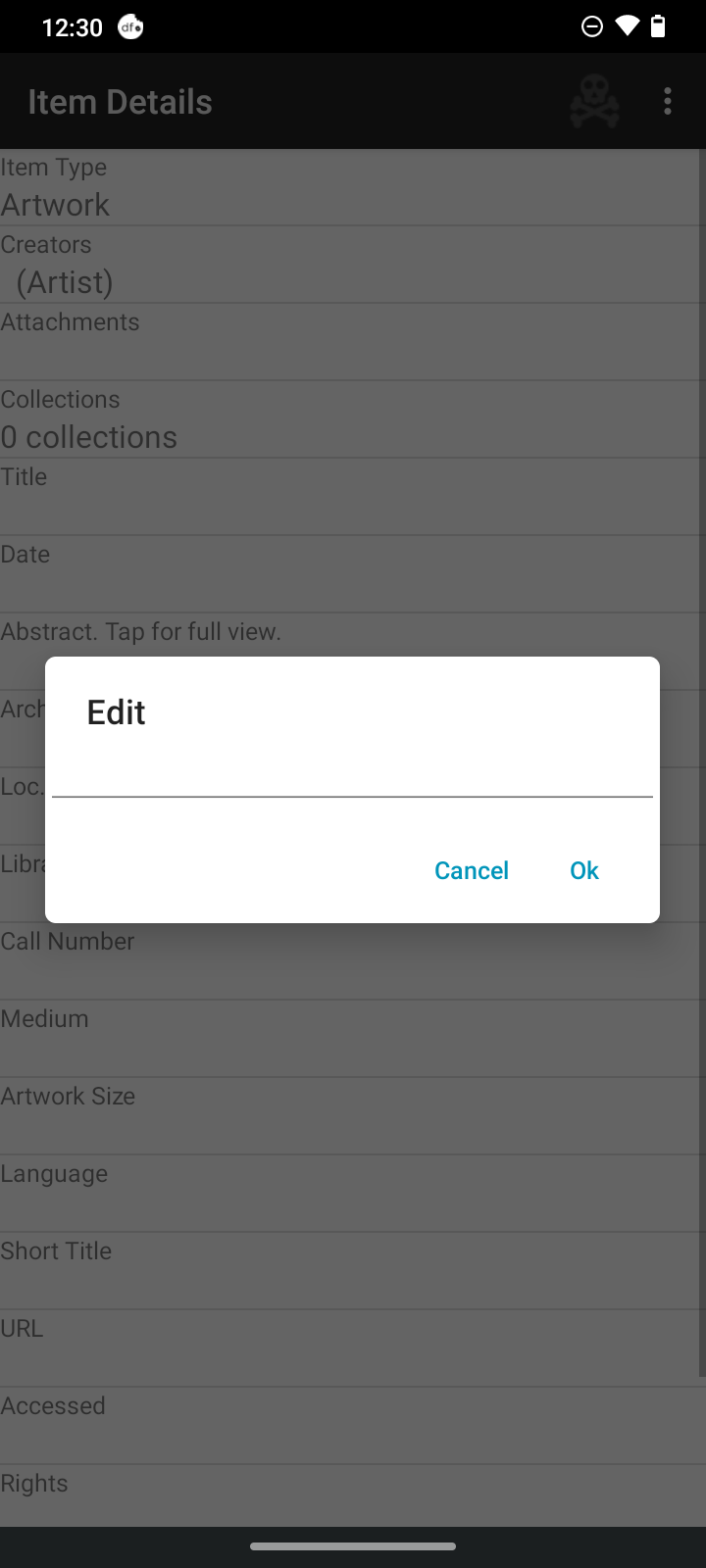
- Force the pause from the activity and then return to the activity (double rotation). Note that the input text disappears, and the menu title change.
Note: the pause from activity can be performed in several ways. We suggest using a double rotation (starts in portrait, goes to landscape, and back to portrait) with this function previously enabled in the smartphone.
The expected behavior is the return to the previous state with the input text of the previous image.
However, the input text disappears, and the menu title change.
After rotation:
Device:
- Device: Moto G30 with OS: Android 11
- Version: 1.4.6.1
- Device language: English