PuppetGUI does not delete remote server certificate if the server is deleted via GUI #171

Description

When you press delete button, on the puppetmaster-gui Atomia installation dashboard on a certian server, the installer does not remove the certificate of the machine that has been deleted.
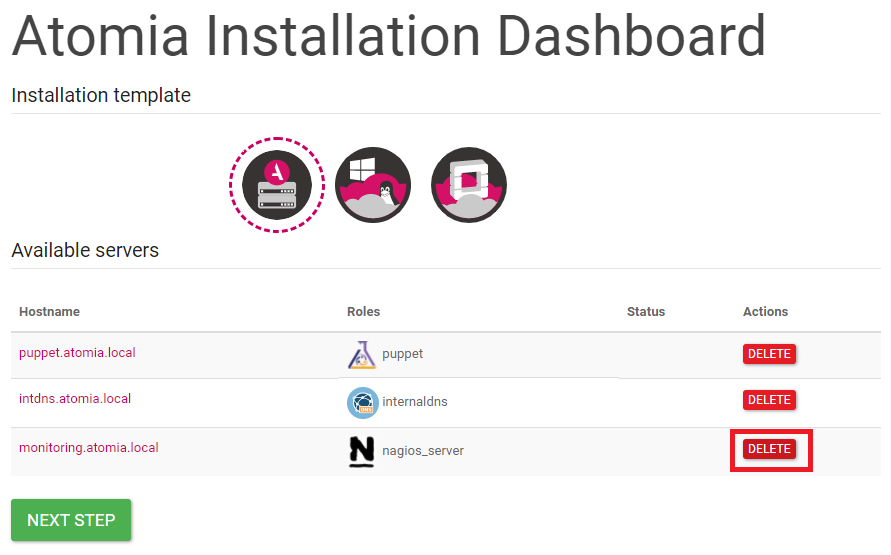
If you run puppet cert list --all on the puppet master machine you can still see the certificate of the machine that has been deleted.

If you want to provision the machine with the same hostname provisioning will always fail and report an error about certificate not matching if you don't remove the certificate.
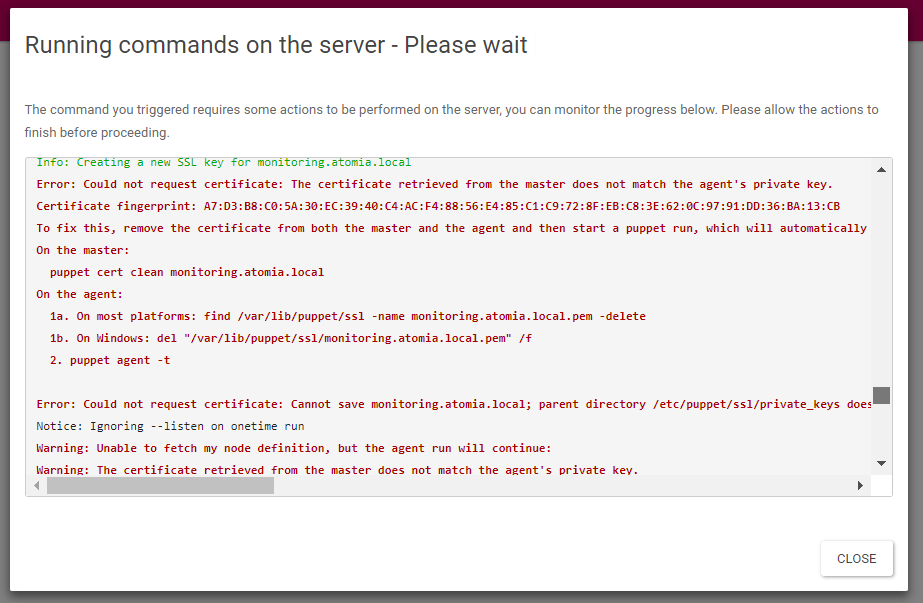
To remove the certificate on the puppet master node you need to run puppet cert clean <CERT_HOSTNAME> at least two times for the certificate to be removed.
Best solution for the service you want to install is to use a clean Ubuntu 16.04 machine without puppet and try again the bootstrap and provision process.
If you still want to use the same machine you need to run find /var/lib/puppet/ssl -name <FQDN>.pem -delete to remove the certificate. After that you can try to provision the machine again via puppetmaster-gui.