You signed in with another tab or window. Reload to refresh your session.You signed out in another tab or window. Reload to refresh your session.You switched accounts on another tab or window. Reload to refresh your session.Dismiss alert
Create a draggable div to be used as a display for "Items List".
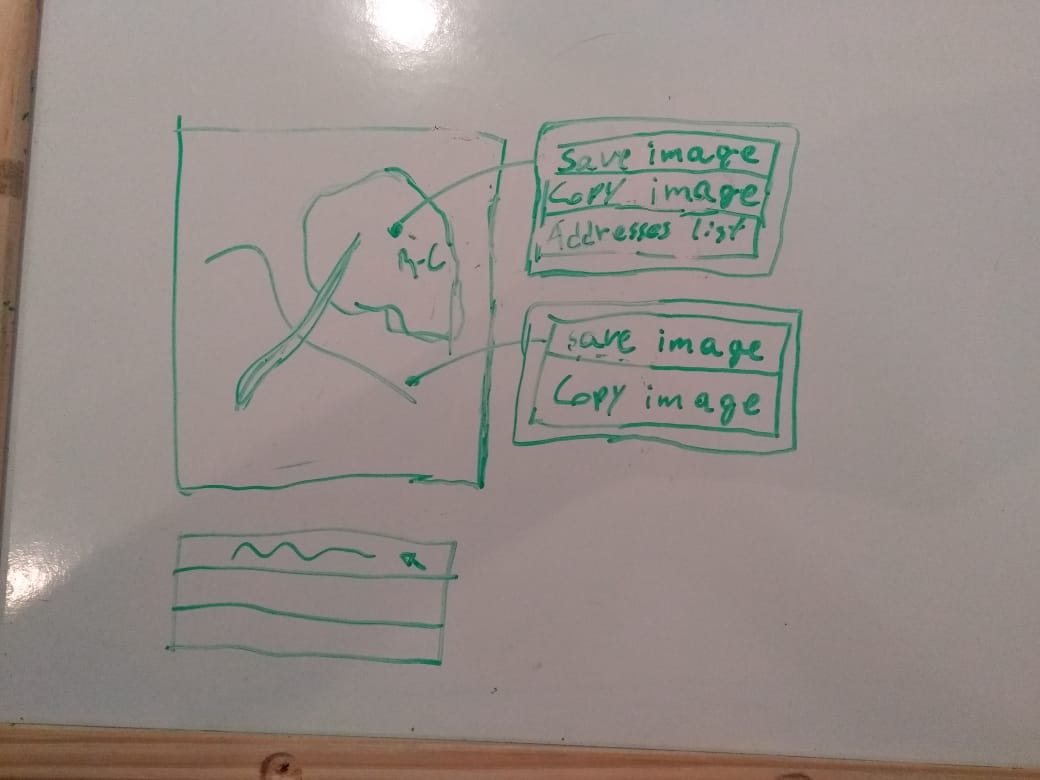
Right-clicking an region of interest, over the cartographic map, will display a contextual menu with the following options: "save image", "copy image" and "address' list" (draggable div). If the user right-clicks any point on the cartographic map that isn't inside a region of interest, then the displayed options will be "save image" and "copy image".
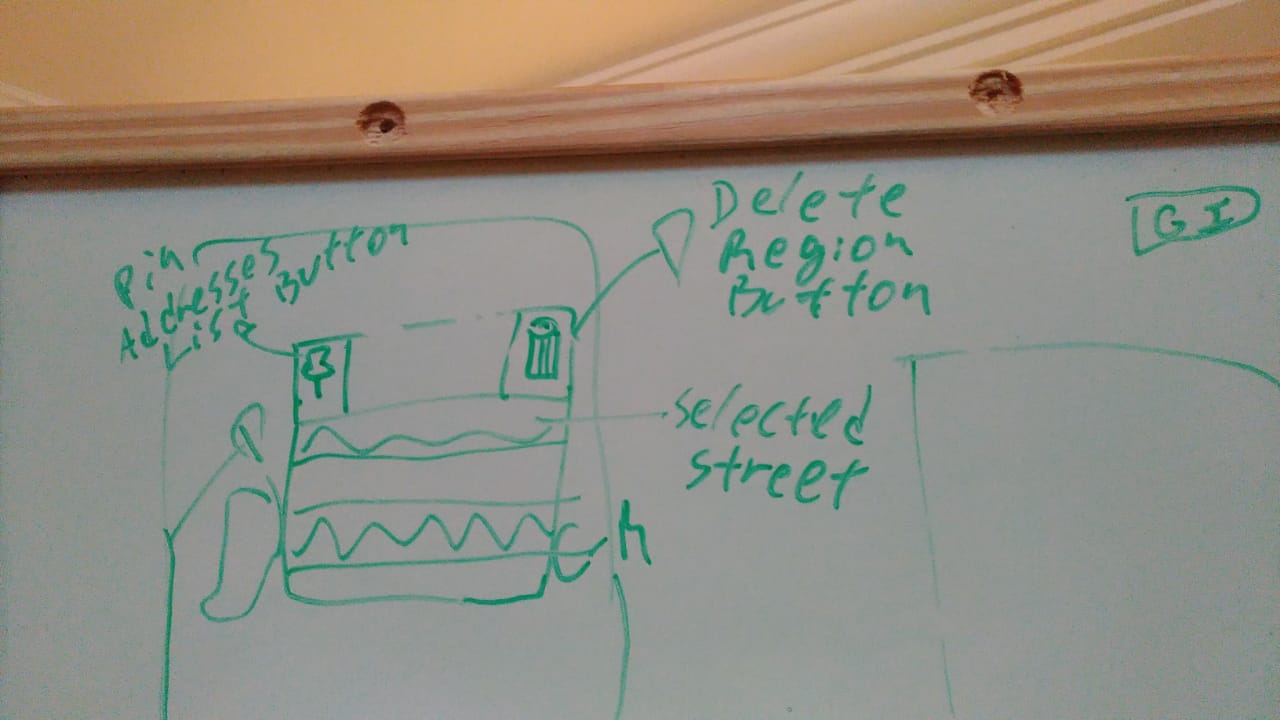
The ItemsList's draggable div have a pinning option that fixes it on the map.
The draggable div have an option to remove the region of interest from the cartographic map and from the regions of interest's list.
While hovering over a street's name inside "Items List" Div, the respective street will be highlighted on the cartographic map.
When some street inside "Items List" div is selected, the respective will be highlighted until it's deselected.
When some street is selected in "Items List" div and "ok" button is pressed, images for the selected streets will be displayed on the imgUrbanPicture in an alphabetical order according to the streets selected in the "Items List" div.
Adjust the Addresses List to receive addresses from uiModel.
Integrate the Addresses List with the map through the OpenLayers'API.


Context Menu example
Addresses List example