1. Browsers People access websites using software called a web browser. Popular examples include Firefox, Internet Explorer, Safari, Chrome, and Opera.
2.Web Servers When you ask your browser for a web page, the request is sent across the Internet to a special computer known as a web server which hosts the website.
3.Screen readers Screen readers are programs that read out the contents of a computer screen to a user. They are commonly used by people with visual impairments.
4.Devices People are accessing websites on an increasing range of devices including desktop computers, laptops, tablets, and mobile phones. It is important to remember that various devices have different screen sizes and some have faster connections to the web than others.

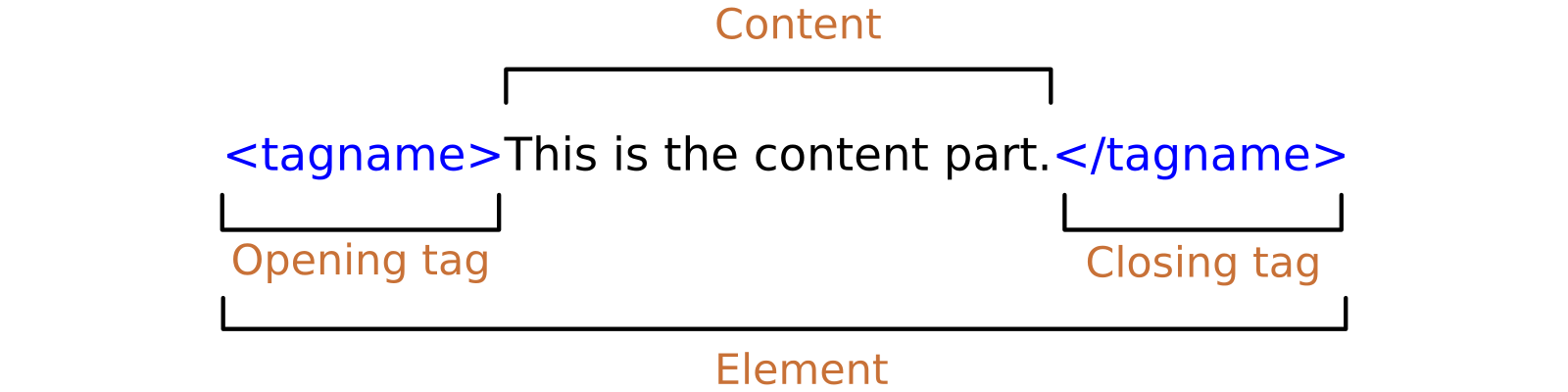
Attributes provide additional information about the contents of an element. They appear on the opening tag of the element and are made up of two parts: a name and a value,separated by an equals sign.
You met the element in the first example we created. Everything inside this element is shown inside the main browser window.
Before the element you will often see a element. This contains information about the page (rather than information that is shown within the main part of the browser window that is highlighted in blue on the opposite page). You will usually find a <title> element inside the element.
<title>
The contents of the <title> element are either shown in the top of the browser, above where you usually type in the URL of the page you want to visit, or on the tab for that page (if your browser uses tabs to allow you to view multiple pages at the same time).
DOCTYPES tell browsers which version of HTML you are using. X You can add comments to your code between the
markers.X The id and class attributes allow you to identify particular elements. X The
For a long time, web page authors used
The
and elements can be used for:- The main header or footer that appears at the top or bottom of every page on the site.
- A header or footer for an individual or
The
element is used to contain the major navigational blocks on the site such as the primary site navigation.The
element acts as a container for any section of a page that could stand alone and potentially be syndicated.The
element has two purposes, depending on whether it is inside an element or not.The
The purpose of the
element is to group together a set of one or moreYou already met the
element in Chapter 5 when we looked at images. It can be used to contain any content that is referenced from the main flow of an article (not just images).It may seem strange to follow these new elements by revisiting the