For Woocommerce Shop Page Only #175


-
|
Hi This is, hands down, the best floating cart plugin. However if you can help with two queries, it will be highly appreciable. One, how can I showcase this cart, only on the woocommerce shop page? is_woocommerce() or is_shop() conditional tag. Where can I add that? Two, how can I disable showcasing quantities of the item in the cart? I have disabled quantity in woocommerce settings, but the cart shows 1 alongside the item. The + and - sign don't work, as per the settings which is fine, but If I can disable the view altogether, that would be perfect. Thanks a lot for this beautiful plugin. Makes the website stand out from the rest. |
Beta Was this translation helpful? Give feedback.
Replies: 1 comment 4 replies

-
|
Thank you for the kind feedback. Please allow me to address your queries.
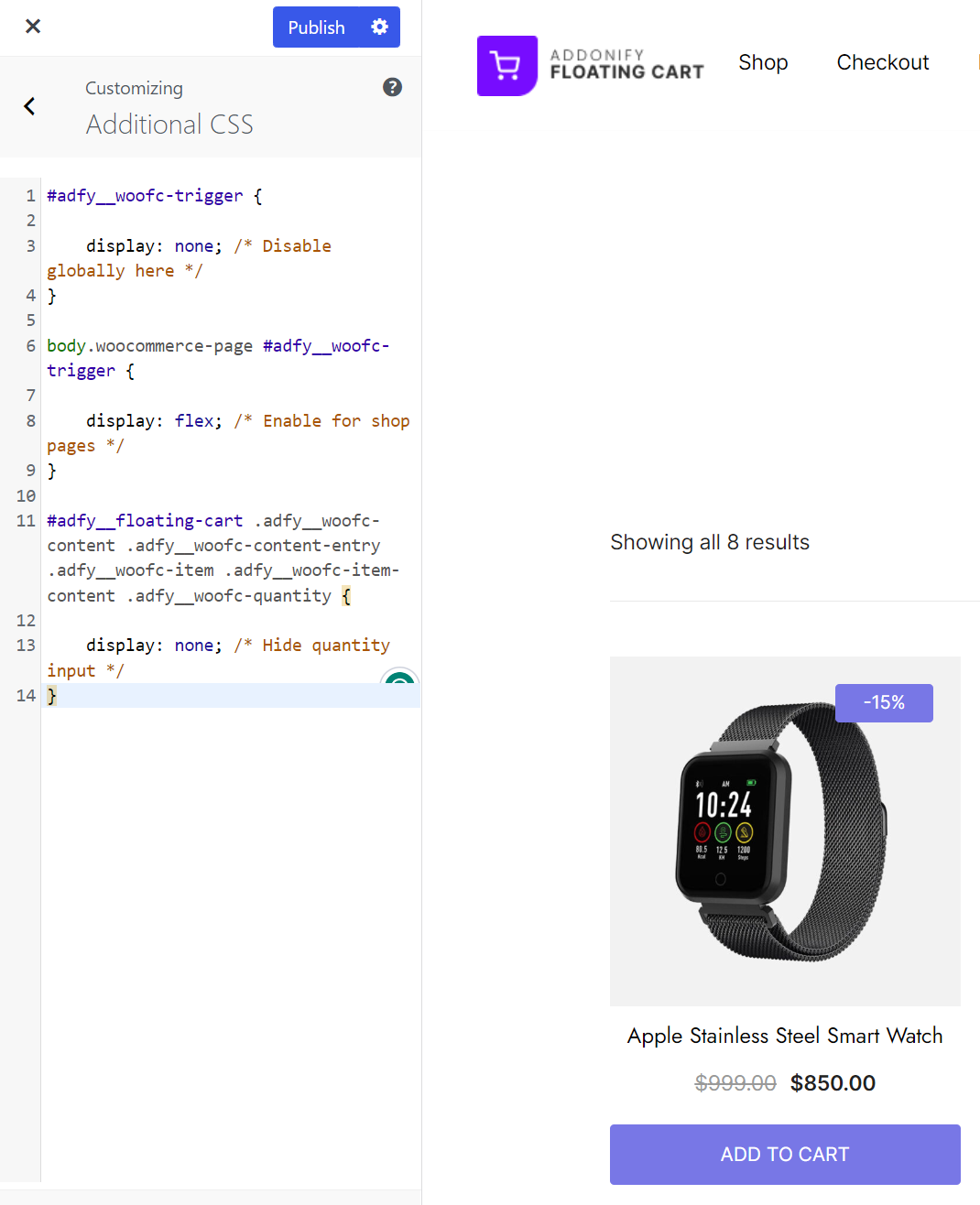
Copy the below CSS code & paste that into Dashboard > Appearances> Customizer> Additional CSS box.
This is how the additional CSS box will look once you paste all the CSS code.
Looking forward :) |
Beta Was this translation helpful? Give feedback.

-
|
This works like a charm. Very elegant, and looks perfect. |
Beta Was this translation helpful? Give feedback.
-
|
In future updates, I hope you can integrate the "Empty Cart" button option along with the options of "Close Cart" and "Open Cart" button next to Checkout.
Again, thank you so much for developing this plugin. Wish you great success with it :) |
Beta Was this translation helpful? Give feedback.

-
|
👋 Hi,
I hope you found Addonify Floating Cart useful! Could you please leave us a quick review here. It will help us to grow and stay motivated to deliver more features and improvements. |
Beta Was this translation helpful? Give feedback.
-
|
I left a review. You deserve it :) |
Beta Was this translation helpful? Give feedback.


Hi @SharatJaswal
Thank you for the kind feedback.
Please allow me to address your queries.
Copy the below CSS code & paste that into Dashboard > Appearances> Customizer> Additional CSS box.