Deploying Google Colab Docker Environment on Ubuntu 20.04.6 LTS
Install Docker on your machine and add it to the system path.
On Linux, you should also enable Docker CLI for the non-root user account that will be used to run VS Code.
The Docker extension. To install the extension, open the Extensions view (Ctrl+Shift+X), search for docker to filter results, and select the Docker extension authored by Microsoft.
If you don't have a Python project already, follow the tutorial Getting started with Python.
After verifying your app runs properly, you can now containerize your application.
1] Open the project folder in VS Code.
2] Open the Command Palette (Ctrl+Shift+P) and choose Docker: Add Docker Files to Workspace...:
3] Make a .devcontainer folder in your work directory
4] In .devcontainer folder create two files: a) Dockerfile and b) devcontainer.json
5] Copy the Dockerfile and devcontainer from this repository.
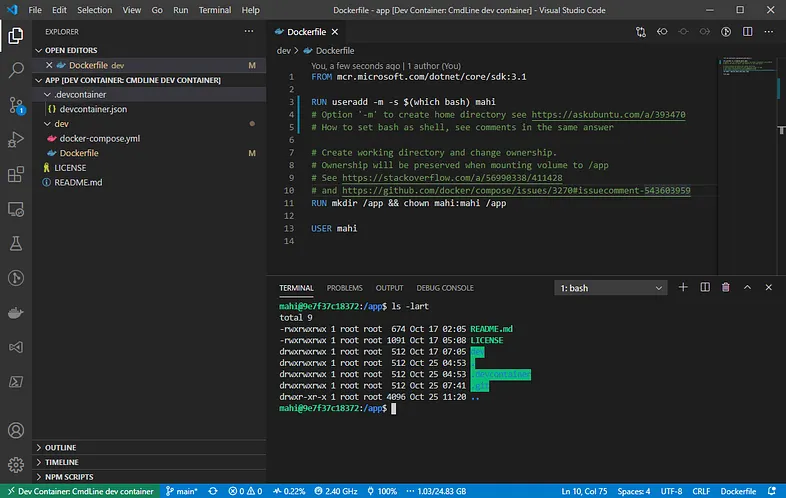
6] ^ Click on the Dev Connection Socket Button on bottom left corner of the window (Green colored tab shown in above image)
7] From the drop-down menu select "reopen in the container" option
Please note: For troubleshooting the docker building process read the error carefully!!
Pull requests are welcome. For major changes, please open an issue first to discuss what you would like to change.
Please make sure to update tests as appropriate.